GoldingD
Legend
October 19, 2022
Open for Voting

P:(Masking) Object Mask execute button instead of mouse release for complex selections

  • October 19, 2022
  • 12 replies
  • 638 views

Request for change


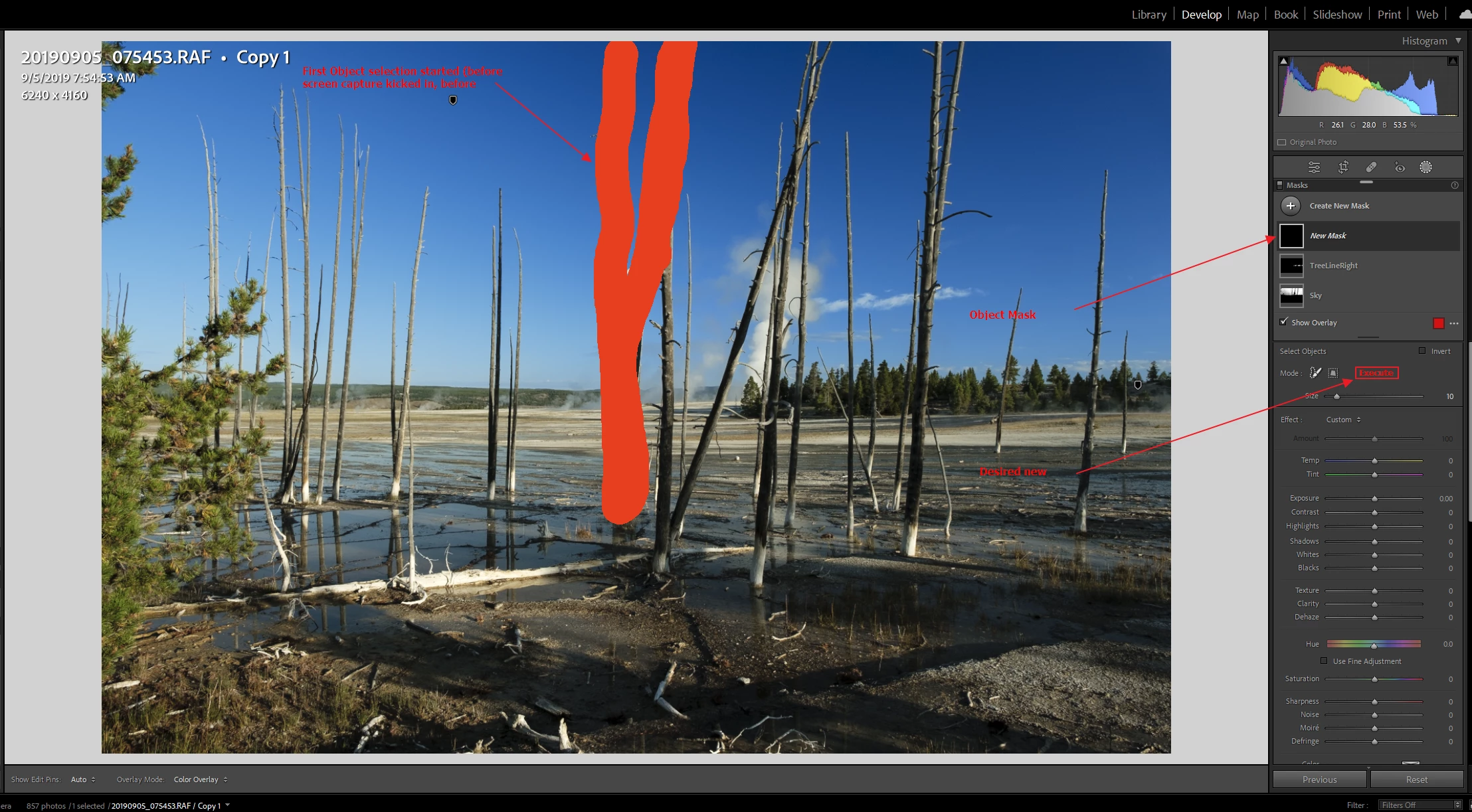
In the Object Masking panel, add a button to execute the mask creation as opposed to the mask creation occurring upon mouse release. This could allow for complex object selections without resorting to multiple Additions. This is not a request for the Done button coming back, this is a request for basically a start button being created.


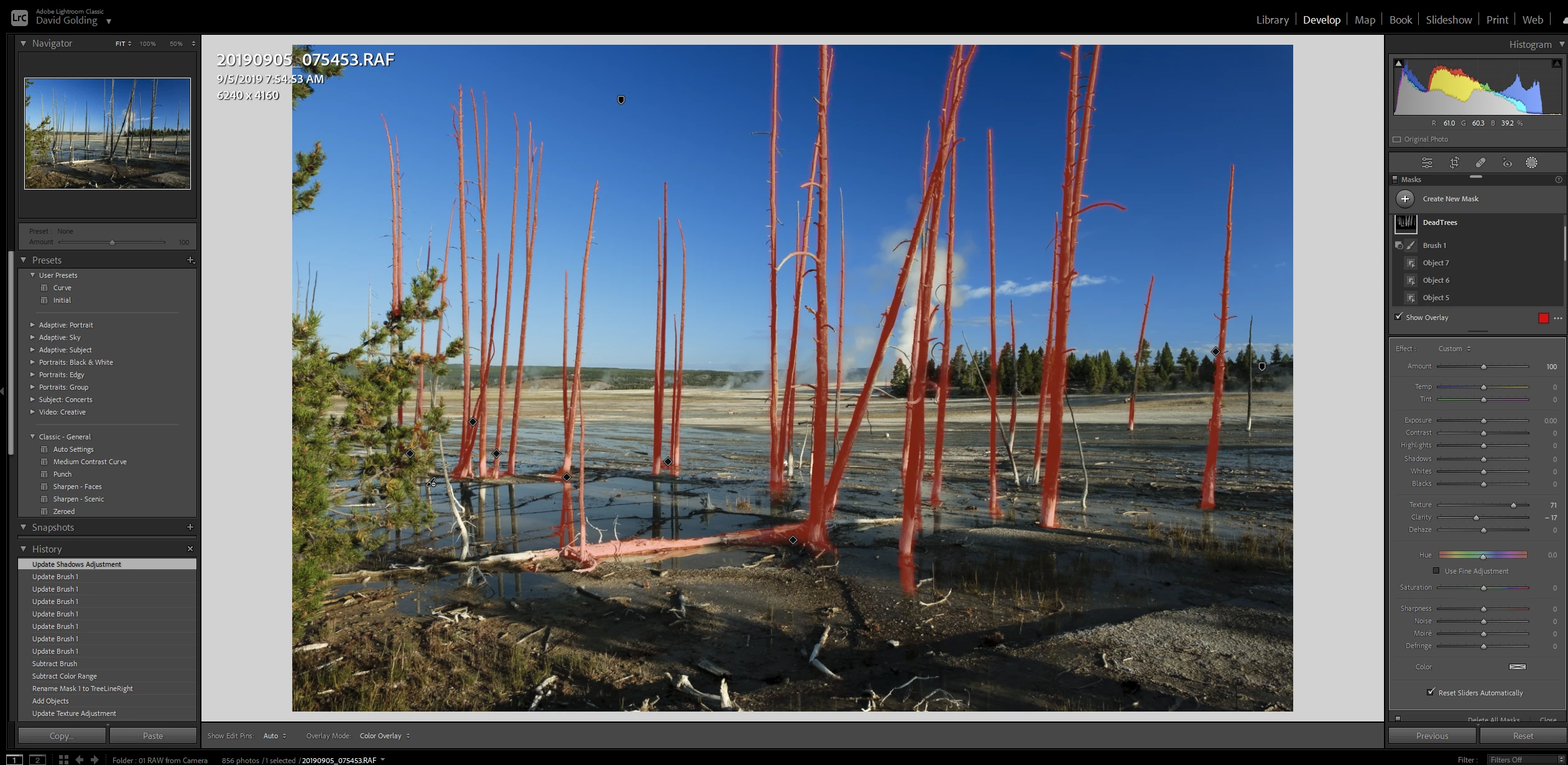
Example workflow, currently


  • Image has, say three separate objects to be in the one mask, objects are not near one another.
  • Create an object mask
  • Using the mouse define the first object to be in the mask. Release mouse
  • Now in the mask, select Add, and define next object
  • Repeat....


Example of proposed workflow


  • Create an object mask
  • Use mouse to define first object, release mouse
  • Mask is not created yet
  • Use mouse to define second object
  • repeat
  • Now click on the proposed Execute button, mask is created
  • continue.


Example of a situation:


Would like the addition to the UI of an Execute button:
 

12 replies

GoldingD
GoldingDAuthor
Legend
January 27, 2023

I like yours better than mine. The ALT comes to mind. Lots of similar actions involved the ALT key.

Although that key is already tied into some masking options, but plenty of other keys to use.


https://digital-photography-school.com/lightroom-tips-develop-module-magic-alt-key/


Known Participant
January 27, 2023

I would also like a quicker way of doing this. I recently masked each sheep in a field to increase texture and it was a tedious process. (A Subject mask did not find them as they were each quite small in the image). My suggestion is to be able to hold down a modifier key to let the object finding process know that I haven't finished yet. It would be useful if the overlay appeared as each one was masked to show that the objects were being defined as wished. One would then simply let go of the modifier to key to say "finished".
Or, in line with the OP's suggestion, this could be the default behaviour which would make it more like using the Brush mask albeit with a wait to let the software find each object depending on the speed of the machine.