



johnrellis
Legend
July 10, 2026
Open for Voting

P: Needs AI Update doesn't identify photos with masking errors

  • July 10, 2026
  • 4 replies
  • 91 views

The smart-collection criterion Needs AI Update doesn’t identify photos with masking errors. To reproduce in LR 15.4.1 / Mac OS 25.4.1:


1. Download and open the attached catalog “needs-ai-update-bug.zip”.


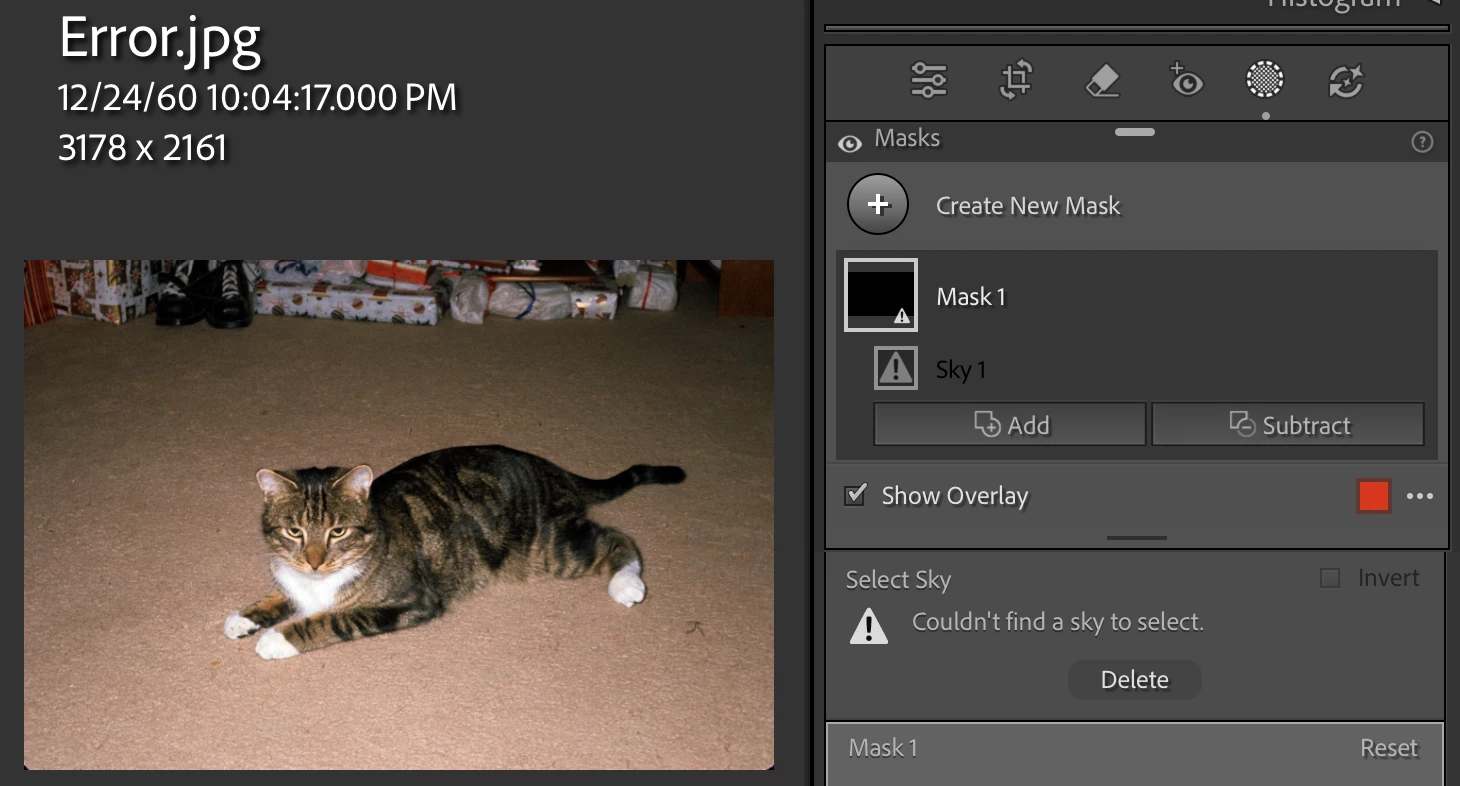
2. Observe that the photo Error.jpg has a Sky mask flagged as an error, “Couldn’t find a sky to select”:


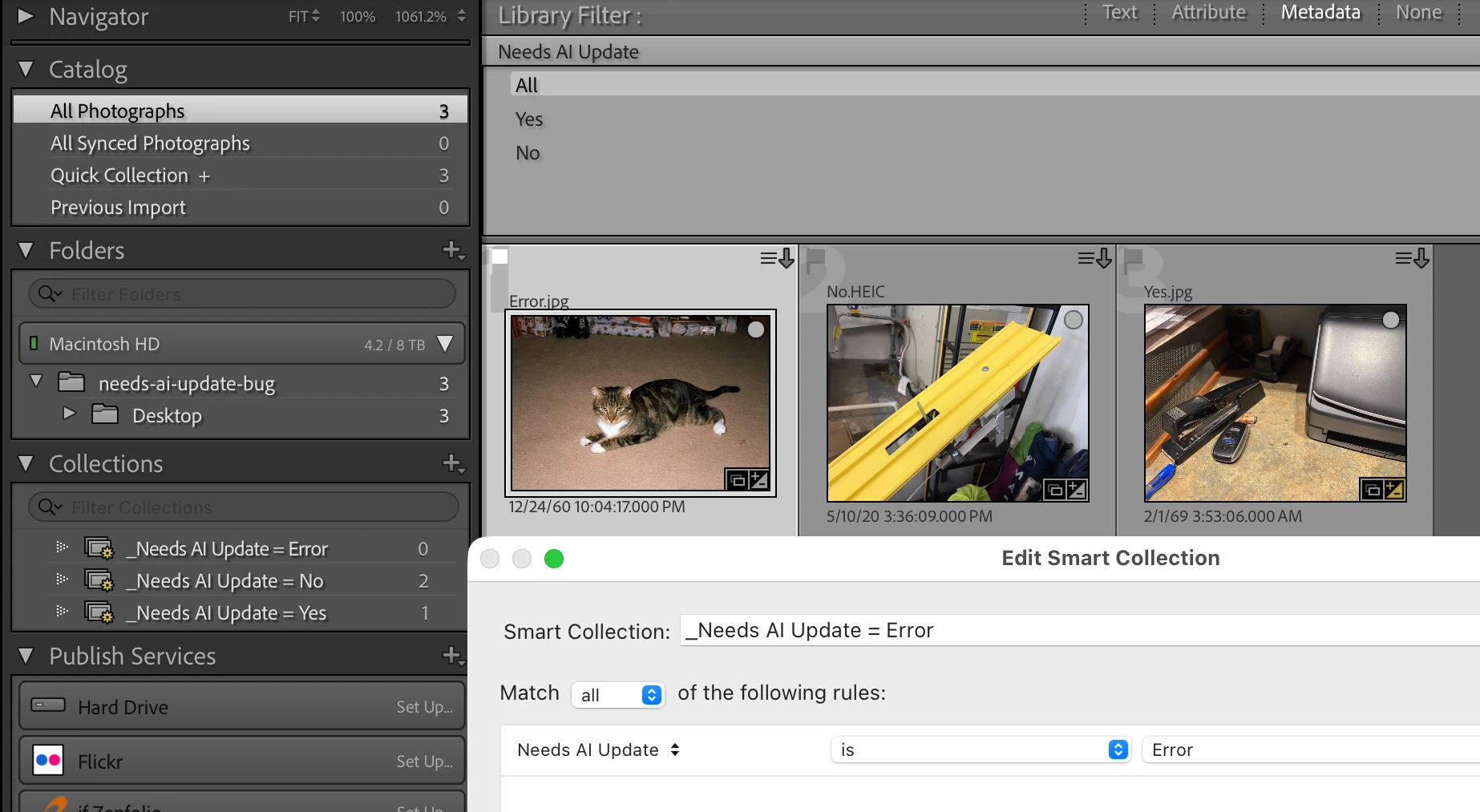
3. In Library, observe that the Library Filter column Needs AI Update doesn’t include an “Error” item identifying that photo, and that the smart-collection “_Needs AI Update = Error” doesn’t include that photo:
 

    4 replies

    C.Cella
    Legend
    July 26, 2026

    The impact of this issue is underestimated.

    This is what happens

    1. User apllied Ai Masks (paste, sync, apllies present ) to a selection e.g. 500

    2. Some of them result as empty  (they are alredy flagged with an error )

    3. User is not notified,no yellow edit badge in thumbnail, filters don't find these images.


    User must go photo by photo in Develop to find these masks AND either attempt to use a Objects or other non Ai masks to do the selection (user can delete them via "Delete Empty Masks" but is not a good idea)

    Usually the empty masks can be done by other means so is totally worth finding them.


    If the user doesn't do this search will ship/publish these images to public or clients with missing edits.


    Per desing we must waste our time and engage in a one by one search. Not good for us.


    The solution to this issue is trivial: add to a column in the database all images with Masks with errorReason = 1


    This will not spare users the need to paint those masks manually BUT would at least help users find them fast.


    Rikk Flohr_Photography
    Community Manager
    July 23, 2026

    The current behavior is as-designed and I have ported this to a Feature Request. 

    Rikk Flohr: Adobe Photography Org