


P: Offer to use the duplicate keyword that you have just tried creating rather than ask you to creat a new different keyword.
I spend hours and hours keywording, creating a very large index from every Vehicle Museum, Car Show, Car Race meeting etc. To save a lot of duplicated processing the first thing I do is to create a keyword of the number plate - vehicle tags. This immediately stops me creating a keyword all the keywords for vehicle already in the database.
This vehicle is one that I have seen more than once.
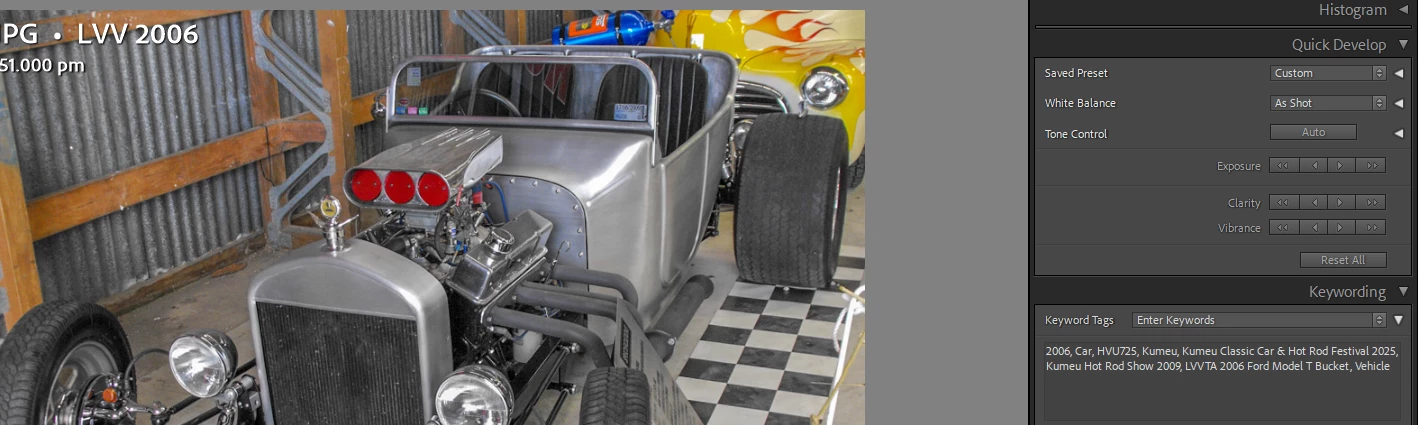
In both 2009 and 2025. Two different Show keywords on the one photo.
If Lightroom simply gave me the option to use the keyword that I am trying to create as I already have the plate keyword in the database it would save me a lot of time getting through the plethora of keywords to find the existing keyworded photo. I simply add the new venue keyword to the older photo and then delete the new photo - saving processing, storage etc etc.
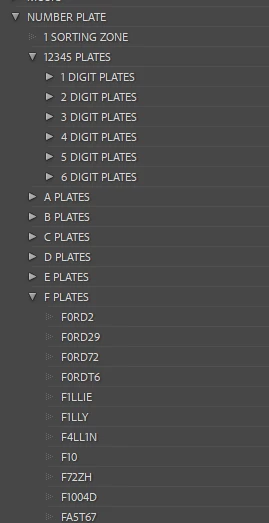
It takes a lot of time to find the existing keyword, to then tag the new photo with it, open both photos to check if it is the same vehicle, then add the new show/event Keyword to the old photo and delete the new one.
I have over 30,000 photos under the Transportation Keyword and each new show or event I go to invariably adds 400+ photos to be processed.
 AdChoices