



P: Photo merge filenaming and tagging color label
Presently I will pre-color a set of photos to a specific color I avoid using for other category of label (ie Yellow). When the merge is complete the resulting merge photo will be yellow.
I have two proposed ideas for this process.
1. When photos are selected for merge and if successful Lightroom will automatically label them together with the resultant photo with a color not in the present set ... like orange, cyan or otherwise. This could be an option selected by the user with an additional tick box selection.
2. The present process will add a suffix to the resultant photo. This presents a problem as when we batch rename photos in a folder/collection etc those suffix are gone. Suggest the resulting merged photo be populated with an appopriate keyword. I now manually add #hdr, #pano, #hdr#pano depending on which merge process I had used. Keywords do not get changed when one do a batch rename.
Following is a mock up of the UI. If for any reason no new colors could be set then I suppose one could either have a selection of one of the existing colors.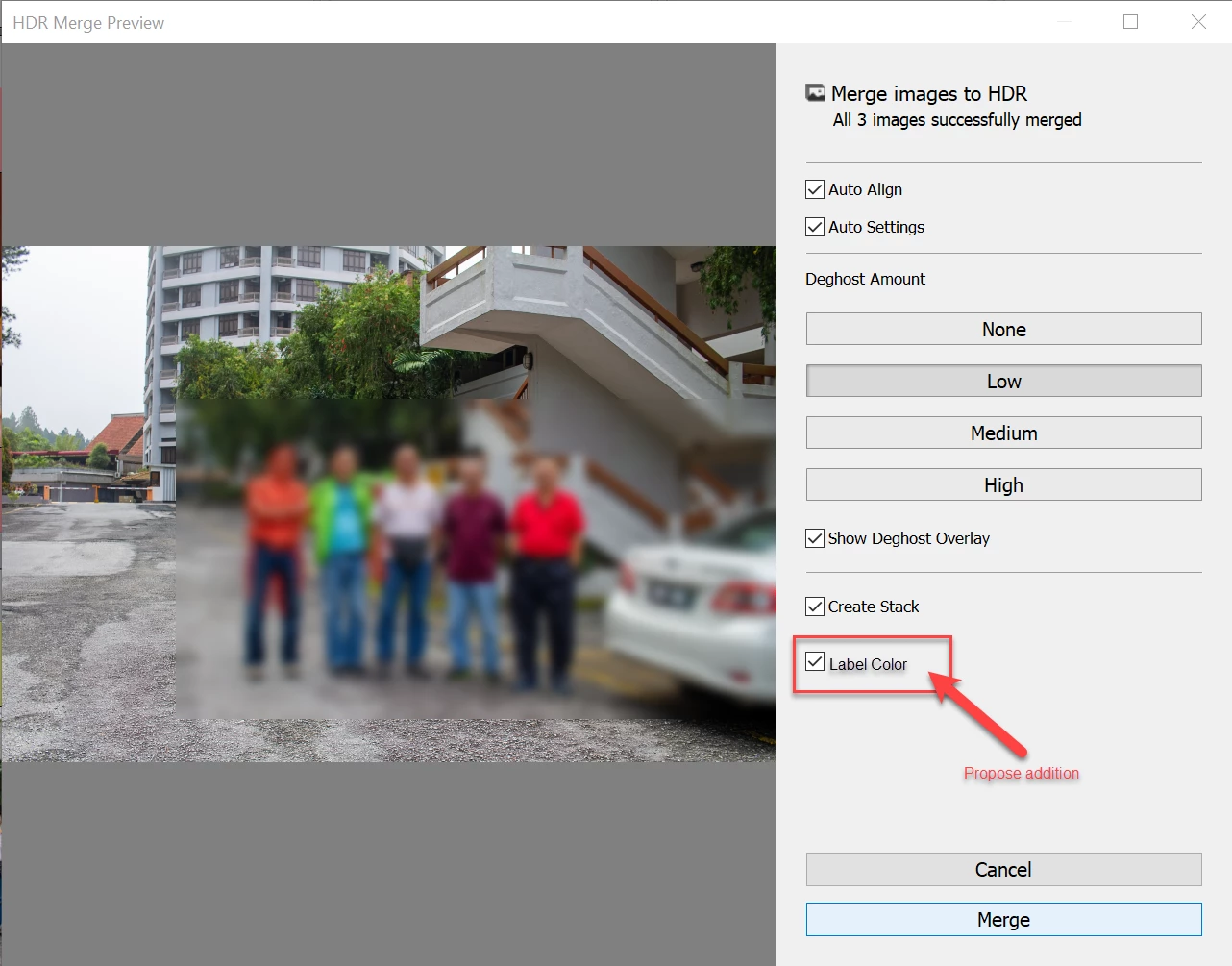
 AdChoices