


Open for Voting
P: Simplify moving folders
I have a large catalog and my workflow is this:
- Import photos onto my local computer. Store pictures in the Pictures folder in a subfolder with year/year-month-day folder structure.
- Edit my photos
- Move my photos to my NAS storage by dragging the folder in Lightroom to the storge drive.
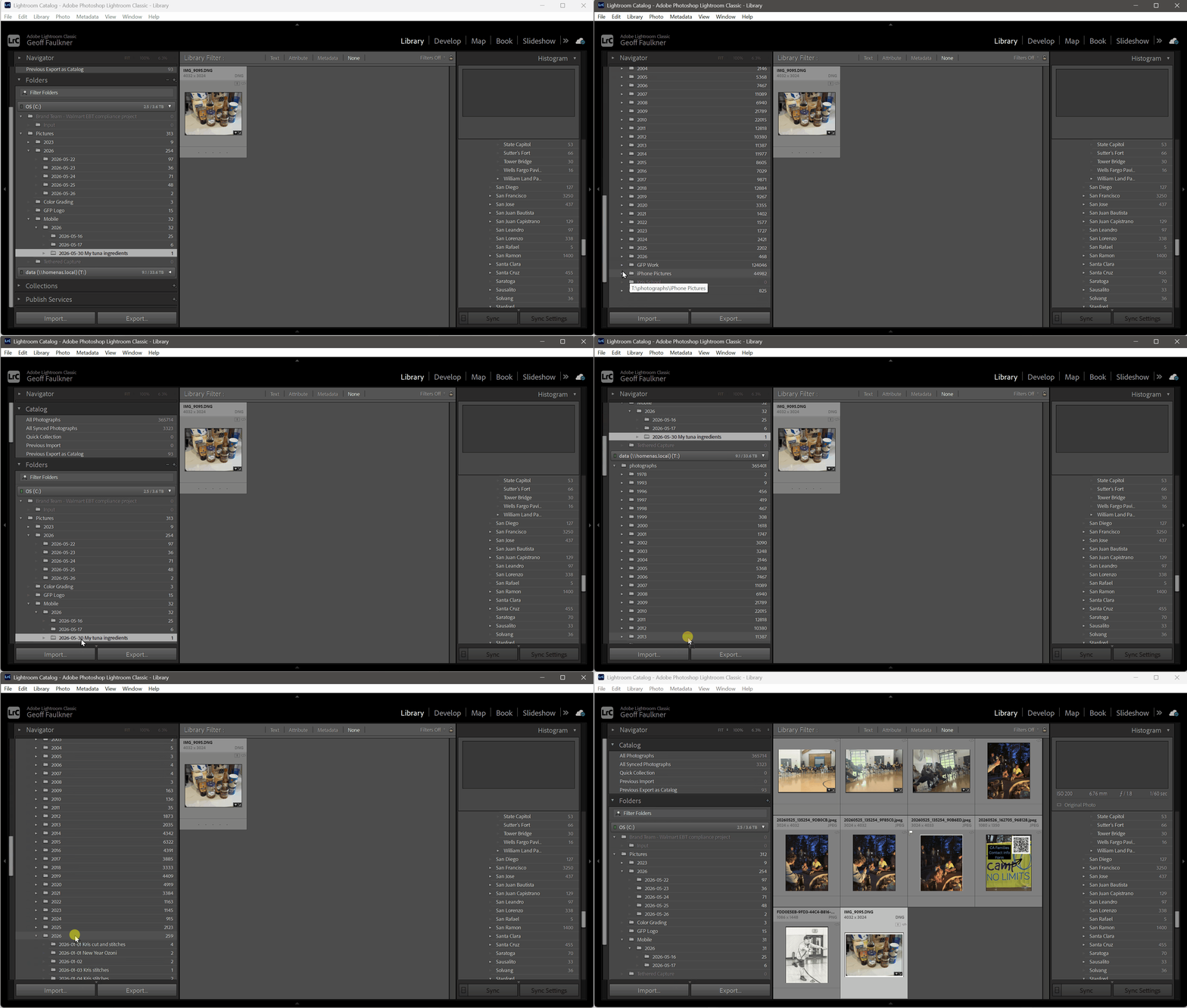
I have photos on the NAS going back many years. Dragging in Lightroom is a complicated process:
- Expand the NAS drive letter
- Expand the year target folder
- Roll up any other year folders because the list is extremely long
- Grab the folder and drag it down. The target folder is off the screen. Drag close to the bottom and get the list to start scrolling. Scroll scroll scroll until I get to the target year, and then release.
- In the middle of scrolling if I pause for even a moment, it will expand a year folder that is NOT the intended location. So I then have to scroll through all the photos in that year to move to the bottom of the list and get to the next year.
All this maneuvering is done while holding the mouse button down and hopefully it doesn’t release. This is REALLY difficult to do on a trackpad on my laptop and a challenging operation for anyone who might require some sort of physical accommodations.
My suggestion:
- Make a new menu item when right clicking on a folder in the Library module. The new menu item should read Move Folder .... The user should be able to select one or more folders for this operation.
- When the user selects Move Folder … a dialog box should show to say “Select target location”. It should be a parent folder selector that would use the standard “browse” or “save as” system dialog box to pick a folder. If you don’t use the system dialog box, make your own dialog box here that only includes folders that already exist in the catalog.
- If the solution is developed to use the standard system dialog box and the user adds a folder location that is outside the Lightroom catalog known folders then consider warning the user or adding the new location to the catalog automatically.
-
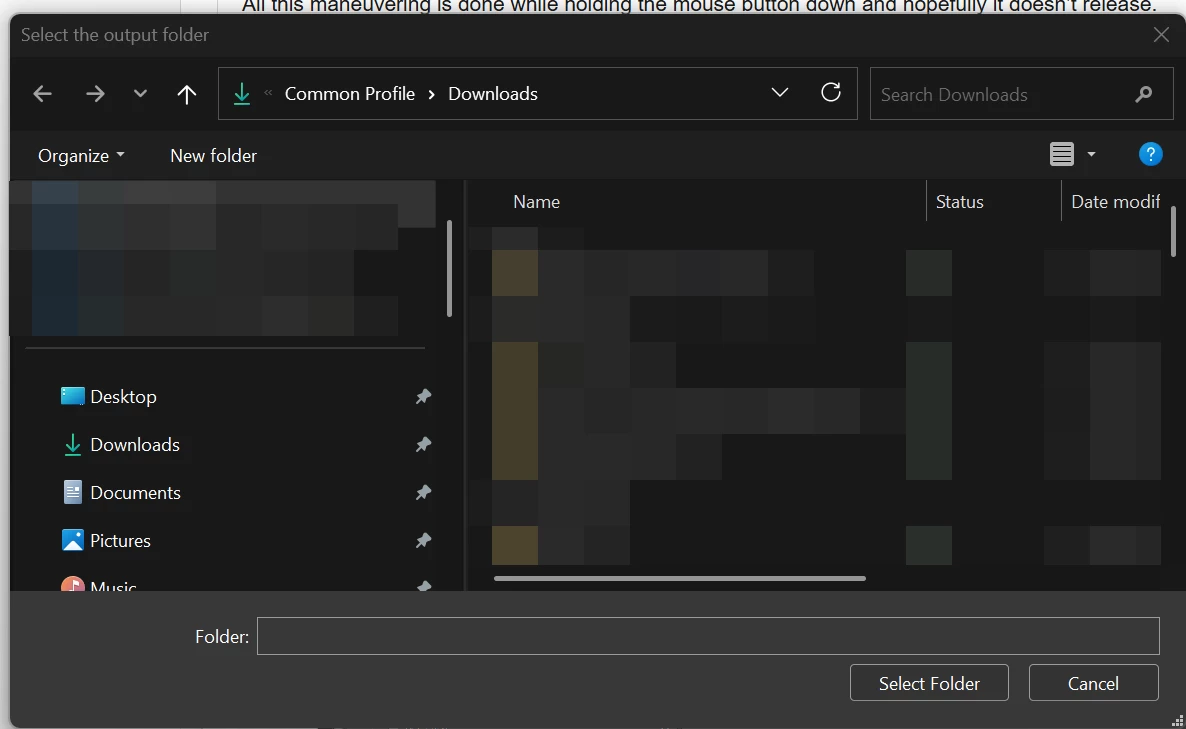
Sample “select folder” dialog box in Windows - When the user clicks Select Folder then each of the folders are moved in the same way as drag and drop in the application. Confirm the move as normal, move both single and multiple folders as normal.
This solution should be much simpler to move folders in the catalog, especially with large catalogs, and especially for those that need accessibility assistance to not require the complicated click/drag/find your target and never let go operation that we currently use.
Thank you for your consideration!
 AdChoices