Participant
April 26, 2025
Released

P: Update Needed for Nikon Zf Flexible Color Profile (Camera Matching) in Lightroom

  • April 26, 2025
  • 16 replies
  • 4548 views

Hi, Nikon has released FW 2.0 for the Nikon Zf two weeks ago, which finally enables Flexible Color on the camera (similar to the Z6III). This enables users to create "recipes"/LUTs so to speak within NX Studio, and export them as .NP3 files onto the Zf/Z6III/Z50II. 


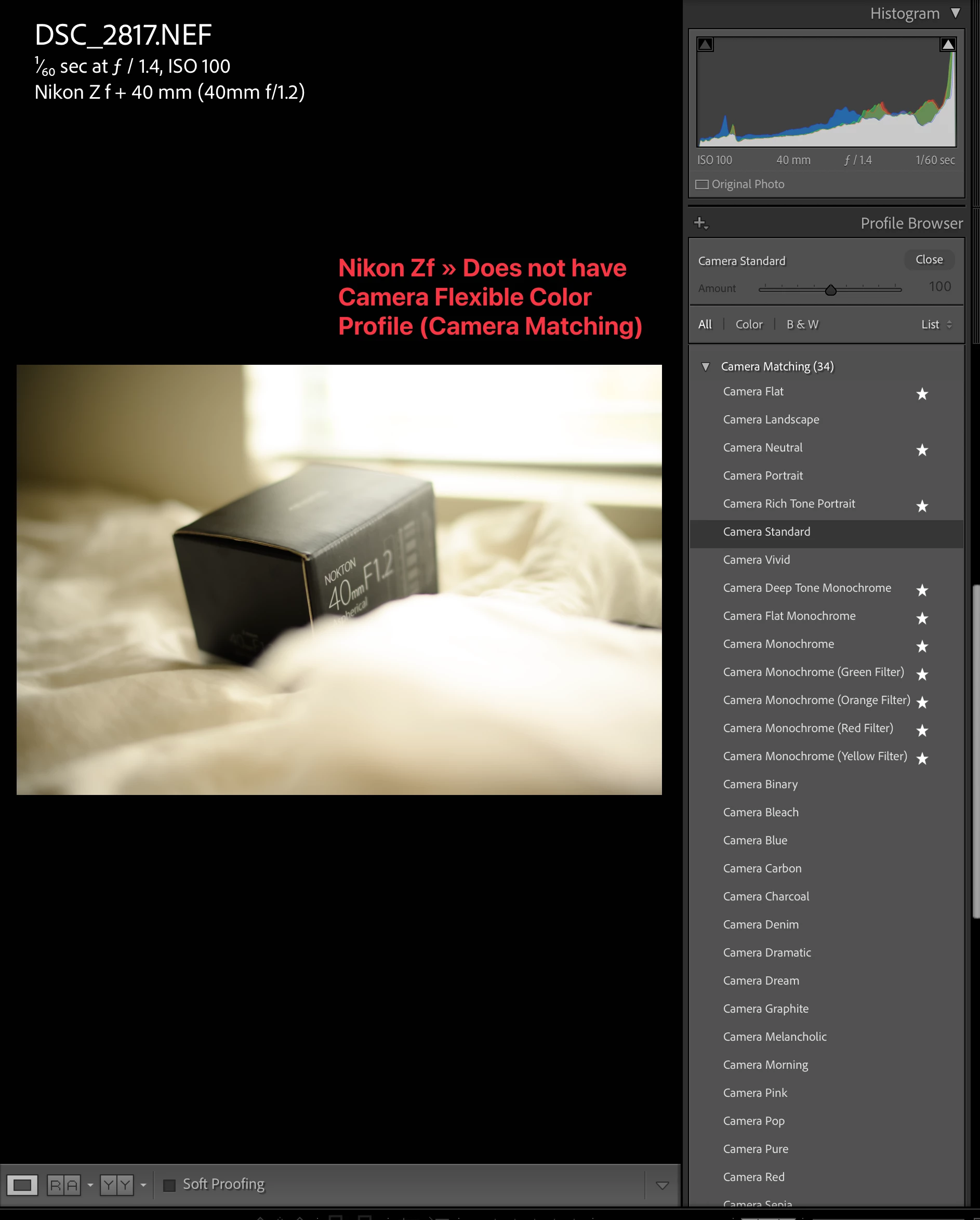
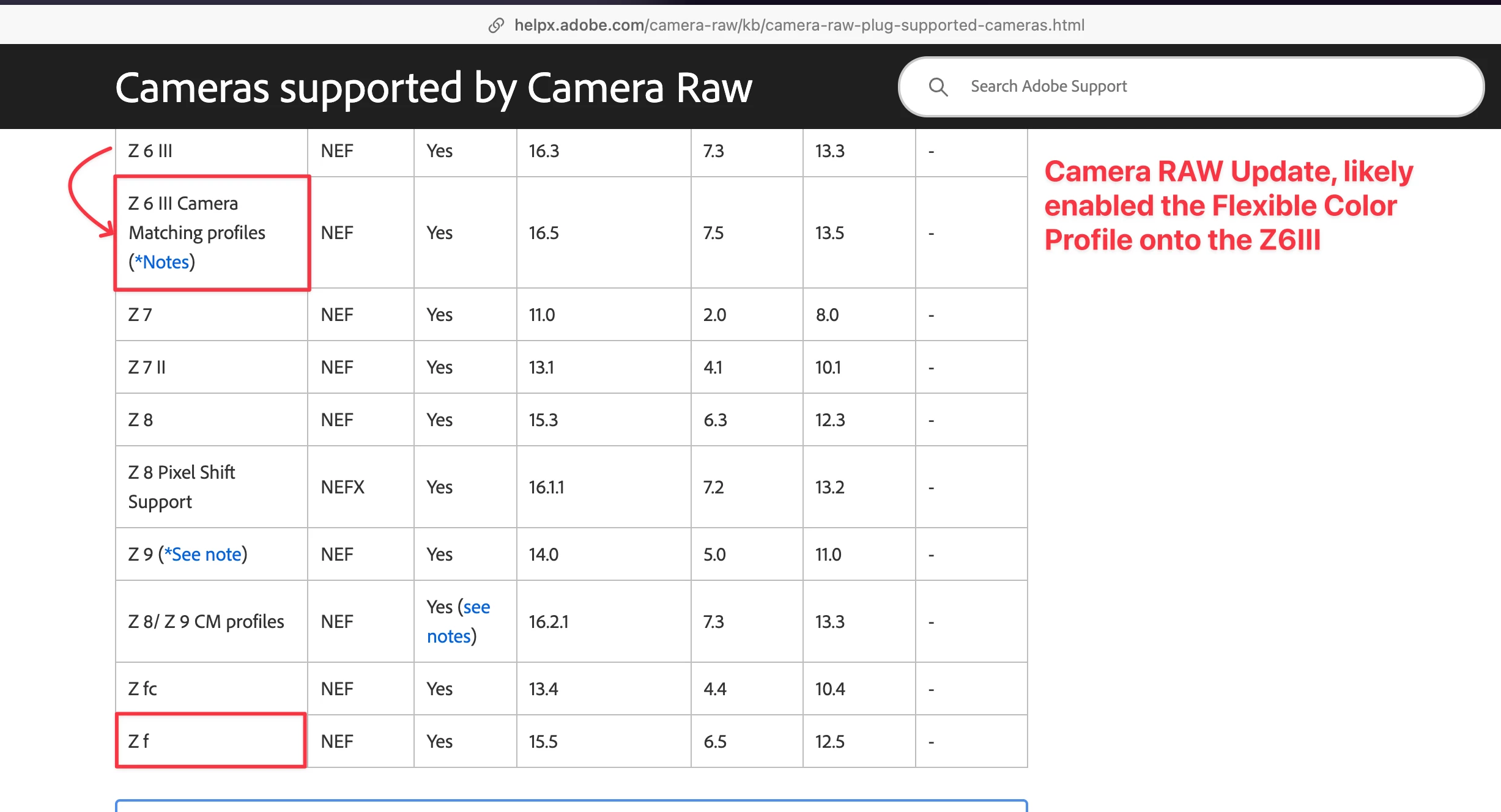
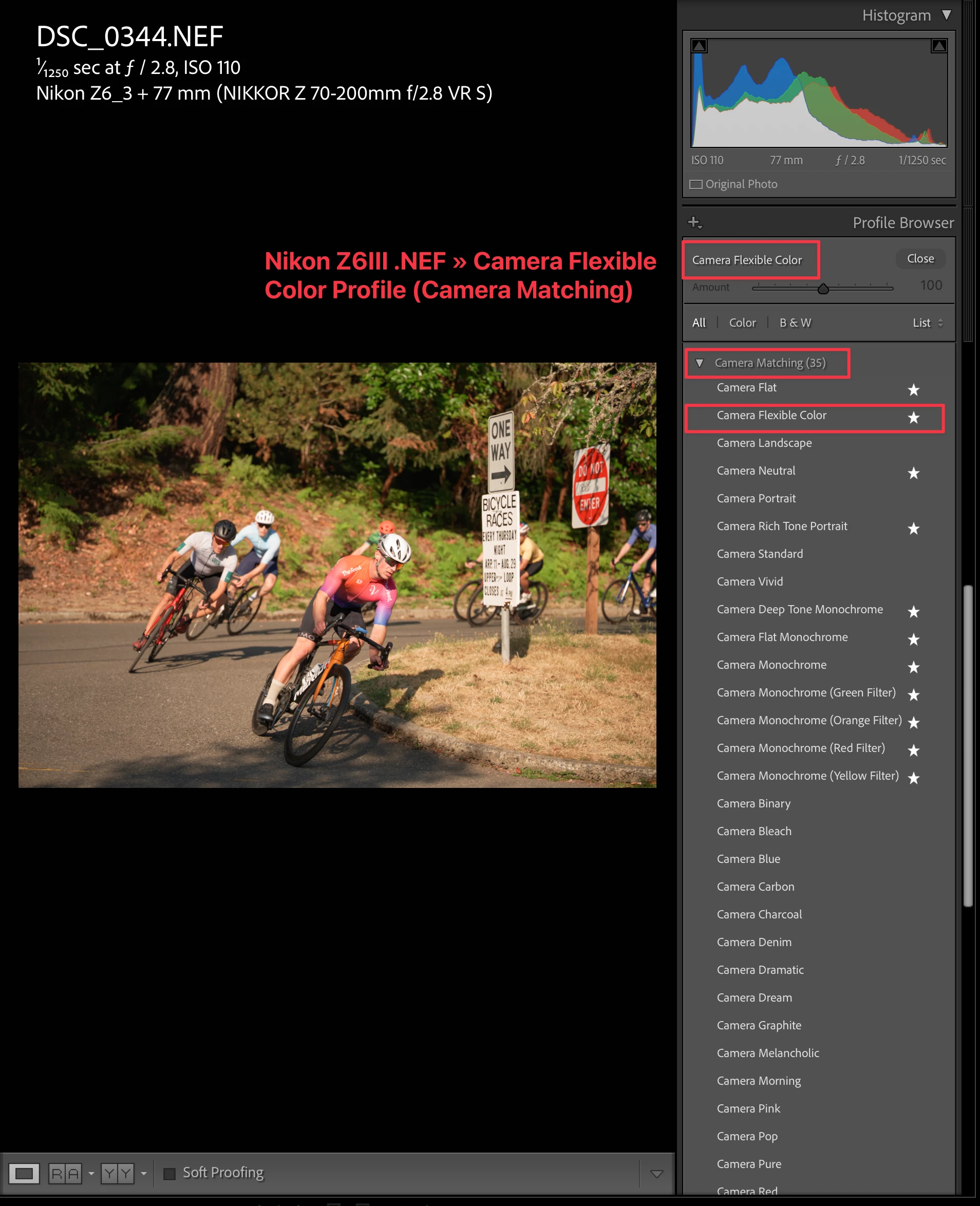
Upon importing the JPEG + RAWs to Lightroom (as of the latest release 14.3), there is no "Flexible Color" Camera Matching Profile on the Zf like there is on the Z6III. Please see the attached screenshots for your reference. I believe this should be fixed/added via an update to Camera Raw.


As someone who is 95% satisfied with my "custom .NP3 flexible color settings" on my Zf to achieve the images I want, there's only a slightly edit I want to apply to the RAWs. But, importing them into Lightroom automatically applies Camera Standard (and not Flexible Color, like it does on the Z6III). As expected, this results in a very different look and strong color shift since it isn't saving the Flexible Color information.


It would be greatly appreciated if this came to an update to Camera Raw.


Pinned Reply By Rikk Flohr -

See: https://community.adobe.com/t5/camera-raw-discussions/camera-raw-17-4-1-is-released-with-support-for-additional-cameras-and-nikon-profiles/td-p/15390235 


Expect to see the update in Lightroom in the round of planned updates. I am sorry, but I cannot yet share the exact date. 

16 replies

johnrellis
Legend
September 2, 2026

[View this post in your web browser. It contains formatting and images that don't appear in email.]

@henrys51211159 Do we have any updates on this, the imported camera profile is still WAY off from whats shown in camera or with the original preview?


See this thread for detailed analysis of a sample photo with the Nikon Flexible Color profile, with garish rendering of some colors in LR:

https://community.adobe.com/questions-675/lightroom-classic-macos-fails-to-correctly-reproduce-nikon-zf-in-camera-presets-via-camera-flexible-color-1556414?postid=7747137#post7747137


With that sample photo, the issue was caused by strange Develop settings that Nikon had embedded in the raw, which get applied when you import the photo with Raw Defaults set to Camera Settings. If you go into the Develop panels and zero out all those settings, the rendering in LR looks much more reasonable.  


So with that photo at least, it’s Nikon that’s at fault, embedding bogus Develop settings in the photo. 

Participant
September 2, 2026

Do we have any updates on this, the imported camera profile is still WAY off from whats shown in camera or with the original preview?

opt1mum
Participating Frequently
September 2, 2026

Yes, the imported photo is still quite different from the original preview of NEF file. But once imported into LR, the preview of NEF file will change too (different from the original correct preview that matches color in NX studio). At this moment, LR does not support  flexible color profile (NEF raw photos taken with nikon recipess).

Nadeem28230335k4xr
Known Participant
June 23, 2026

@aspiringsciencetype does this flexible color profile give you the entire color settings you established with your Nikon recipe in NX Studio?  Like, highlights, shadows, HSL, contrast, etc?

Squatchmode8862
Participant
June 22, 2026

Nearly a year later, and the Nikon recipe, which translates fine to the library preview, still does not display in the Develop module. Smh. 

Participant
August 19, 2025

The update was released, now the list includes Camera Flexible Color. But the color does not match the color in the camera - the position of the sliders is different from the usual, the camera profile is flexible camera - but it seems that Lightroom does not recognize the camera profile correctly. Is this planned to be fixed? Otherwise, what is the point of this functionality? I specifically looked for camera profiles to optimize the processing process, while working with RAW and now I just do not have an adequate way to apply my favorite profiles, the easiest way is to photograph a color checker with different presets and convert them through the DNG profile editor into camera profiles, but don't you think that this is some kind of hellishly complicated method?

defaultoyx5xbsjcm9j
Participant
April 4, 2026

Can corroborate. Camera Flexible color is there, but consistently off between the embedded prevew in the raw file (that matches what is seen in-camera) that appears fine in the Library module, and what Lightroom decides to do when switching to the Develop module.

Imho the whole Camera Flexible Color thing in Lightroom is currently broken.

At least regarding Nikon Zf.


Participant
June 26, 2025

Thanks for the update! Will this be rolling out to LrC/LR in a future update soon? I saw that the new .DCP profile had been placed in /Library/Application Support/Adobe/CameraRaw/CameraProfiles/Nikon Z f,  but I couldn't find/select it in LR, LrC, or Photoshop.

Known Participant
June 26, 2025

Hi Rikk, thank you for this awesome update! Just wanted to ask when can we expect to see this work in Lightroom and Lightroom Mobile? Thanks!

Rikk Flohr -
Community Manager
June 26, 2025

See: https://community.adobe.com/t5/camera-raw-discussions/camera-raw-17-4-1-is-released-with-support-for-additional-cameras-and-nikon-profiles/td-p/15390235 


Expect to see the update in Lightroom in the round of planned updates. I am sorry, but I cannot yet share the exact date. 

Rikk Flohr: Adobe Photography Org
Participant
May 18, 2025
Participant
May 18, 2025

Latest release of Adobe Camera Raw (v 17.3.1) on May 8th did not contain this Z f flexible color profile. Please update this!