


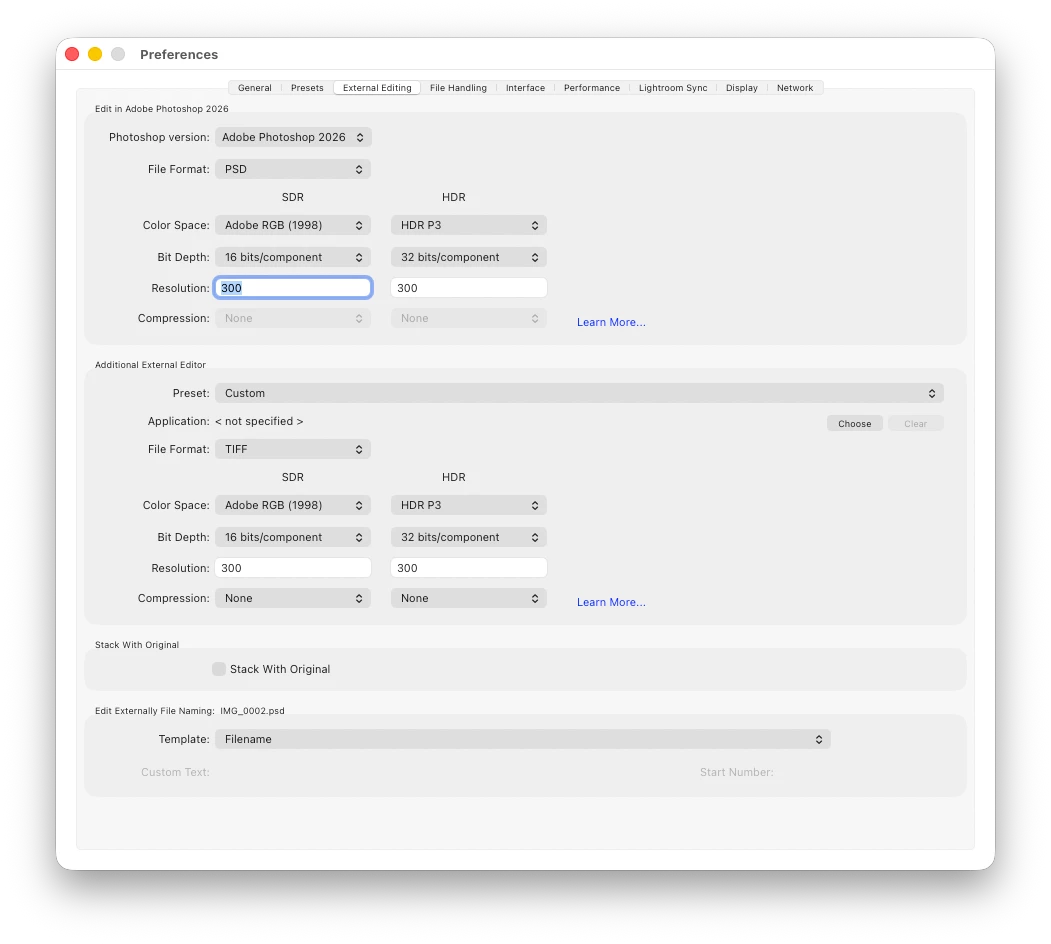
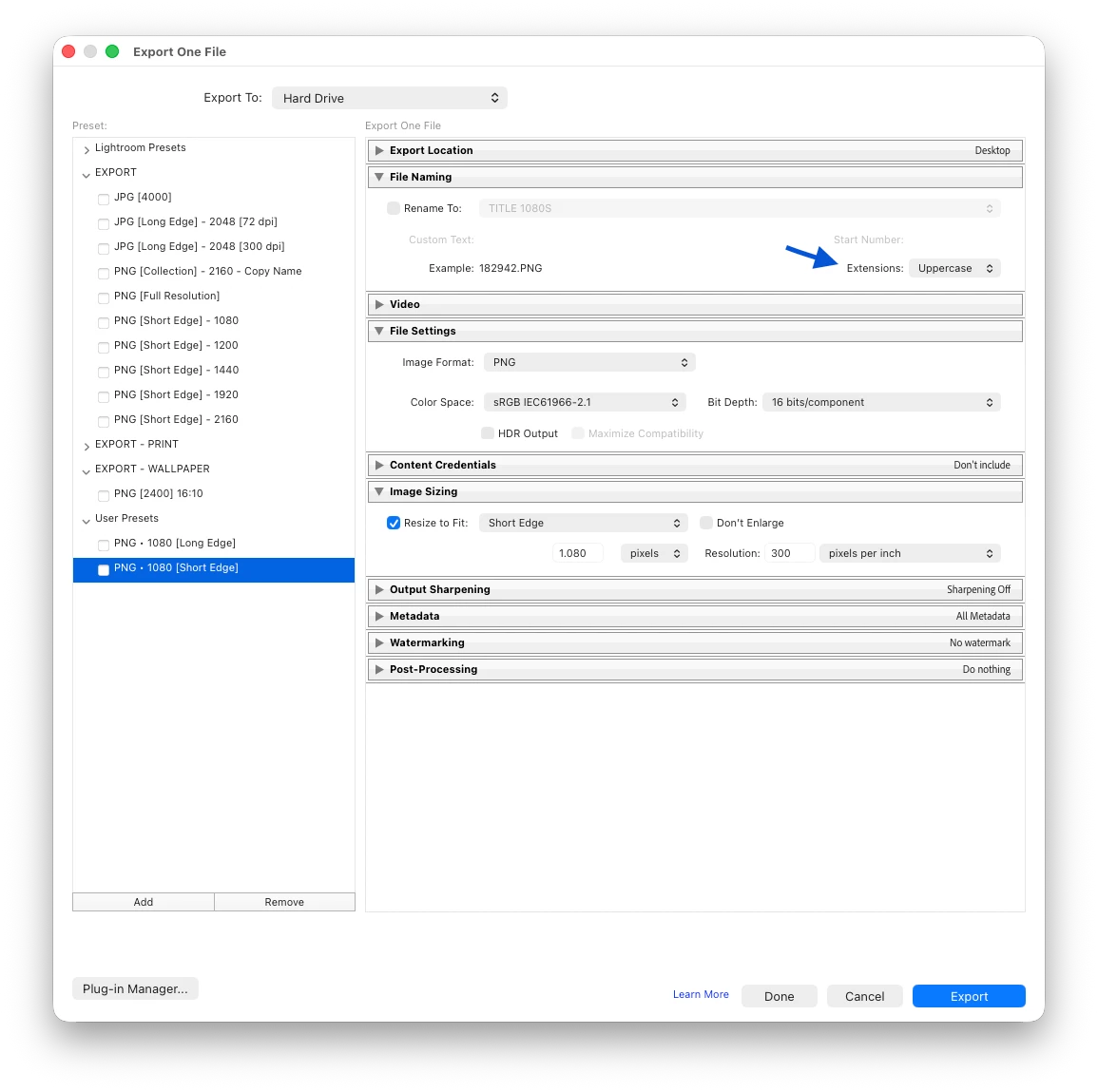
Set the file extension to Uppercase when I export to edit in Photoshop.
Hello Adobe Team
When I need to refine the edit in Photoshop I export directly from Lr to Ps. But when it’s time to save the file and return to Lightroom I always get a filename with a Lowercase extension. There is no option to set it to Uppercase [image 1], unlike the export dialog [image 2].
I tried to rename the file manually within Lightroom, rewriting the extension to Uppercase in the Filename field, but doesn’t work. It reverts to Lowercase on pressing enter to confirm the change.
I also tried renaming outside Lightroom, in the Finder, then right click on the image in Lr. But there is either no option to synchronize only the file. Synchronizing the folder is not always desirable. there might be images I don’t want/need in Lr. I’ve also noticed that renaming outside Lightroom, when I get back into Lr, there is no alert badge on the file preview signalling the external change.
By the way, what I’m asking here is Uppercase extension when exporting from Lr to edit in Ps or External Editor.
Thank you for your attention.
Best Regards
Marco Lanciani
 AdChoices