



P: change the Grid Display
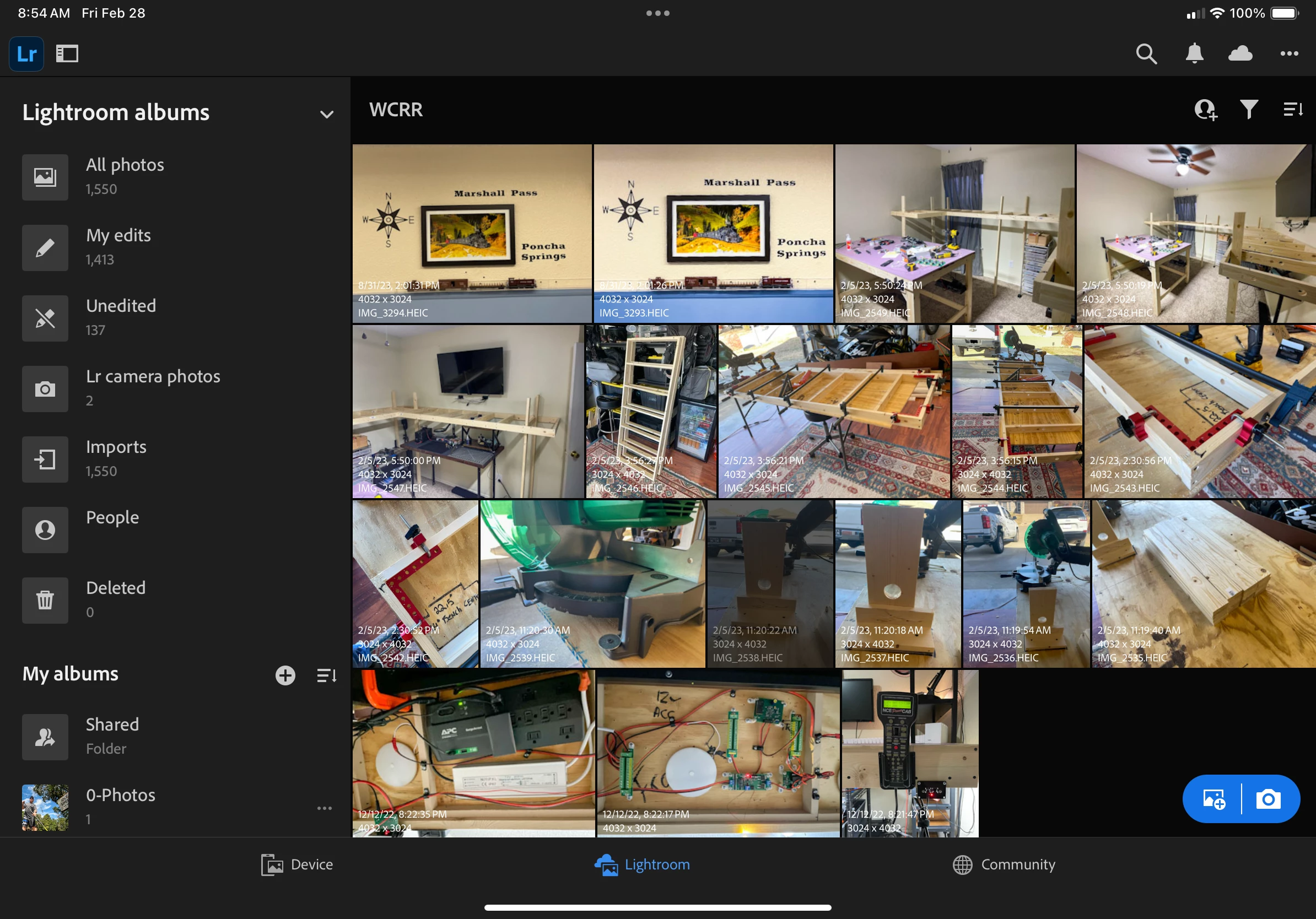
As a visually impaired person, when everything is thrown together into a big jumbled mess, it's very difficult to distinguish what is what. With that said, the grid on the iPad for Lightroom mobile has no separation between photos, and it's extremely difficult to distinguish one photo from another.
I've been searching for the last two days and cannot figure out a way to change the grid on the iPad mobile from the mosaic tile grid that's default to a more square grid with thicker separation lines at minimum.
This is what it looks like now:
This is what I need. The screenshots from the desktop version, everywhere else from Lightroom to Lightroom classic even Lightroom online, all give me an option to change the grid, but I cannot figure out how to do it on the iPad.
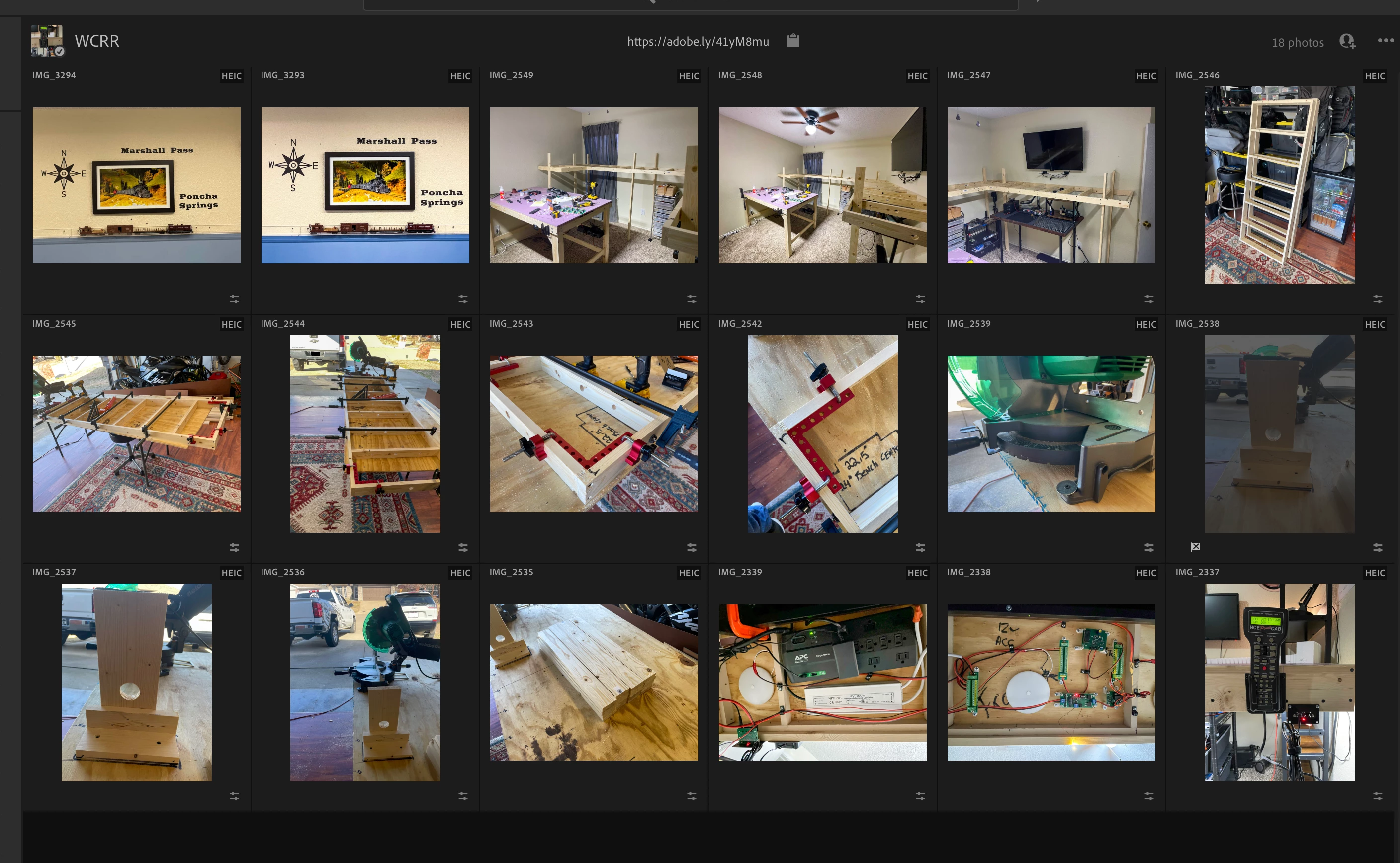
I just need some definition between the photos, and it has to be without the overlay mosaics. Each photo has to occupy the same amount of space, if that makes any sense.
 AdChoices