


P: Move lrlibrary file to a different harddrve
I bought a new, fresh M2 SSD on which I wanted to run Lightroom... But jezus Christ, Adobe makes such a mess of all the files and locations, it's terrible.
- I cannot chose where to install Creative Cloud, only on C:
- Lucky I could in Creative Cloud, where to install apps. I chose my new SSD for Lightroom
- Lightroom is installed on new M2 SSD, but data still ends up on C:\Users\Chris\AppData\Local\Adobe\Lightroom CC\Data
In settings I could change a lot of folders, but not the main one where it holds the data, see screenshot...
- Only for originals, i can decide....
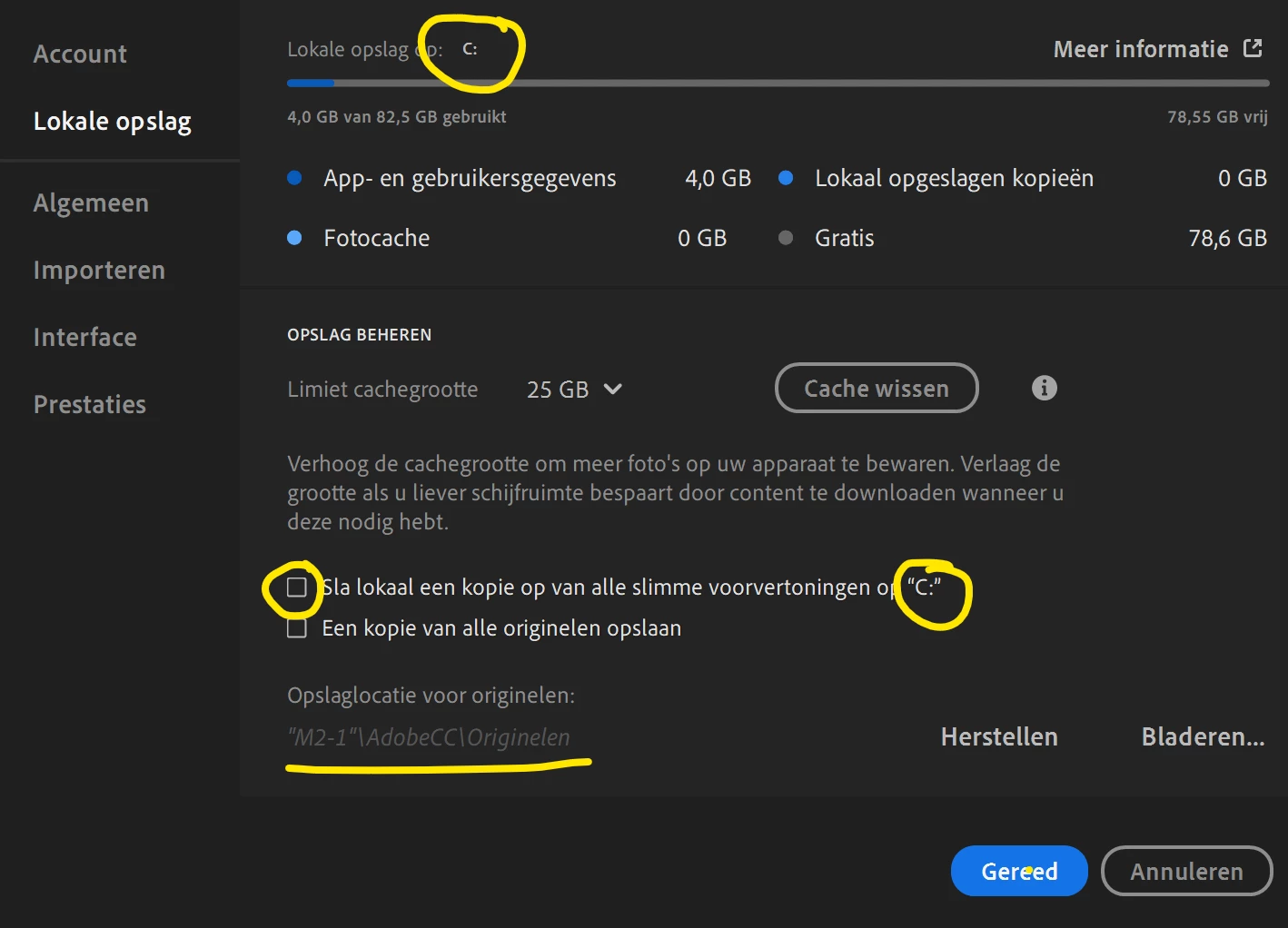
So whatever I try, it still forces me to work with C:
I feel like I am working with an App that was built in the 90's.
DO BETTER.
[Moderator: Moved to the Lightroom eco-system forum]
 AdChoices