



macro.viewpoint
Participant
August 20, 2022
Open for Voting

P: Preset thumbnails for Lightroom Desktop

  • August 20, 2022
  • 3 replies
  • 864 views

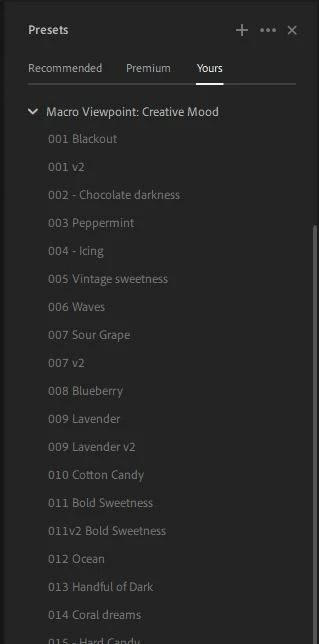
I love editing my photos on Lightroom mobile. The main reason for that is - there are thumbnails for presets. Meanwhile on my computer I have to hover on every preset to see how it looks on the photo, which is more time consuming. Especially when you have big lists of presets.

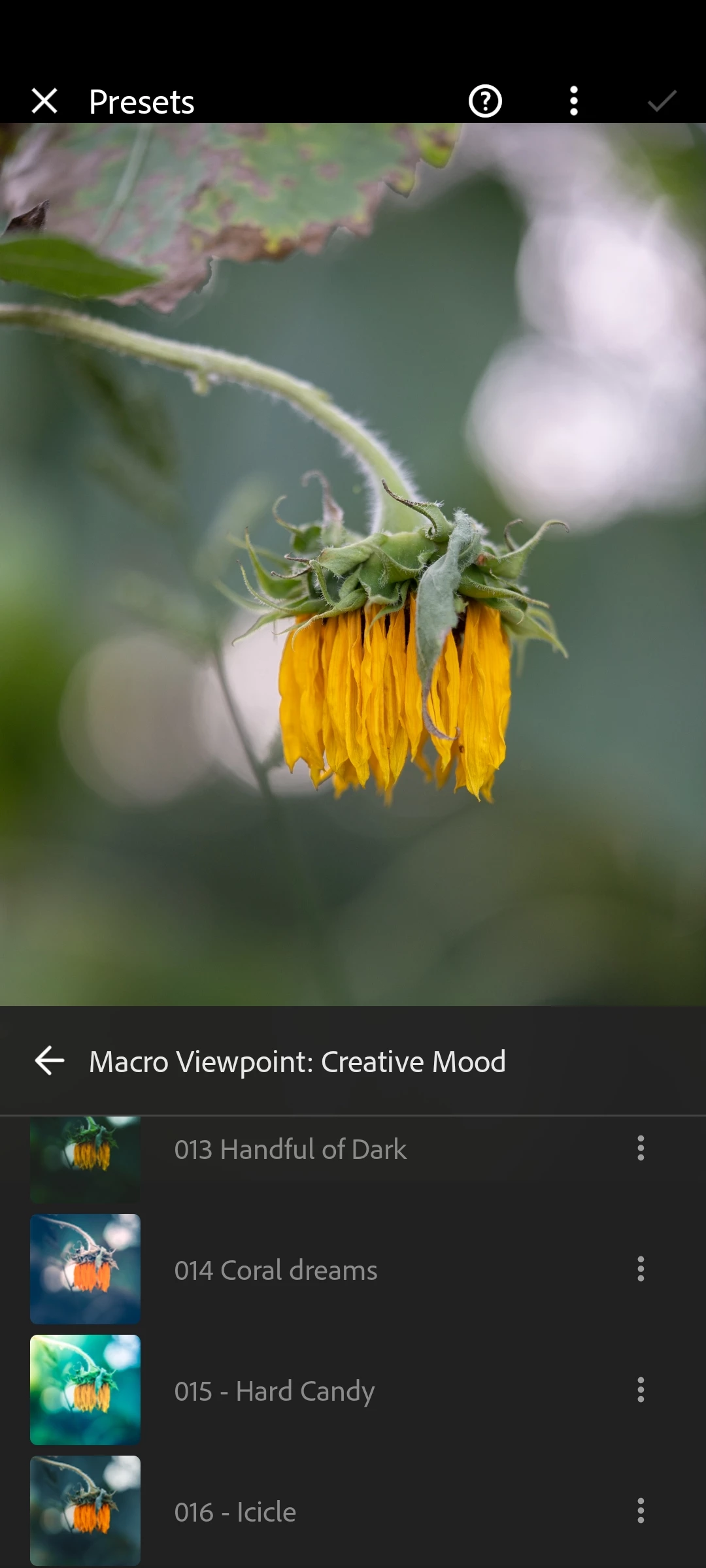
Thumbnails on mobile are useful for seeing whether the preset gives me a look I want in terms of colors or not, before tapping on it. 

I would love to be able to see pre-rendered thumbnails for presets on Lightroom Desktop.


Here is how it looks on my phone:
And here - on my computer:
It could look like the recommended presets list, only also with the preset name included:
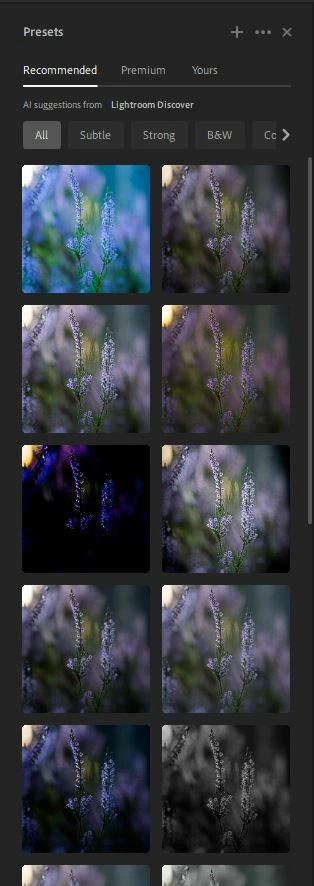
Or simply a bigger height list, just like on mobile.

3 replies

michalm57058269
Participating Frequently
April 19, 2023

Dear community,


I'm used to working on lightroom on both ipad and android. One thing i enjoyed is i could see a small presets' previews on the photo I'm editing in my "premium" presets section. It usually was instant, just after clicking the preview, i could see the effect on the photo. 


Recently i started using desktop version on windows and i don't see the previews anymore. All presets are just a list without any images. 

1. Is that ok? Can i enable them? Why would desktop version have less functions.

2. Performance is much worse. I select a preset and clearly have to wait a moment before it is applied. On ipad it's smoothles. Same on android. 

In my desktop i have rtx 2080 (enabled in options" and a good cpu. 

Why is my powerful desktop working worse than a mobile app. 

This issue i can see only in lightroom, all games etc work great, so it's not my machine's issue.


Thank you for your time!

Kind regards,

Michał 

Participating Frequently
January 13, 2023

Any news on this?

Participant
January 9, 2023

I've been using Lightroom mobile on my phone more than the desktop version recently since it has a feature which I've come to rely on -- preset thumbnail previews in the preview menu. Lightroom cloud desktop has thumbnail previews in the "Recommended" Presets menu tab, for presets from other users, but not for my presets in the "Yours" tab in the presets menu. I would love to see an option to view my presets in the same way as they are shown in the "Recommended" tab, but without the square cropping so I can see the entirety of the image preview. The thumbnail previews are important because without the thumbnail previews, I have to mouse-over many presets in my list which gets frustrating and tiresome, especially when I can't find a specific preview I forgot the name of, or I am indecisive about which I want to pick. The lack of preview thumbnails alone makes editing photos on LR mobile much easier and quicker for me than on LR desktop!


"Recommended" tab with thumbnails:

🙂

"Yours" tab without thumbnails
:(((

(Also notice how you can't see the bird's head in the square thumbnail preview, which means I would have to at least mouse over each one to see how the image will actually look. It would be nice if I didn't have to do that half the time, since unlike on mobile I have the screen space for uncropped previews.)


Summary:

1. LR desktop does NOT show preset previews for your presets, only for other users' presets

2. LR mobile DOES show preset previews

3. I am legitimately wearing out my thumbs editing all my photos on mobile since it's so much easier compared to desktop, please add an option to show user preset preview thumbnails!