


P: Allow Upscale/Resize Image During Place to match PPI
I find the General setting "Resize Image During Place" a bit misleading, since in reality it only downscales, and does not upscale in relation to pixel dimensions. I take it the current functionality accounting for PPI is very important to people working on print, but perhaps somewhat useless and even a pain for others, who work solely on digital, etc.
Hence, I propose the following improvement:
Under "Resize Image During Place" add a sub-setting "Upscale to Match Document PPI" (or "Fill Canvas up to Document PPI", just "Ignore PPI" or whatever is a proper name) that would make the "Resize Image During Place" to ignore PPI and work only with pixel dimensions, thus also upscaling the placed image to fill the Document until it meets either Document borders or its full size in Document's PPI, which ever comes first. This new sub-setting would be enabled only when "Resize Image During Place" is checked, and otherwise disabled.
Something like this:
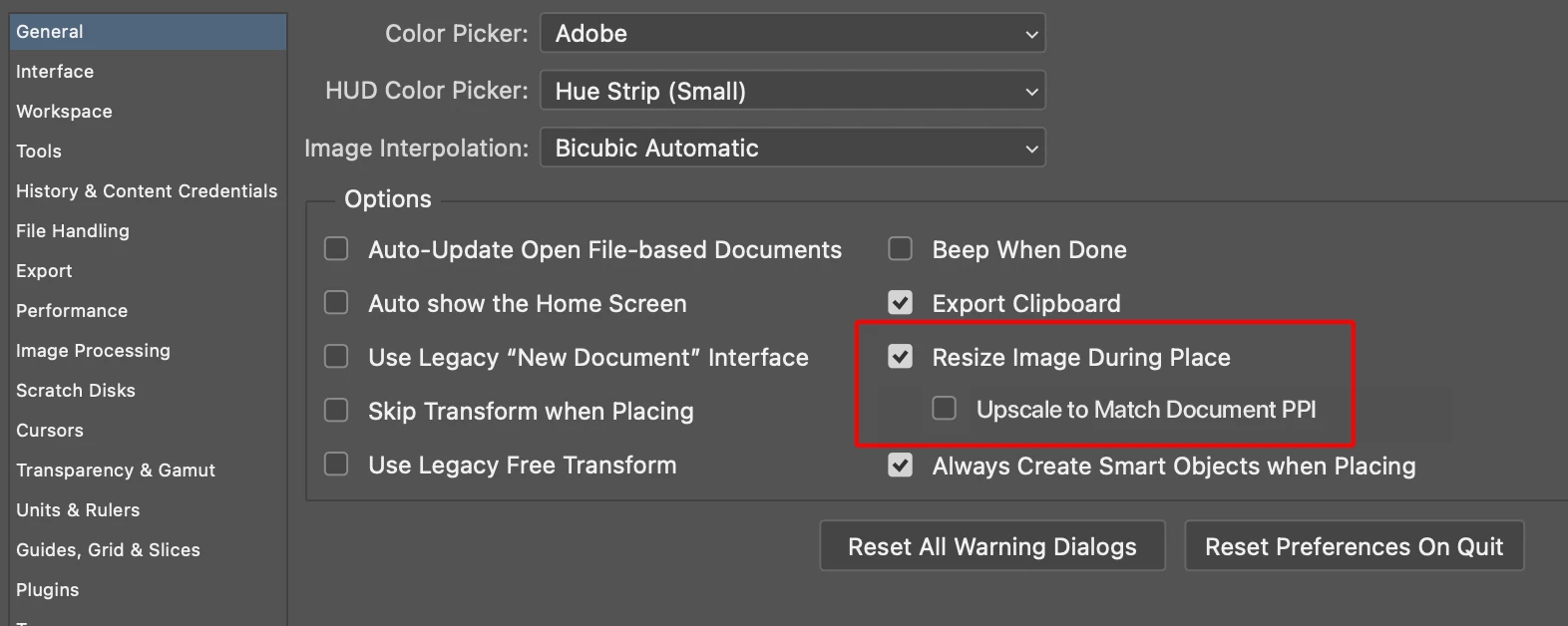
Perhaps another option would be to place a button in the top toolbar that is active during Place Image (and enabled when image PPI is higher than Document PPI and pressed-state remembered forever), something like this:

P.S. by "upscaling" and "downscaling" I'm referring to document vs. image pixel dimensions (ignoring PPI). Accouting for PPI, I guess those words would be their opposites... But I'm sure you got the point!
This setting would tackle the following problem,
which currently happens if you place e.g. 300 PPI Image on a 72 PPI Document, that have identical pixel dimensions:
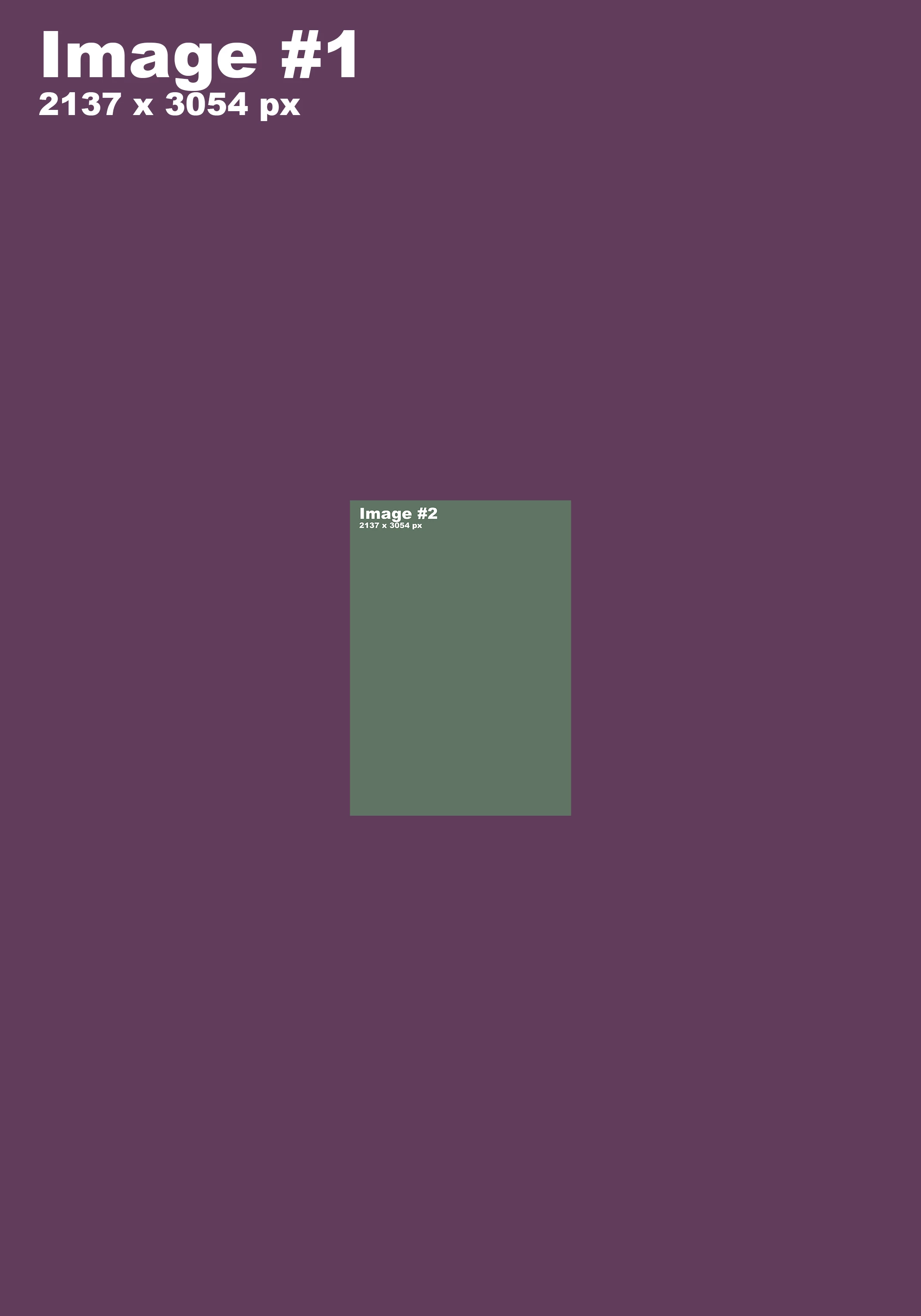
Currently there are only tedious ways to work around this, such as A) manual transformation of the Image during Place (practically impossible to match 100% size in Document's PPI), B) converting the Image to Document PPI prior to Place, C) probably most popular: skipping the Image Placing altogether and instead opening the image as new Document, copy-pasting it to the previous Document, and manually convert to Smart Object.
 AdChoices