

Participant
August 21, 2026

LocalStorage overrun in Chrome when using Adobe Express Clip Maker
  • August 21, 2026
  • 1 reply
  • 16 views
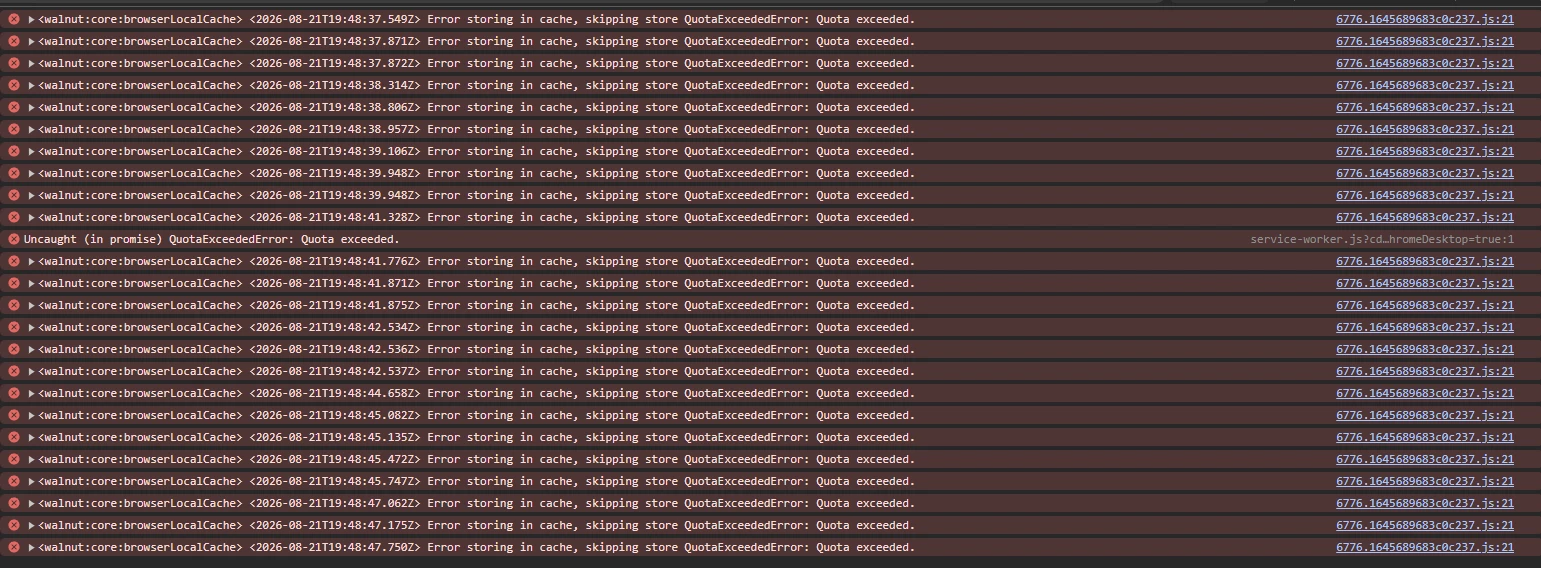
This is what my browser console looks like.

I even cleared LocalStorage and refreshed the page, and this is the result.  Because LocalStorage is overfull for the page, the top menu bar refuses to load.

1 reply

Amitej S
Community Manager
Community Manager
August 24, 2026

Hi ​@Theodore269819731iec! Thanks for sharing the detailed report and console screenshot.

The localStorage overrun is useful information and should help us investigate why the Clip Maker workflow is consuming browser storage.

As a first step, please try clearing the Adobe Express site data/local storage in Chrome and reload Express. You can also test the workflow in an Incognito window to see if the issue returns.

Since you've already cleared LocalStorage and are still seeing the issue, could you share the exact console error message and, if possible, a short screen recording showing the issue from opening Clip Maker to the menu failing to load?

Please also confirm your Chrome version and OS.

These details will help us investigate this further.