


MyerPj
Community Expert
Community Expert
April 1, 2017
Question

It's Build Day

  • April 1, 2017
  • 5 replies
  • 3297 views

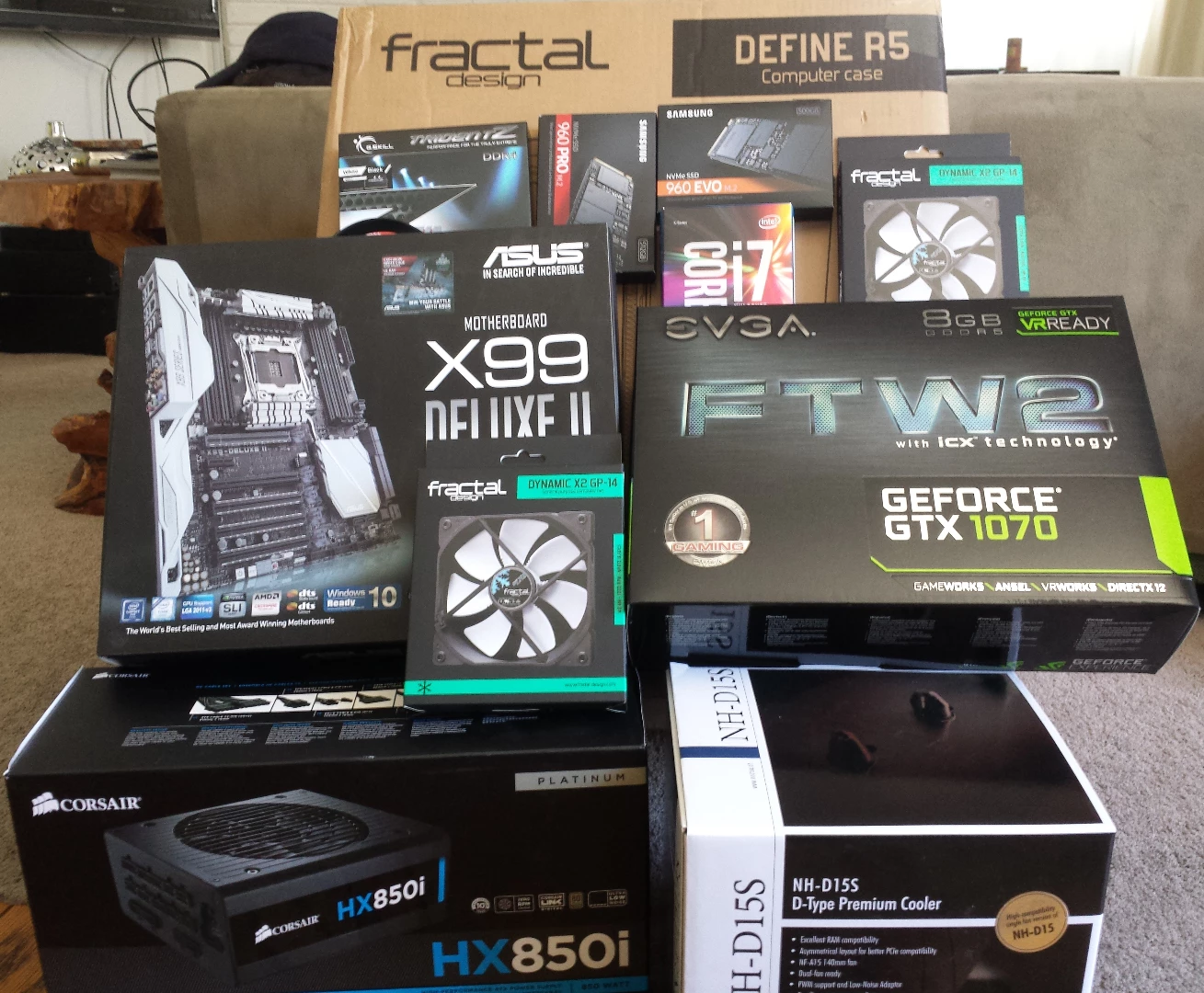
Starting the Build today, thanks everyone for the past and future assistance!
    This topic has been closed for replies.

    5 replies

    MyerPj
    Community Expert
    MyerPjCommunity ExpertAuthor
    Community Expert
    July 6, 2017

    I've been up and running of course, but still tweaking it here and there. Was able to run PPBM many times, I got good at it. Even had a shortcut to Project Settings/General. This was my best run. Left the system just a tick down on this at 44ghz on all cores at 1.225v, VERY QUIET! I hadn't realized before that the Windows Power settings manipulated the CPU clock speeds. I wanted to keep my processor and GPU clocking down at idle and managed that well. I got 18's on the Disk I/O several times otherwise it was 19. This was C: (960evo) OS/Programs/Default Cache and previews, F: Project, Files and Export (960pro).  Only the h.264 times seemed a bit off. Tried running it in different ways, but kept getting around 60-63. BTW: Saw some drop off in speed having SnagIt open.

    Bill Gehrke
    Inspiring
    July 7, 2017

    Great Info

    1. Your Disk I/O test 18-19 seconds is excellent I have run two 960's in RAID 0 with no improvement.
    2. Jumping ahead the CPU intensive export is that 301 seconds and with your I7-6850k 6-core CPU at 4.4GHz (I am guessing that is what you are running at) is a new high for a 6-core system so I am updating my PPBM8 CPU chart​ with your new data.
    3. The companion score to that CPU test is the GPU Accelerated 15 seconds so here your GTX 1070 is doing a great job and equals the score that I got with a GTX 1080.  Did you raise the Memory Clock on that 1070?

    4. Now for the H.264 Timeline export.  You have a very good 61 seconds because in addition to the GPU Acceleration this timeline is also CPU intensive so starting with CPU score of 301 seconds your great 61 seconds being slightly higher than my results until you look a my Core, Threads and Clock on the bottom of the page results with 6-cores you are doing excellent.
    MyerPj
    Community Expert
    MyerPjCommunity ExpertAuthor
    Community Expert
    July 10, 2017

    Thanks Bill, I really appreciate the feedback. I had the core clock at 44/45. Two of my cores 2 + 4 run about 3-5* hotter than the others with full load. So, I was trying some overclocking at the time to balance out the temps and thus ran the other cores faster. I was pulling in 301-305 on the disk i/o tests. I left it at 4.4ghz in the end so I could use the Asus recommended  "sync all cores". On the 1070, I did have the memory clock raised just a bit. I did some overclocking on the clock speed and I was able to get +75->100 to run with the Heaven benchmark. In the end, the 1070 FTW2 is already clocked quickly and seems plenty fast, so I've left the 1070 at default settings for day to day work, but run XOC at startup to spin up the fans from their default 'off' (bummer you need to have the software running to speed up the fans. (unlike the computer BIOS (uefi)). Here's a screen shot of Crystal having run the two 960 (F: PRO, c: EVO) at the same time.

    MyerPj
    Community Expert
    MyerPjCommunity ExpertAuthor
    Community Expert
    April 25, 2017

    Thanks Bill Gehrke​, those are quite helpful.

    RoninEdits​, good call! The XMP switch was set to on. I must of hit it plugging something in there.

    So, G.Skill did OK on the RMA. I sent them the memory on the 19th, got there on the 20th, they put the new set back in the mail on the 21st, I received it Saturday the 22nd. So, pretty good turn-around. Only problem was the first dude I talked to, sounded like he didn't know what was happening. But the other two I had contact with were on the ball.

    So, I've run prime95, Windows Memory Diagnostics and memtest86+ and all seems well. Will start configuring my Windows now. I've installed it 3 or 4 times already just trying different stuff, with the testing and all.

    MyerPj
    Community Expert
    MyerPjCommunity ExpertAuthor
    Community Expert
    April 21, 2017

    OK build month!

    So, the rig was mostly built and I started running some items on there.

    I ran 3DMark on it, and mostly it ran well and reported it to be very good. Except it rebooted a few times.

    So I got out some stress test software. I started to run Prime95 on it. The default test Blended caused an immediate BSOD. Tried again, same deal. Tried the Small FFT and that ran thru. Then Blended again which caused a reboot. So, I ran the Windows built in “Memory Diagnostic Tool” and after a short time it reported ‘hardware’ issues. So, I got out MemTest86+, and ran it overnight that too reported bad memory and 252 errors. So, yesterday I RMA'd the memory. G.Skill has some crazy times on their website which end up totaling 10 days, I managed to get hold of someone via chat and he said he would expedite. They told me on the phone today the memory shipped so I may get it tomorrow. That wouldn't be too painful.

    All in all, looking good, and I'm happy with it. It's super quiet, that's for sure.

    First thing though, I was happily watching Bill Gehrke​ explain that 'you should not have much more than 70 processes running' which I have on my current machine (Win 7), but Win 10 has like 150 running with the initial install!! Yikes! So, I'm going to need some optimization. If anyone can point me to a good itemized reference, that would be great.

    Also, somehow I think my bios got set to XMP on, and thus some test software was saying I had an overclock going. Which I didn't do anything to setup. So, does having XMP on constitute an overclock? And does that default to on?

    Here's an a couple shots of my rig:

    Bill Gehrke
    Inspiring
    April 22, 2017

    If you look at our dear departed Harm's tuning guide as a starting point and Black Viper now has a Windows 10

    Service guide

    MyerPj
    Community Expert
    MyerPjCommunity ExpertAuthor
    Community Expert
    April 6, 2017

    Here's a bit more on the slots... BTW: Is there some kind of system setup utility which shows what lanes are being used by what?

    RoninEdits
    Inspiring
    April 7, 2017

    i don't recall any software utilities for the asus mbd's that can report the lane assignment/use. gpu-z can report for slot the video card.

    Bill Gehrke
    Inspiring
    April 7, 2017

    Same here, so I just test the M.2 SSD's to see if they are performing properly

    Bill Gehrke
    Inspiring
    April 3, 2017

    How is it going?

    MyerPj
    Community Expert
    MyerPjCommunity ExpertAuthor
    Community Expert
    April 3, 2017

    Thanks for asking. I've been taking my time, all looks good so far, enjoying the process.

    Since I have two 960's before I look at the bios, or what have you, I was thinking the boot drive will be my EVO in the upright MB connector and the PRO will be in the Hyper card. Does it matter which slot it goes in? Also, will install the Thunderbird card, and is there any preferences for that.

    Thanks again.

    Bill Gehrke
    Inspiring
    April 4, 2017

    Well it depends on which CPU you have, is it 40-lane or 28-lane and then I will have to research the Thuinderbolt card before assigning PCIe slots.  There are so many if's, and's and but's on the PCIe arrangement it is mind boggling.
