


What's up with Adobe Application Manager CS6?
If I select within Pr (CS6): Help > Updates...
here is the resulting update check (as expected):
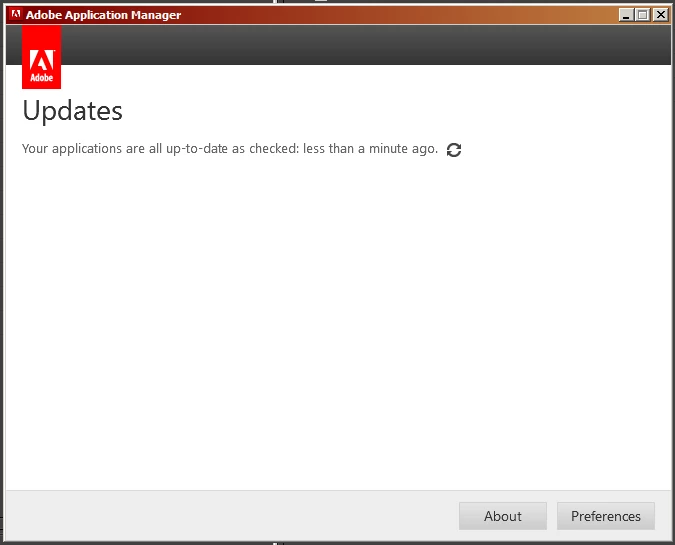
.
But...
if I directly run Application Manager either from the Start Menu shortcut,
or by running the executable file (PDapp.exe) in this location:
C:\Program Files (x86)\Common Files\Adobe\OOBE\PDApp\core\
Here is the message I get:
(Not logged in with my Adobe ID.)
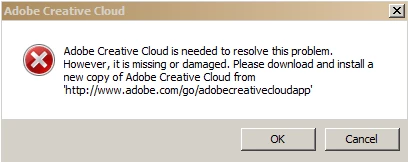
'Sup with that?
notes:
This is the first time I have tried to run AAM since this series of events
on 7/6 (I was logged in with my Adobe ID at the time)
The steps I took on 7/6:
- Ran Adobe Application Manager from the Start Menu shortcut.
- Normal AAM interface appeared (as pictured in first image above).
- Once connected, the AAM interface immediately disappeared,
and a small progress bar appeared stating:
"Updating Adobe Application Manager".
(No screen shot available)
- At about 50-75% completion of the progress bar, an icon appeared
on my desktop called: "Adobe Creative Cloud".
- At about 95% completion of the progress bar, the update stalled.
- I killed the stalled AAM update in the Task Manager, then rebooted.
After reboot, these processes had been added to startup:
- Creative Cloud.exe
- Adobe CEF Helper.exe
I killed these two unwanted processes in the Task Manager,
then uninstalled "Creative Cloud.exe" using:
Control Panel\All Control Panel Items\Programs and Features
After reboot, the two unwanted processes
were no longer present in the Task Manager.
Now that I am logged in with my Adobe ID, I am going to run
AAM again from the Start Menu shortcut and see what happens.
UPDATE EDIT:
I am now logged in and I have just tried again
to run AAM from the Start Menu shortcut.
Error:

 AdChoices