"Access denied" opening pdfs inside mount points
Using Acrobat Reader DC v2017.009.20044, I'm getting "Access denied" errors opening pdfs inside mount points. To reproduce this issue:
( Tested on Version 15.023)
1. Get a USB Drive and format it as NTFS drive.
2. Copy a pdf to the drive and change its permissions to look like: 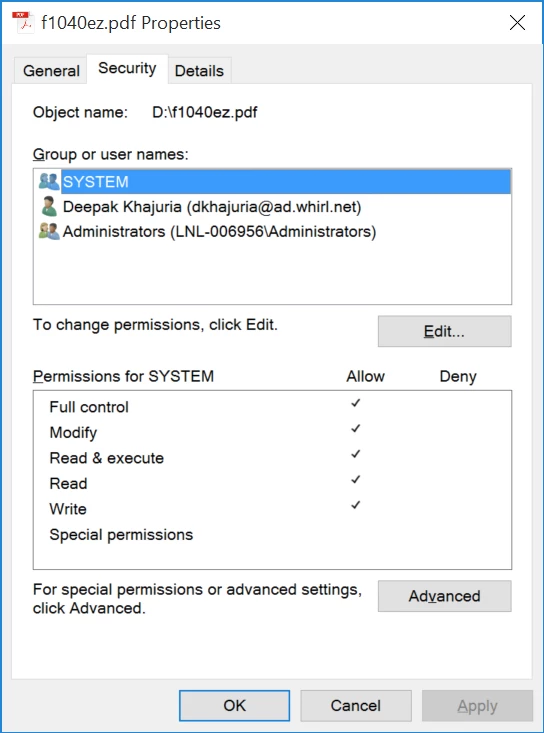 . This involves disabling Permissions inheritance and removing Everyone ACE. This is same way permissions is set in default user profile(in this case for user dkhajuria)
3. Open Disk Manager (Search and Select Create and format hard disk partitions)
4. Select USB Disk, right click & then select Change Drive Letters and paths.
5. Remove Drive level assignment for drive and add a new path based assignment like in image 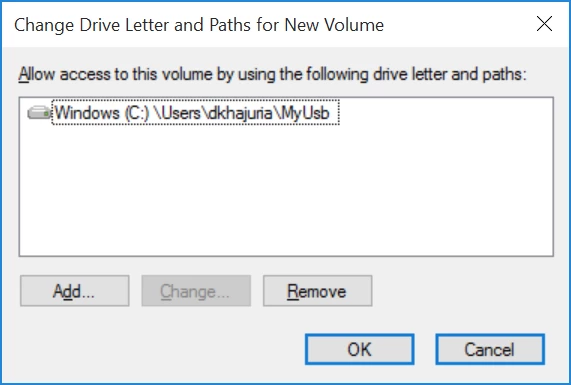 . This is similar to how Box Drive is mounted.
6. Open the path like 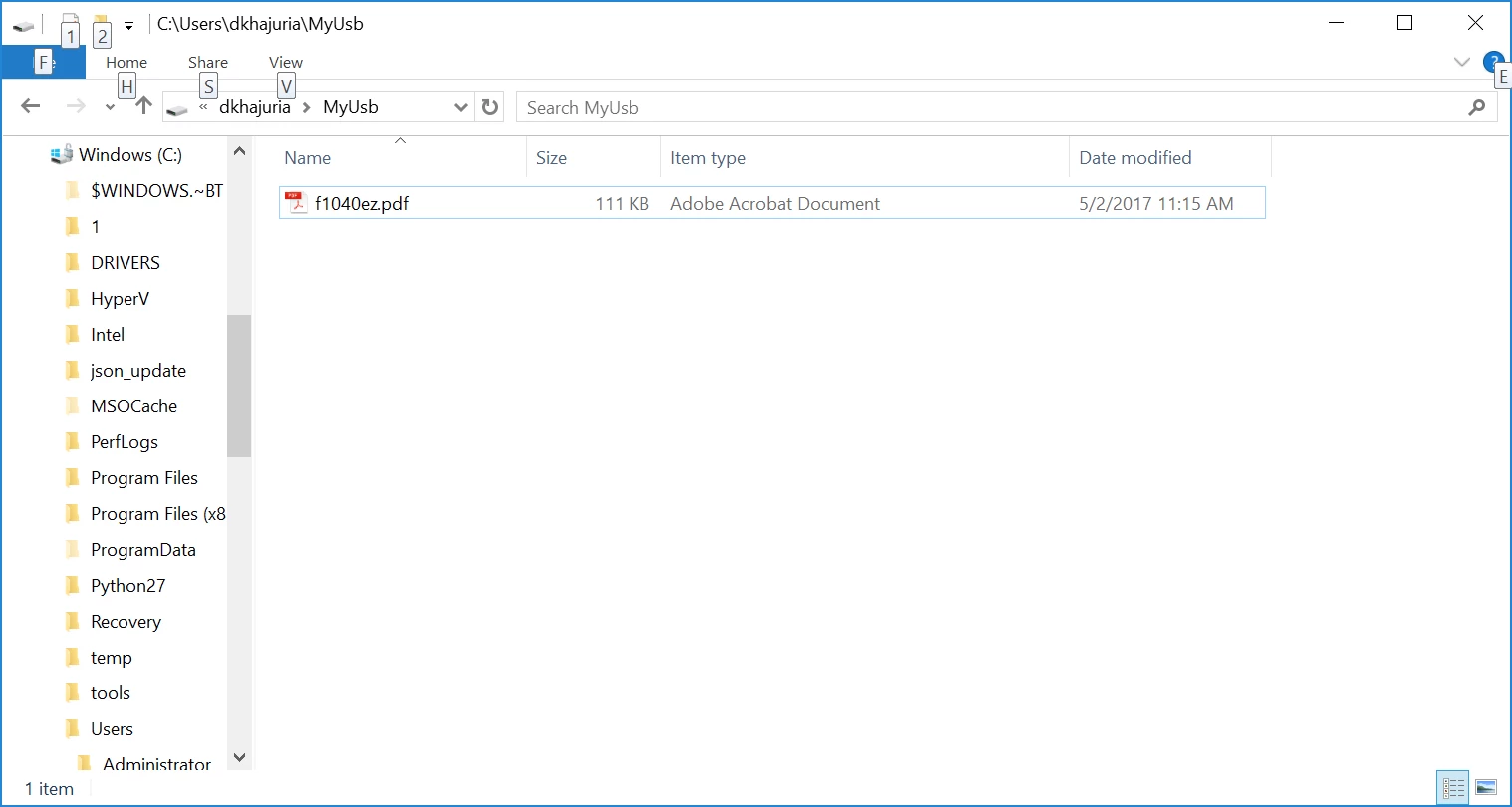
7. Acrobat reader shows an error like 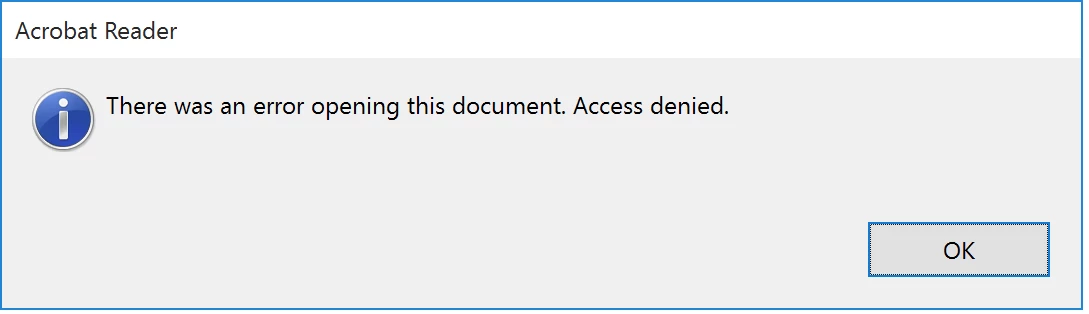 .
.
In the protected mode log file, I see these errors like this:
[05:05/15:21:22] Invalid Object found
[05:05/15:21:22] requested path: \??\C:\Users\dkhajuria\MyUsb\
[05:05/15:21:22] actual path: \Device\HarddiskVolume3\
[05:05/15:21:22] Invalid Object found
[05:05/15:21:22] requested path: \??\C:\Users\dkhajuria\MyUsb\
[05:05/15:21:22] actual path: \Device\HarddiskVolume3\
[05:05/15:21:22] Invalid Object found
[05:05/15:21:22] requested path: \??\C:\Users\dkhajuria\MyUsb\f1040ez.pdf
[05:05/15:21:22] actual path: \Device\HarddiskVolume3\f1040ez.pdf
[05:05/15:21:22] Invalid Object found
[05:05/15:21:22] requested path: \??\C:\Users\dkhajuria\MyUsb\f1040ez.pdf
[05:05/15:21:22] actual path: \Device\HarddiskVolume3\f1040ez.pdf
[05:05/15:21:22] Invalid Object found
[05:05/15:21:22] requested path: \??\C:\Users\dkhajuria\MyUsb\
[05:05/15:21:22] actual path: \Device\HarddiskVolume3\
Is this a known issue? If so, will there be a fix planned?
 AdChoices