
Participant
March 29, 2024
Question

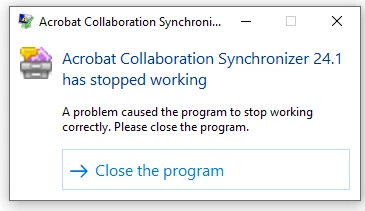
Acrobat Collaboration Synchronizer 24.1 has stopped working

  • March 29, 2024
  • 3 replies
  • 9473 views

I just purchased Adobe Acrobat Pro for working at home. And every FEW minutes when I am in a PDF document I keep getting this error message, "Acrobat Collaboraiton Synchronizer 24.1 has stopped working" and I am prompted to "Close the Program" which I do but it keeps popping up every FEW minutes and it's seriously annoying. I've read all the posts and cannot find where to turn this thing off for good. I don't need any cloud backup or to synch any of my PDF files over any other devices. I just use my desktop PC. Can someone help? I am pulling my hair out as its constantly interfering with my ability to get work done.
 

This topic has been closed for replies.

3 replies

Construga
Participant
June 25, 2024

Hi.
I'm using Windows 11 and I also have the same issue. Subscribed recently for the Acrobat Pro plan.
After installing I do not get any error message, but Windows Reliability Monitor keeps notifying of systematic Acrobat Collaboration Synchronizer errors.


Participant
October 2, 2024

@Construga Has anyone replied to you about the Reliability Monitor message.  My computer has been crashing / turning off.  In researching what is going on, this is one of the items that has come up.

Construga
Participant
October 2, 2024

Hi @daney_0012 .
Unfortunately I received no feedback. In the meantime I moved to another PDF solution and no longer use Acrobat.

Participant
April 12, 2024

Sadly, it did not help me. I started this thread, altho my name is different.

I'm a new user and had recently installed the program. Deleting and reinstalling it did not help the issue.

Any other recommendations would be appreciated!

Participant
April 17, 2024

What Windows-version are y'all using?

Participant
April 21, 2024

I'm on Windows 10

Meenakshi Negi
Community Manager
Community Manager
April 3, 2024

Hi Chris36410614cm55,


Thank you for reaching out.


Please ensure that you are using the latest version of the application. As you get the error "Acrobat Collaboration Synchronizer 24.1 has stopped working" every time, try reinstalling the application once. 

Try reinstalling the application using the following steps:
-Remove the application and run the cleaner tool (https://adobe.ly/3xdAIrp).
-Reboot the machine
-Install Adobe Acrobat from the following page: https://adobe.ly/4azBnSq.


Let us know how it goes.


Thanks,

Meenakshi

Participant
April 10, 2024

I'm having the exact same issue. I've deleted the Adobe and reinstalled it and that message continues to pop up every few minutes.