
Participant
Apr 7, 2020 2:11 AM UTC
Question

Acrobat DC Add-ins do not appear if Office 2019

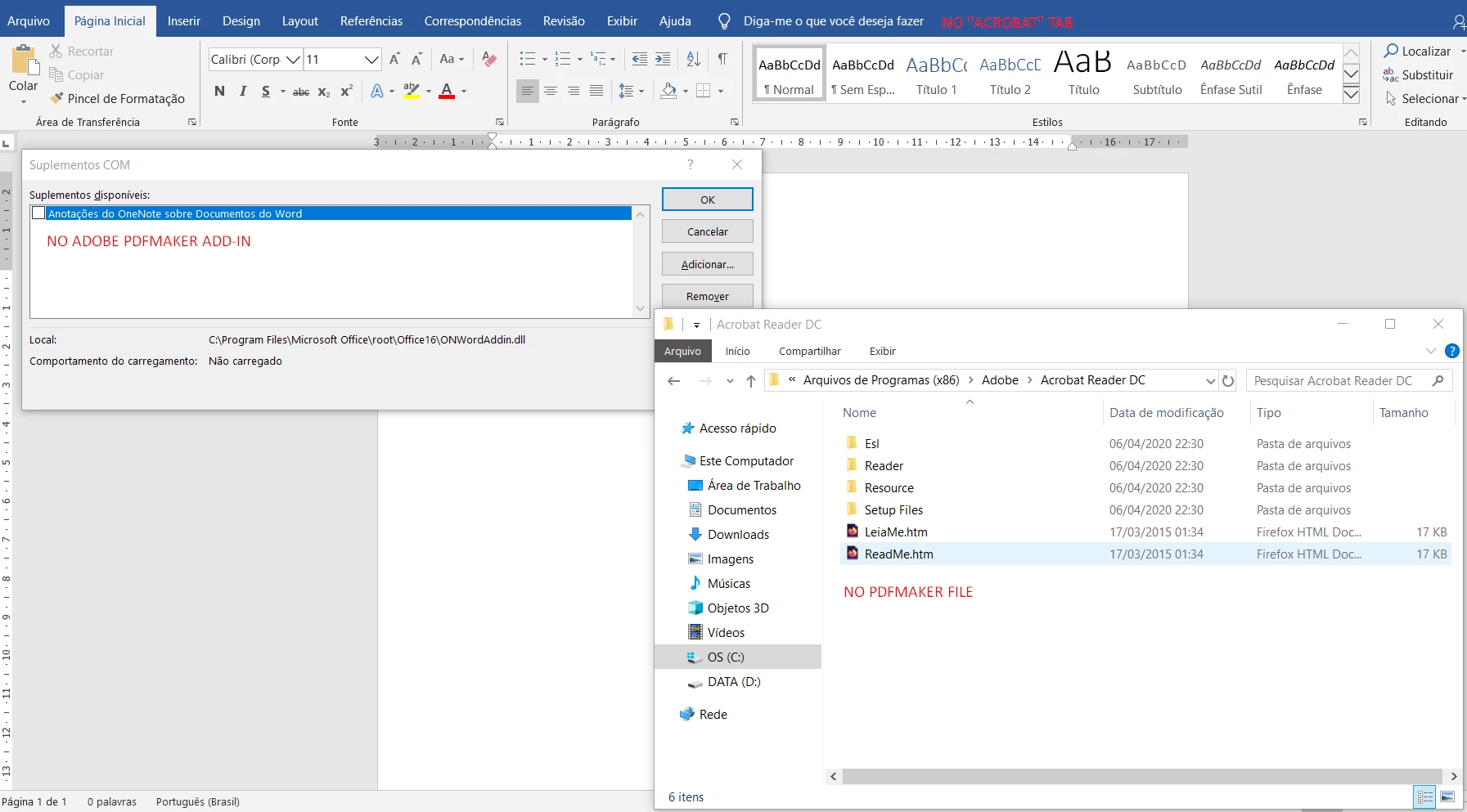
Hi. I have Adobe Acrobat Reader DC (free) and Office 2019. I had the "ACROBAT" tab in my Office Applications but somehow after I reainstalled office, I can't get the tab to show anymore.


I tried almost everything listed on https://helpx.adobe.com/acrobat/kb/pdfmaker-unavailable-office-2007-office.html but had no success.


The major issues I found related the solutions was:

1. PDFMaker Office COM Add-in doesn't show on Word's Add-in COM settings.

2. I dont have the C:\Program Files (x86)\Adobe\Acrobat DC\PDFMaker\Office\PDFMOfficeAddin.dll path. It only goes to C:\Program Files (x86)\Adobe\Acrobat DC, where there isn't any "PDF Maker" file.
 

This topic is closed to new replies. Start a new post to keep the conversation going.

3 replies

Bernd Alheit
Community Expert
Community Expert
Apr 7, 2020 5:03 AM UTC

You must install Adobe Acrobat, not Acrobat Reader.

Translate
Participant
Mar 28, 2023 5:50 PM UTC

Could you provide more information and links to download it?

Translate
AkanchhaS8194121
Legend
Mar 28, 2023 9:41 PM UTC

Hi @Jason2912088019ct  


I second what Brend said. If you are looking for the Acrobat PDF maker plugin, download the Acrobat Pro desktop application first.


Download the Acrobat installer from here:

https://helpx.adobe.com/acrobat/kb/acrobat-dc-downloads.html


Thanks,

Akanchha 

Translate