Inspiring
August 16, 2019
Answered

Acrobat DC keeps crashing

  • August 16, 2019
  • 3 replies
  • 1219 views

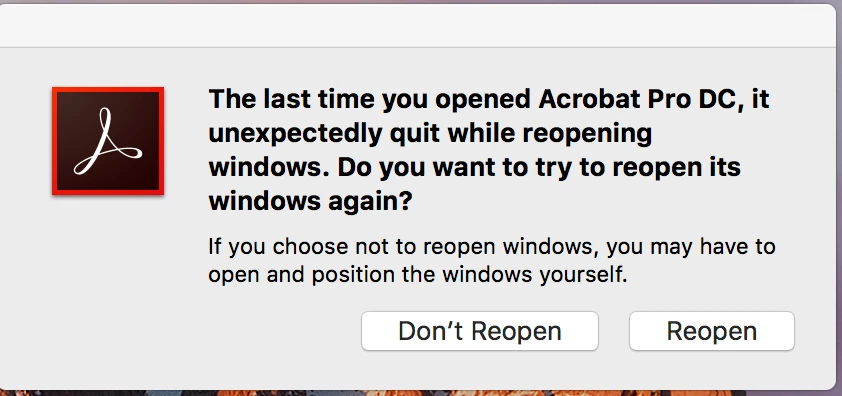
I keep getting this message when I try to open an existing pdf or create a new pdf in Acrobat DC.

Any ideas?

    This topic is closed to new replies. Start a new post to keep the conversation going.
    Correct answer gingerm66143874

    Thanks for your response.  I ended up contacting customer support and they were able to fix the issue.

    3 replies

    Amal.
    Legend
    August 16, 2019

    Hi Gingerm,

    Apologies for the trouble caused, as described above the application is crashing.

    What is the dot version of the application installed? To check for the version of the application, please refer to the link - Identify the product and its version for Acrobat and Reader DC

    Please update the application to the latest version 19.012.20036. Go to Help > Check for Updates. To know more about the latest version available, please follow the link - DC Release Notes — Release Notes for Acrobat DC Products

    You may also refer to the help articles in the links below:

    Troubleshoot Mac OS 10.x system errors, freezes | Adobe software

    Resolve Acrobat DC intermittent crashes on Windows

    Troubleshoot Windows system errors, freezes | Adobe software

    Let us know if that works for you

    Regards,

    Amal

    gingerm66143874AuthorCorrect answer
    Inspiring
    August 16, 2019

    Thanks for your response.  I ended up contacting customer support and they were able to fix the issue.

    Participant
    December 10, 2019

    Hey my Acrobat DC keeps crashing on my Mac. I'm on OS Catalina, not sure if that has anything to do w/ it. I have installed the newest Acrobat DC as well to try and sort it but it still keeps crashing which makes me thing it might be an OS issue. Please advise as I use this for work. Thanks so much.