


Participant
November 10, 2021
Question

Acrobat DC - sidebars permanently off

  • November 10, 2021
  • 2 replies
  • 731 views

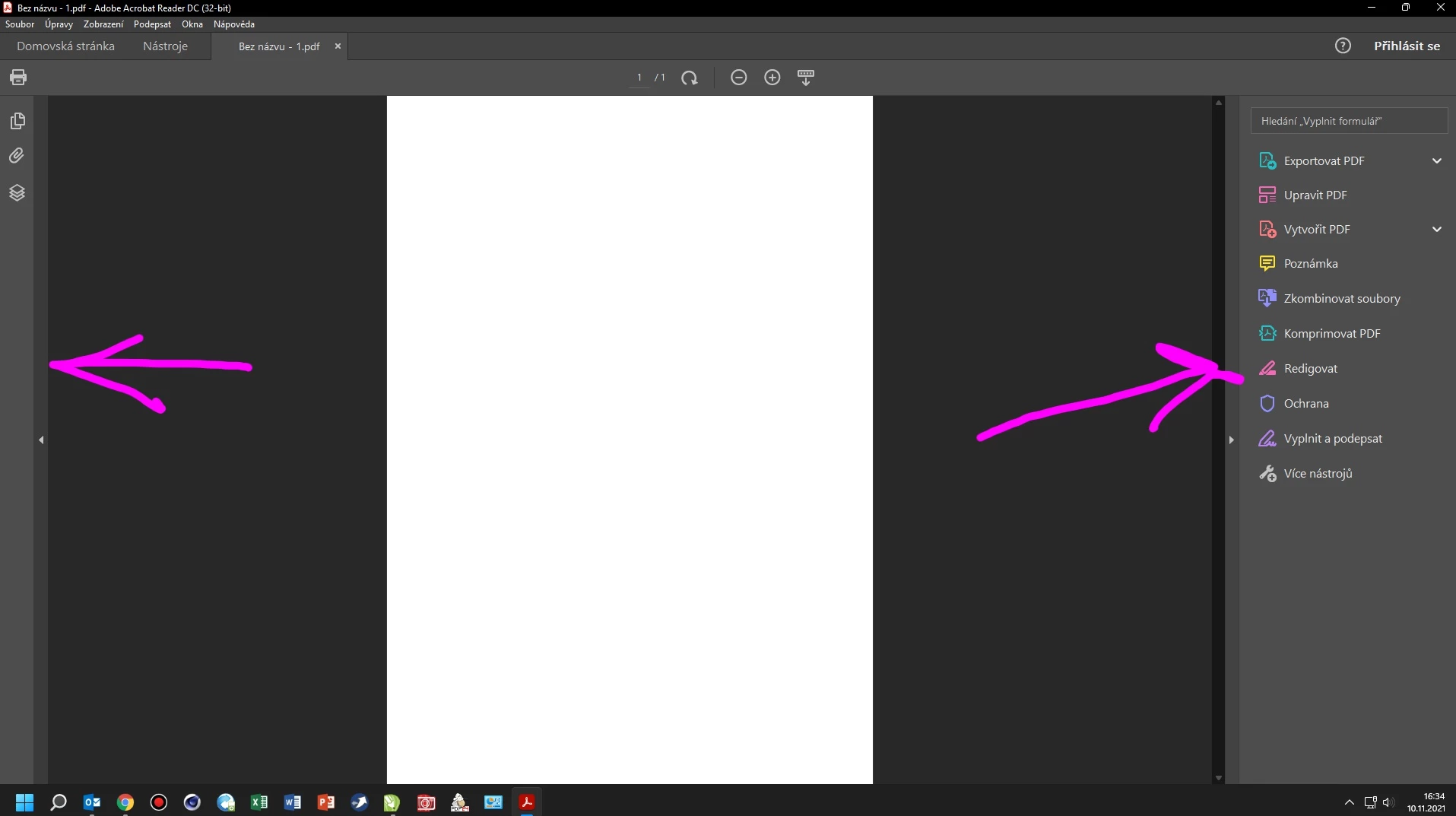
Please, does anyone know how to permanently turn off sidebars with features in Acrobat reader DC? Each time you open a PDF, a bunch of features open on the left and right, which must be minimized manually. Of course, it takes away from the view.
This topic has been closed for replies.

2 replies

JR Boulay
Community Expert
Community Expert
November 10, 2021

MOVED TO THE ACROBAT READER FORUM

Acrobate du PDF, InDesigner et Photoshopographe
AkanchhaS8194121
Legend
November 10, 2021

Hi Peter,


Thanks for sharing the screenshot for better understanding.

What you are referring to is a Tool-pane. The screenshot shows that the application you are working with is Acrobat Reader DC.

You can disable the Tool-pane permanently, following the suggestion given here: https://helpx.adobe.com/acrobat/kb/disable-right-hand-pane-in-acrobat-reader.html 


Also, Navigate to Acrobat>View>Show/Hide>Tool Pane and uncheck it

You can keep the "Restore last view settings when reopening documents" under Edit>Preferences>Documents


Thanks,

Akanchha