
Answered
ACROBAT DC v. 2020.012.20041 CRASH WHEN OPENING SOME SIGNED FILES
Hi,
Recently my Acrobat DC has updated to last version 2020.012.20041
Some signed files I had , cant be opened with this version. When opening, windows shows message that HAS STOPPED WORKING (in Spanish):
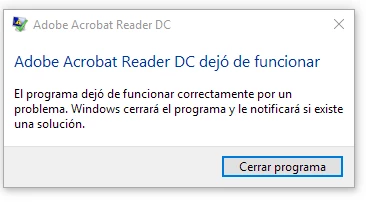
Previous versions open this files without problems.
I tested in diferent computers with windows 10 and windows 7.
The event viewer reports this:
<Event 	xmlns="http://schemas.microsoft.com/win/2004/08/events/event">
	<System>
		<Provider Name="Application Error" />
		<EventID Qualifiers="0">1000</EventID>
		<Level>2</Level>
		<Task>100</Task>
		<Keywords>0x80000000000000</Keywords>
		<TimeCreated SystemTime="2020-08-13T06:41:48.580693900Z" />
		<EventRecordID>210551</EventRecordID>
		<Channel>Application</Channel>
		<Computer>XXXXXX</Computer>
		<Security />
	</System>
	<EventData>
		<Data>AcroRd32.exe</Data>
		<Data>20.12.20041.1044</Data>
		<Data>5f23643d</Data>
		<Data>ucrtbase.dll</Data>
		<Data>10.0.15063.1182</Data>
		<Data>73290ff4</Data>
		<Data>c0000005</Data>
		<Data>000408b0</Data>
		<Data>2f84</Data>
		<Data>01d6713c204e4cae</Data>
		<Data>C:\Program Files (x86)\Adobe\Acrobat Reader DC\Reader\AcroRd32.exe</Data>
		<Data>C:\WINDOWS\System32\ucrtbase.dll</Data>
		<Data>e74eed22-fd71-4795-95b6-32fac83e3276</Data>
		<Data />
		<Data />
	</EventData>
</Event>
The signed cert of this files doesn't have CN , may be this is the cause of this crash.



 AdChoices