
Acrobat Notification client - The parameter is incorrect | Removing notification client from MSI
Hello all,
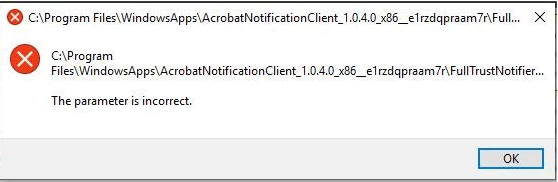
I've been experiencing "The parameter is incorrect" issue on our users computers. This message appears after a user logs in to Adobe Acrobat Reader DC (it can happen also with Adobe Acrobat DC) version 19 and above, a UWP application is bein installed automatically and it fails after every restart (screen below)
To Remove the application I ran Get-AppxPackage -AllUsers -Name ReaderNotificationClient | Remove-AppxPackage -AllUsers afterwards I deleted HKEY_CURRENT_USER\Software\Adobe\Adobe READER\DC\Installer\NotificationAppx (for Acrobat the reg key will be HKEY_CURRENT_USER\Software\Adobe\Adobe Acrobat\DC\Installer\NotificationAppx). The issue with this solution is that every time the user re-logins to Acrobat, the registry entry is re-created and the Acrobat Notification client is being re-installed ...
While looking for a solution I've found this blog which expains the process.
My question is, is it possible to remove this Acrobat Notification client from the msi, so that it doesn't get installed at all? Maybe using the Acrobat Customization Wizard DC?
Adobe support, please resond as this is a wide spread issue.
 AdChoices