
Acrobat Reader DC
Windows 8.1 Enterprise
Acrobat Reader DC 15.020.20039
Administrator User
Abnormalities/issues...
If I install Reader via the downloaded exe, everything appears to function without error or issue.
If I install Reader via the extracted installer (acroread.msi), everything appears to function without error or issue. However, if I install the extracted update (acrordrupddc1502020039.msp), Reader crashes at launch...
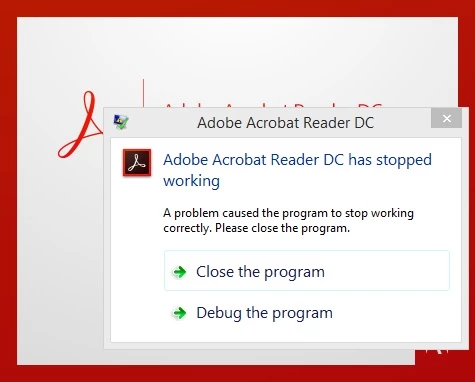
with the error event text...
Faulting application name: AcroRd32.exe, version: 15.7.20033.2203, time stamp: 0x5507d7da
Faulting module name: unknown, version: 0.0.0.0, time stamp: 0x00000000
Exception code: 0xc0000005
Fault offset: 0x0833ce74
Faulting process id: 0x4e50
Faulting application start time: 0x01d257b3e33961b0
Faulting application path: C:\Program Files (x86)\Adobe\Acrobat Reader DC\Reader\AcroRd32.exe
Faulting module path: unknown
Report Id: 23720ebe-c3a7-11e6-82ca-7446a091a280
Faulting package full name:
Faulting package-relative application ID:
How can I install the update so Reader will not crash at launch?
In addition, at launch, I'm presented with the "Adobe Reader Protected Mode" window...
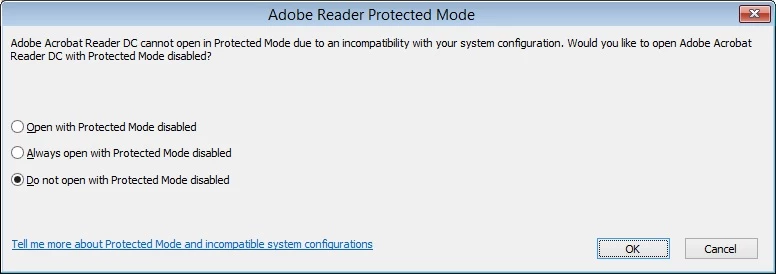
I have to choose the "Always open with Protected Mode disabled" option in order for the window to never re-appear. How can I pre-select this option and hide it from the end users?
Thank you in advance.


 AdChoices