
Acrobat Reader DC inexplicably displays plug-in status messages in Russian
I use Acrobat Reader DC on Mac OS X 10.12.6 with Safari 10.1.2. The standalone application interface displays normally in English, but whenever I view a PDF in-line in a web page or in a new window, I see the "Downloading..." message or the measure of bytes downloaded message, but it is displayed in Russian. I do have Russian installed as an available operating system language along with Hebrew, but my OS is always set to U.S. English. In Acrobat Reader preferences, Language is set to "Same as operating system," which is in turn, English. I have tried completely deleting my ~/Library/Application Support/Adobe/Acrobat/DC folder and letting it be created from scratch. Even then, same problem: Russian status messages.
Nothing else on my computer appears in Russian. I do not have any spyware or malware that I know of. I do not have Adobe Acrobat Professional that might be somehow overwriting Reader's preferences (although I have installed and uninstalled the trial in the past).
Example 1:
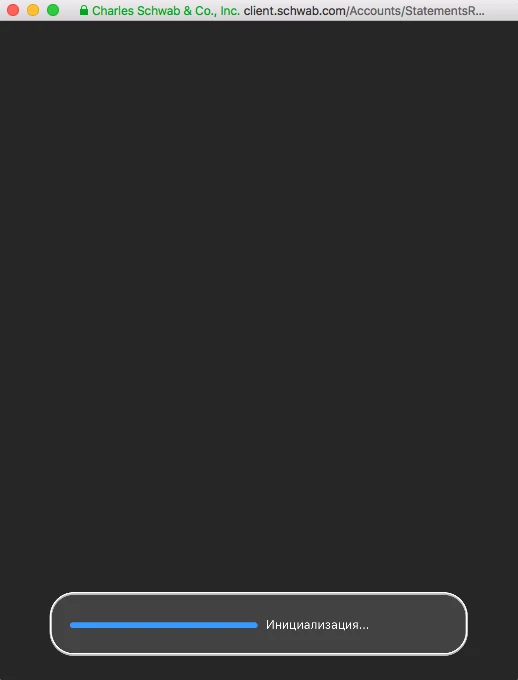
Example 2:

What is going on?
 AdChoices