probabilistic
Participant
April 10, 2017
Answered

Acrobat Reader DC (MacOS) - how to print comment summary?

  • April 10, 2017
  • 1 reply
  • 2107 views

Hi,

I can't seem to figure out how to print a summary of the comments in my document -- ONLY the comments, not the document itself.  I have a "summarize comments" option in the print dialog, which seems to generate new pages within the document, summarizing the comments per page.  But, I need to be able to print just the comment summaries in their own document.  I've found https://helpx.adobe.com/acrobat/kb/print-comments-acrobat-reader.html#main_Print_a_comment_summary but this is not helpful for Reader DC, it would seem.

Thanks.

    This topic has been closed for replies.
    Correct answer jane-e

    I am running MacOS Sierra (10.12.4).  My version of Acrobat Reader DC is 2015.023.20053, and when I click on the version I get the following additional information:

    Architecture: x86_64

    Build: 15.23.20053.211670

    AGM: 4.30.67

    CoolType: 5.14.5

    JP2K: 1.2.2.37658

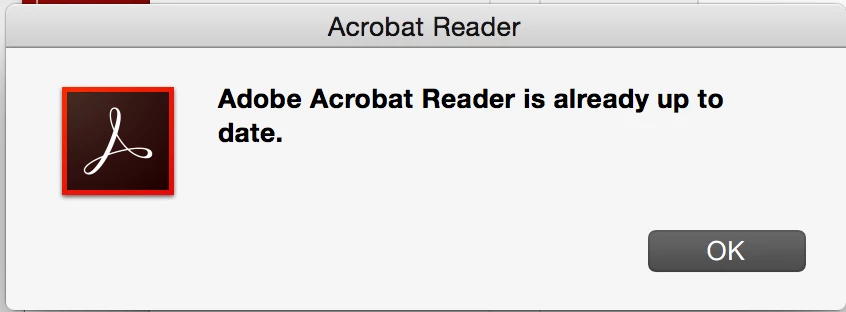
    If I run "check for updates" I am told the updater is already running.  This is a recent install (last week, I think).

    Thanks,

    Erica


    probabilistic

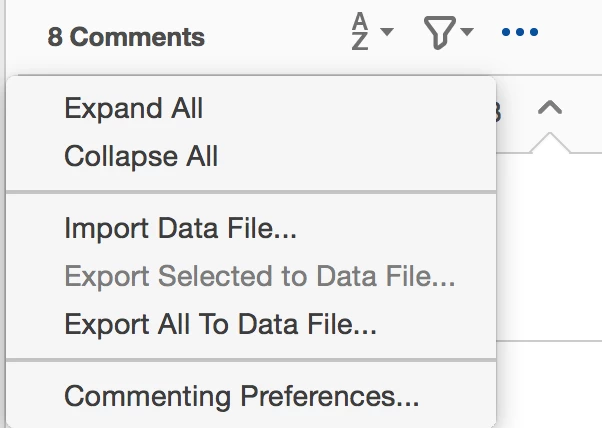
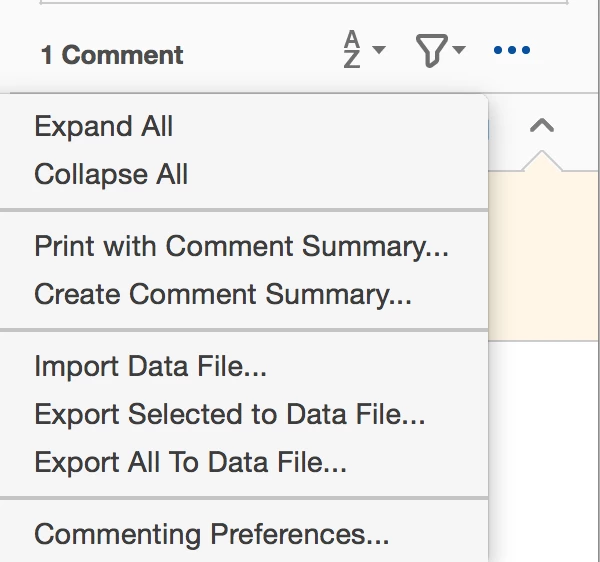
    You need the paid version to print or create the comment summary. Compare the menus from Reader and Pro below. You can't do this with the free version, as you can see.

    1 reply

    AkanchhaS8194121
    Legend
    April 10, 2017

    Hi Probabilistic,

    Thanks for sharing the detailed information.

    There is a workaround that you try to get your work done.

    As mentioned above, that you are willing to print only summarized comments (not the entire document).

    You may try the following steps-

    • Open the document and Select "Comment"
    • Click on the icon-


    • Select "Create Comment Summary"
    • New window will be open with couple of options-

           Where you can select "Comments Only" and click "Create Comment Summary"

    • New Tab will be open with the "Summarized Comment" that you can print.

    Hope this helps.

    Regards,

    Akanchha

    probabilistic
    Participant
    April 10, 2017

    Hi Akanchha,

    Thanks for your response.  Unfortunately when I select the "..." menu, I don't have the option to create a comment summary:

    This is Acrobat Reader DC for MacOS.

    Thanks,

    Erica

    probabilistic
    Participant
    April 10, 2017

    I am running MacOS Sierra (10.12.4).  My version of Acrobat Reader DC is 2015.023.20053, and when I click on the version I get the following additional information:

    Architecture: x86_64

    Build: 15.23.20053.211670

    AGM: 4.30.67

    CoolType: 5.14.5

    JP2K: 1.2.2.37658

    If I run "check for updates" I am told the updater is already running.  This is a recent install (last week, I think).

    Thanks,

    Erica