Participant
September 27, 2017
Question

Acrobat Reader DC - pages blur together when scrolling

  • September 27, 2017
  • 3 replies
  • 3166 views

Anyone ever encounter an issue with blurring pages while scrolling in Adobe Acrobat Reader DC? When I scroll through ANY of my PDF files, regardless of size, the pages blur together. Once I click my mouse on the page, the page shows up correctly, but once I scroll again, the page image blurs together again. It makes it difficult to read and to interact with pages.

Here's a screenshot of what happens when I scroll:
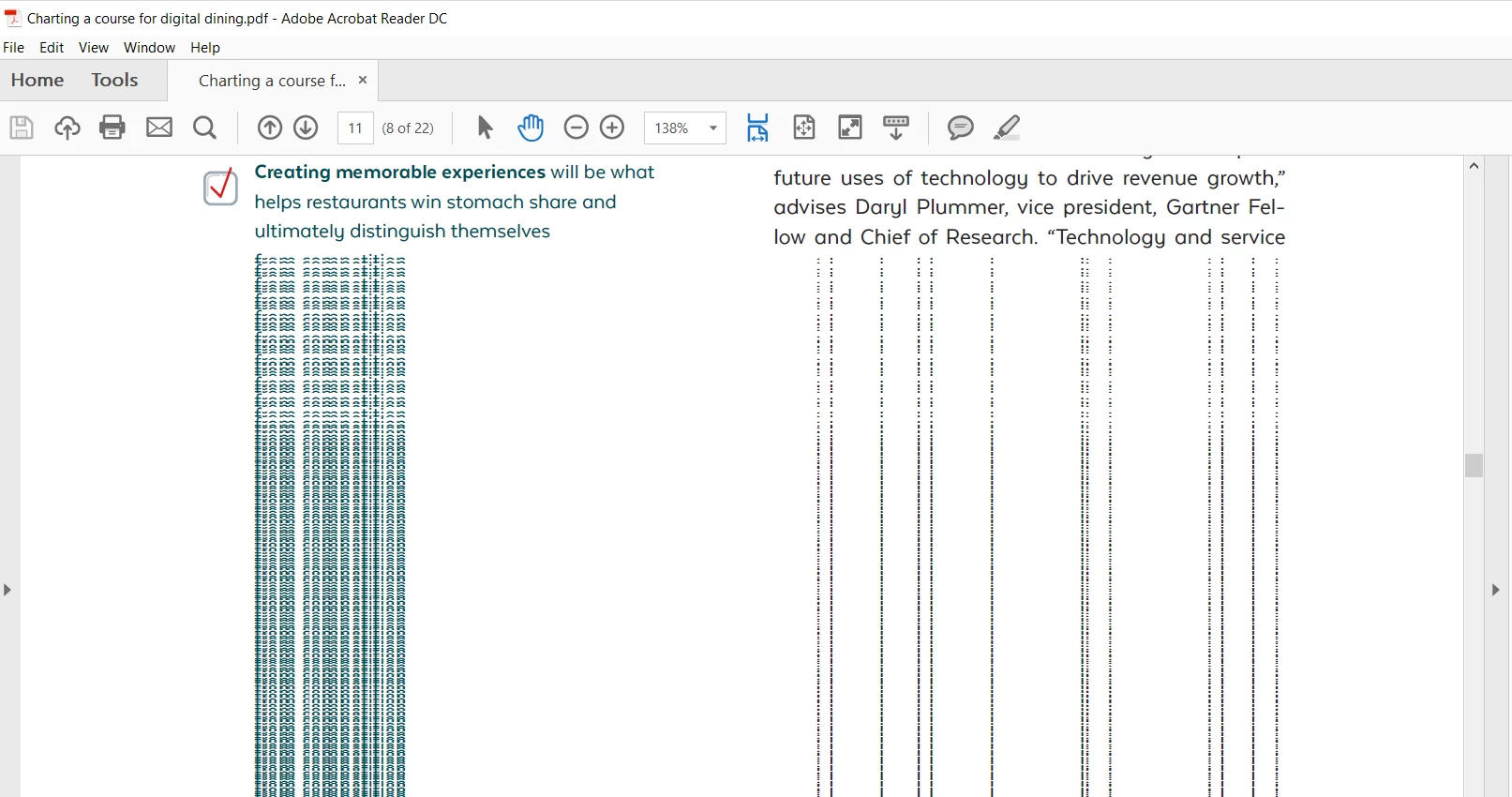
I've tried changing the antialiasing settings as per the instructions on another forum, which worked for a few hours or so but the issue resurfaced the next day when I re-opened the Reader.

Any advice would be great. Thanks.

    This topic has been closed for replies.

    3 replies

    Participant
    May 6, 2019

    @Tariq Dar

    I have the same problem

    AnandSri
    Community Manager
    Community Manager
    May 6, 2019

    Hello Rocketor,

    I am sorry for the trouble, please install the latest patch available for Acrobat Pro DC 19.010.20100 Optional update, April 16, 2019 (Windows Only).

    Check for the updates from the help menu of Acrobat>select Check for updates. Reboot the machine after updating Acrobat.

    Check for any pending updates of Windows as well as for the Graphic drivers, install all the mandatory and optional updates of the Operating system along with the Graphics driver, reboot the machine and check.

    Let us know if you experience any issue.

    Thanks,

    Anand Sri.

    Participant
    January 15, 2018

    I have the same problem and need a solution - any ideas?

    Community Manager
    February 8, 2018

    Hi Kevinf,

    Sorry for the delay in response.

    Have you tried the suggestion provided above? Help us with the version of Acrobat/Reader installed on your machine, to check version launch Acrobat/Reader>Help>About Adobe Acrobat/Reader.

    Let us know if that helps.

    -Tariq Dar

    Community Manager
    October 26, 2017

    Hi Seeveeargh,

    Sorry for the delay in response.

    I understand you have tried to make changes in the preferences that I would have recommended also. Since that didn't help in this situation would you check if you could update your display drivers?

    Try restarting your machine once the drivers are updated and try again. Let us know if that helps any.

    -Tariq Dar