Acrobat Reader DC updates are disabled but user prompted to install update
I have recently rolled out Acrobat Reader DC in my organisation onto Windows 10 and this morning one of my colleagues advised me that he was prompted to install an Acrobat Reader DC update even though we have updates disabled.
bUpdater is set to zero under:
HKEY_LOCAL_MACHINE\SOFTWARE\Policies\Adobe\Acrobat Reader\2015\FeatureLockdown
HKEY_LOCAL_MACHINE\SOFTWARE\Policies\Adobe\Acrobat Reader\2015\FeatureLockdown\cServices
HKEY_LOCAL_MACHINE\SOFTWARE\WOW6432Node\Policies\Adobe\Acrobat Reader\2015\FeatureLockdown
HKEY_LOCAL_MACHINE\SOFTWARE\WOW6432Node\Policies\Adobe\Acrobat Reader\2015\FeatureLockdown\cServices
Adobe Acrobat Update Service is disabled as well.
The AdobeARM.log file also shows that the update service is disabled
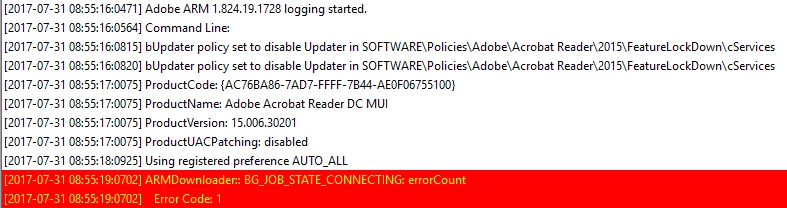
However it looks like an update is found.

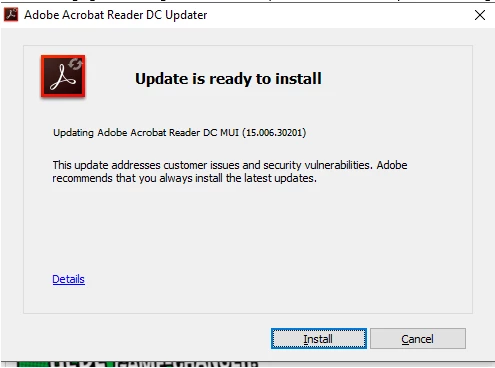
And this is the mesage my colleague received.
So far nobody else has advised me this is happening however, I would like to understand how this could be happening please.
 AdChoices