
Inspiring
October 8, 2018
Answered

acrobat reader does not recognize my default mail program

  • October 8, 2018
  • 2 replies
  • 4257 views

Hello,

Acrobat reader does not recognize my default mail program.

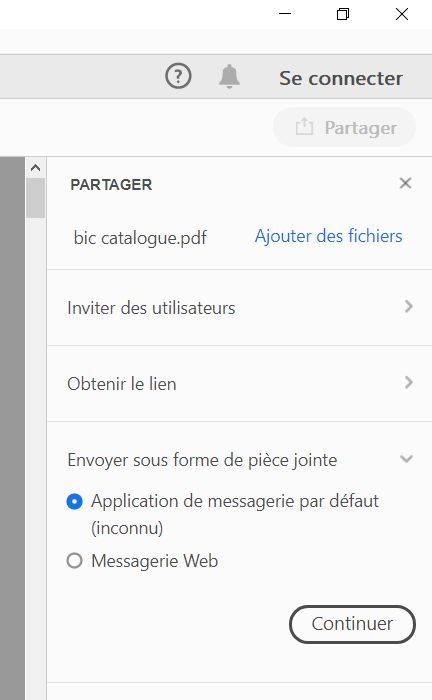
Inside acrobat reader, if I try to share a PDF file by email using my default mail program, I have :

1 - At the right, in the share panel I have "send as attachment : default mail program unknown" (translated from french) :
18100802545015595915931550.jpg

It is strange because in the Windows panel "default mail program", I can see the name of my mail program.

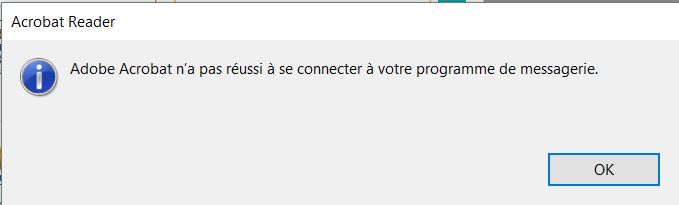
2 - this error window : "adobe acrobat does not succeeded to connect to your mail program" (translated from french) :
18100802470815595915931534.jpg

Have you a solution ?

    This topic has been closed for replies.
    Correct answer AnandSri

    Yes, but the problem is always here : the action "send email as attachment" does not works.

    Does adobe will release a fix to this problem ?


    Hi Pierret,

    We're sorry for the trouble you had and for the delayed response, have you tried the suggestion from the following Adobe help article How to use the email icon to directly send file as attachment

    If not, please try the registry settings and check.

    Make sure that you have the latest version of Adobe Reader installed, check for updates from help>check for updates, or install the latest patch manually from DC Release Notes — Release Notes for Acrobat DC Products

    Reboot the machine once and check.

    You may also refer and try the suggestion from Attach to email option is not working | Acrobat DC, Acrobat Reader DC

    Let us know how it goes with the latest version.

    Thanks,

    Anand Sri.

    2 replies

    Participant
    July 4, 2023

    This does not answer the question or address the problem. Under the "accounts" field, there is no option to select the default "Windows Mail" client. Adobe Acrobat DC app does not show it as an option and there is no option to select a mail app to use.

    Adobe Employee
    October 8, 2018

    Hi,

    Apologies for the inconvenience caused!

    Could you please follow the steps in the below article to use the email icon to send PDF directly as email attachment.

    Link : How to use the email icon to directly send file as attachment

    Please let me know in case of any concerns.

    Regards,

    Arvind

    Inspiring
    October 9, 2018

    Does adobe intend to solve this problem in a next release of acrobat reader ? I think I will wait for a next release.

    Adobe Employee
    October 9, 2018

    Hi Pierret18811376,

    Can you please try the suggestion given in the post by 'arvindy' above? Did it not solved your issue?

    Please let us know.

    Thanks.