Siza
Participant
January 7, 2019
Answered

Acrobat Reader Doesn't Get Installed

  • January 7, 2019
  • 2 replies
  • 1414 views

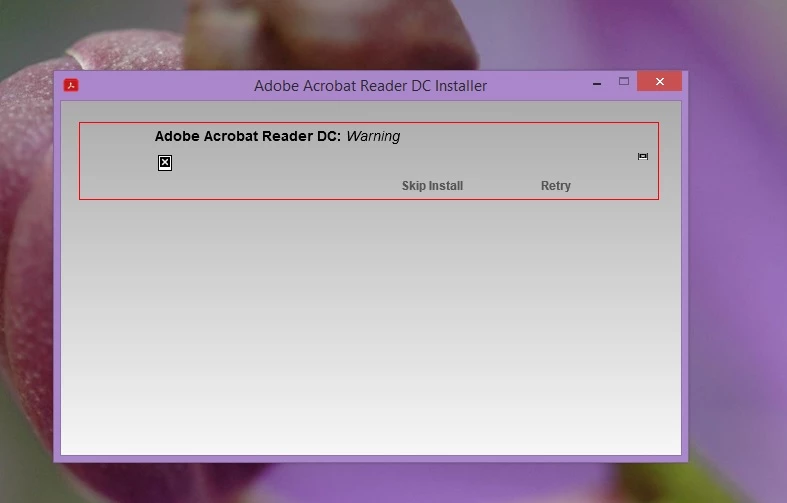
Hi, I'm trying to reinstall Acrobat Reader DC on my PC (Windows 8.1), but it's always stuck & doesn't get installed. Please help. Thanks.

This topic has been closed for replies.
Correct answer AnandSri

Hi, I followed the steps mentioned in the article. But, the "Error 1722.." msg is still showing.

Regards,
Siza


Hello Siza,

I am sorry for the trouble and for the delayed response, please refer and try the solution from the following help article Error 1722 while installing/updating Acrobat DC/Acrobat Reader DC on Windows

Let us know if you experience any issue.

Thanks,

Anand Sri.

2 replies

AnandSri
Legend
January 7, 2019

Hello Siza and Lisav,

I am sorry for the trouble you had while installing Adobe Reader, please reboot the machine once and use Acrobat cleaner tool to remove any corrupt or conflicting installation files of Adobe Reader Download Adobe Reader and Acrobat Cleaner Tool - Adobe Labs

Reboot the machine and install Adobe Reader from Adobe - Adobe Acrobat Reader DC Distribution

Once Adobe Reader is installed, install the latest patch of Adobe Reader 19.010.20069 from help menu>check for updates, reboot the machine and check.

For testing purpose, please disable any security software installed on your machine during the download and installation process.

Enable it back once Adobe Reader is installed.

let us know how it goes and share your findings.

Thanks,

Anand Sri.

[Edited Response]

Siza
SizaAuthor
Participant
January 8, 2019

Hi, I used the cleaner tool after rebooting my PC. (as advised by you). It said the components were removed successfully.. But showed me an error msg
I rebooted my PC then and tried to install Adobe Reader from the link that you had provided. This time it showed me an error msg & the installation was unsuccessful.


Please tell me what to do now..

Regards,
Siza

AnandSri
Legend
January 8, 2019

Hello Siza,

Thank you for sharing the details and I am sorry for the trouble, please refer and try the solution from the following help article for the Error 1722 and reboot the machine Error 1722 while installing/updating Acrobat DC/Acrobat Reader DC on Windows

Let us know if you experience any issue.

Thanks,

Anand Sri.

lisav68611023
Participant
January 7, 2019

I cannot install on my Mac OS10.14 which returns this statement