
May 11, 2021
Answered

Acrobat Reader doesn't open documents with saved default layout

  • May 11, 2021
  • 2 replies
  • 1304 views

Whenever I open documents, it doesn't matter if I already worked on them or not, they don't open with the default layout I saved in Acrobat Reader (single page continuous). This happens despite making sure the settings are right numerous times, which they are. It's mostly the continuous scrolling part which I almost always need to enable again through the toolbar.

This topic has been closed for replies.
Correct answer Bernd Alheit

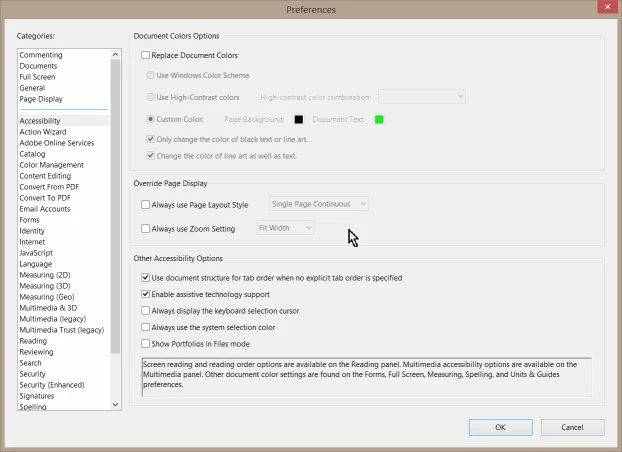
You can set the layout in the preferences:

2 replies

Amal.
Legend
May 12, 2021

Hi there


++ Adding to the discussion


Go to Edit (or the app menu if you're on a Mac) - Preferences - Page Display and change the Page Layout option to "Single Page Continuous":


Regards

Amal

AdUser0924
Known Participant
July 3, 2022

Hello,

same issue for me like @18862387 . This seems to be a bug then. The configuration shown by @Amal.  is exactly what we did before the settings don't work.


It's completely random on my site (latest Adobe R, latest Windows 10 64-Bit): 

Setting is Page Display > Single Page Continuous

However(!), every other PDF opens with their own layout. AR is opening a PDF with single page view, however the setting is still SPC.


To me, this is a bug. Please investigate or what exactly is supposed to happend with this feature?


Regards,

Legend
July 3, 2022

A PDF can also have its own settings, in the file. If your preferences are different, the file wins. 

Bernd Alheit
Community Expert
Community Expert
May 11, 2021

You can set the layout in the preferences of Acrobat Reader.