
cmisidro
Participant
March 16, 2023
Question

Acrobat Reader: How to place the Quick Tools from Left to Right?

  • March 16, 2023
  • 3 replies
  • 982 views

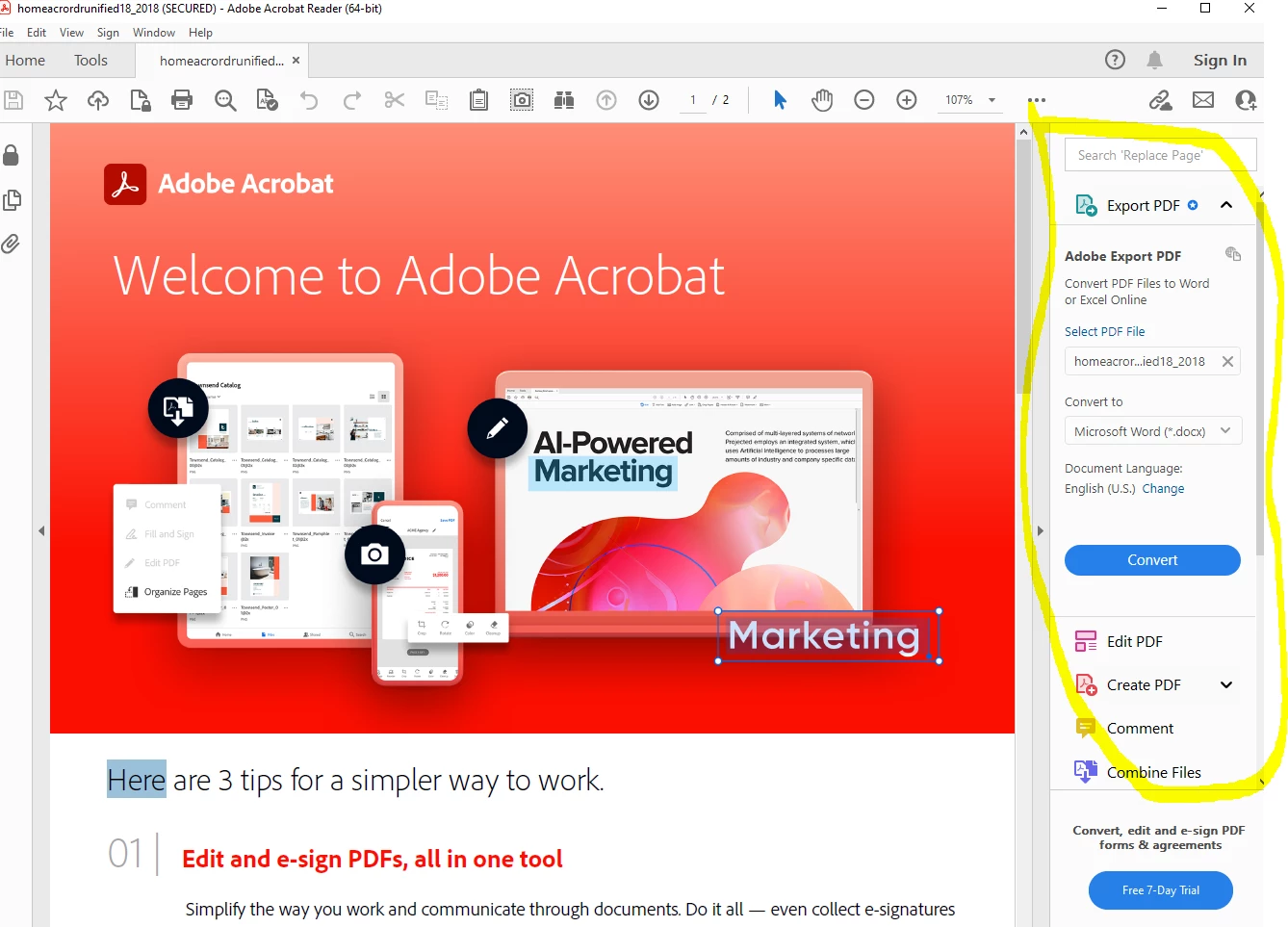
Is there a way to place the Quick Tools from Left to Right? By default it should be on the Right and I don't know why it switch to the Left.

I even tried Uninstall/Reinstall Adobe Acrobat reader from -> Adobe - Adobe Acrobat Reader DC Download | Free PDF viewer for Windows, Mac OS, Android

Can't find any fix on Google but maybe here


This topic has been closed for replies.

3 replies

JR Boulay
Community Expert
Community Expert
March 28, 2023

[MOVED TO THE ACROBAT READER DISCUSSIONS]

Acrobate du PDF, InDesigner et Photoshopographe
Meenakshi Negi
Community Manager
Community Manager
March 28, 2023

Hi cmisidro,


Thank you for reaching out, and sorry about the delay in response.


It is the new design behavior of the application. For more information, please refer to the following help document: https://helpx.adobe.com/acrobat/using/whats-new.html

If you wish, you may move back to the old UI using the following:  View menu > Enable|Disable New Acrobat (Mac) or Hamburger menu > Enable|Disable New Acrobat (Windows). 


Let us know if you have any questions.


Thanks,

Meenakshi


Marking a reply or response “Correct” will help future users with the same issue quickly identify the correct answer.

try67
Community Expert
Community Expert
March 16, 2023

File - Disable New Acrobat (terrible name...)