
Question
Acrobat Reader menu [Branched from Increase the font size menu interface]
with version 2018.009.20050 you can now set the font to change (rasterized) based on the screen size.
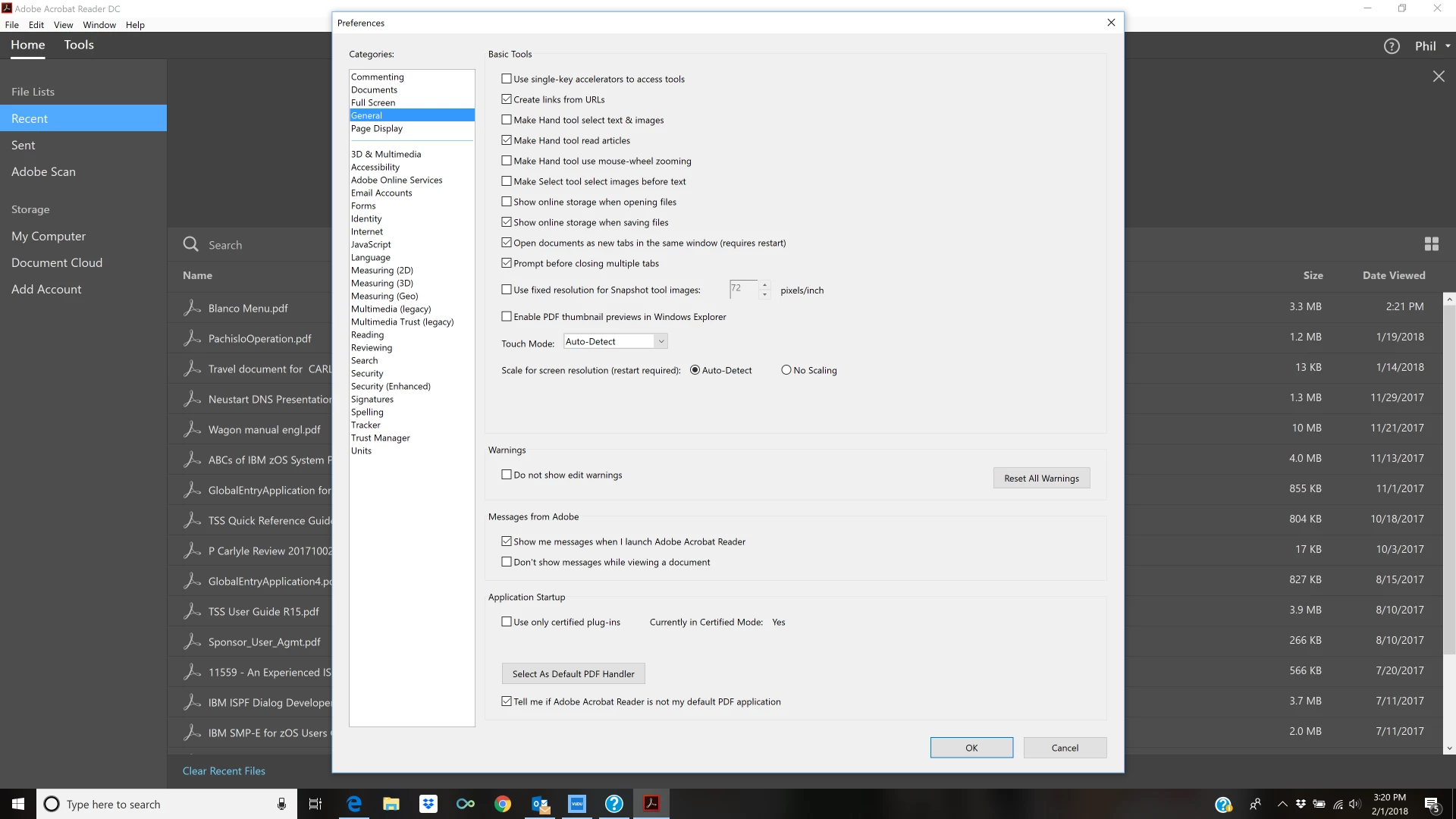
Using Edit/Preferences, select the GENERAL header on the left and then find the field:
Scale for Screen Resolution (Restart Required)
Select this option and cycle Adobe Reader.
Poof! you can see the menu fields.
 AdChoices