Participant
August 10, 2019
Pregunta

Acrobat reader wil niet installeren op mijn computer

  • August 10, 2019
  • 2 respuestas
  • 3154 visualizaciones

Hallo,

Ik ben al meer dan 5 uur bezig om Acrobat reader op mijn laptop te installeren. Mijn laptop wilde niet opstarten en ik had geen andere keus dan hem alles opnieuw te laten installeren. Dus moest ik ook al mijn programma's er opnieuw opzetten.

En nu reader krijg ik niet meer geinstalleerd. Heeft er altijd op gestaan. Ik heb Windows 8.

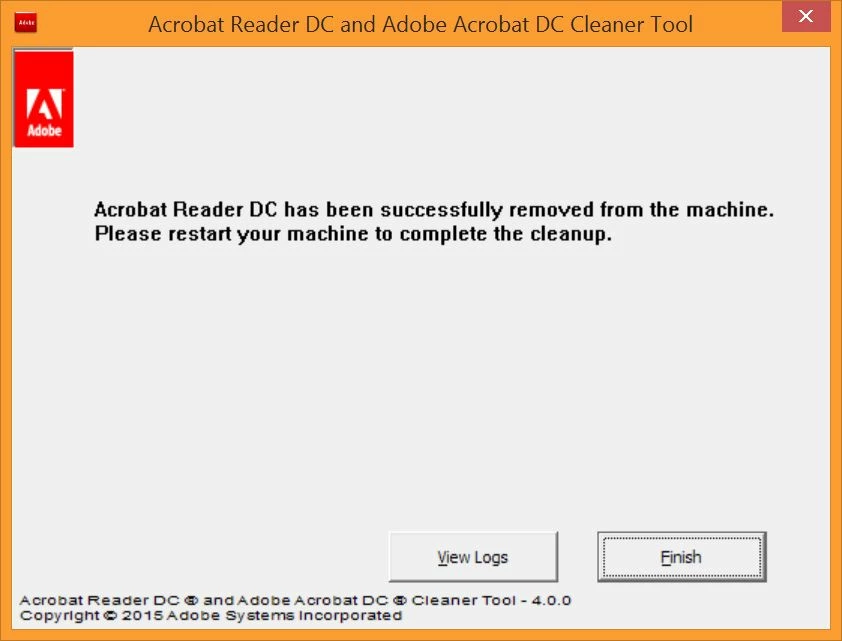
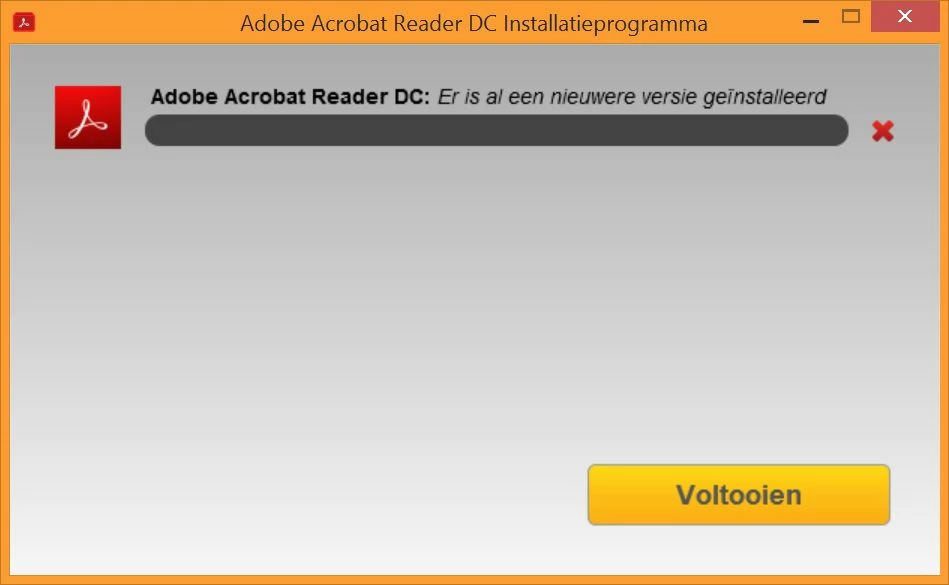
Als de installatie op 90% is krijg ik een icoon op mijn desktop die even later weer verdwijnt. Dan krijg ik de melding dat er al een nieuwere versie is geinstalleerd en de boel wordt afgebroken. Ik heb dit probleem gegoogeld en alle mogelijke oplossingen geprobeerd waaronder het Adobe cleaner programma laten lopen.

Die zegt dat alles is verwijderd en na een herstart heb ik nog steeds hetzelfde probleem.

Ik heb ook een windows update gedaan en het api-ms-win-crt-heap-l1-1-0.dll geinstalleerd.

Ik krijg Reader niet geinstalleerd.

Wat is hier aan de hand?
Este tema ha sido cerrado para respuestas.

2 respuestas

AkanchhaS8194121
Legend
August 14, 2019

Hi there!

Getting an error "Newer version already installed" while installing Adobe Reader DC, is an known issue. The error is shown due to a missing update for Universal C Runtime in Windows. You can install the update using one of the following ways given in the help article here: Error 1722 while installing/updating Acrobat DC/Acrobat Reader DC on Windows

Let us know the result.

Thanks,

Akanchha

Participant
August 14, 2019

Hi, thanks for trying to help.

I followed the steps, I downloaded Windows8.1-KB2999226-x64, I looked in SysWOW 64 for the 2 dll files.

However the files on my computer were called msvcp120_clr0400.dll and msvcr120_clr0400.dll.

I couldn't rename them but then I thought they have a different name already. So I ran the downloaded file, it was installed successfully and I found the properly named dll files, without the  0400 at the end. So I tried installing Reader.

To no avail. I got the same message: a newer version is already installed.

And another hour is gone.

Regards,

Corinne

Amal.
Legend
August 13, 2019

Hi Corinnew,

Apologies for the trouble caused, as described above, you are experiencing issues while installing the Adobe Reader as you are getting the error message that a newer version is already installed, correct?

This error is shown due to the missing update for Universal C Runtime in windows. Please refer to Error 1722 while installing/updating Acrobat DC/Acrobat Reader DC on Windows for more clarity on the issue.

You may also refer to a similar discussion - HOW TO OVERCOME ERROR 1722 "there is a problem with this windows installer package"

Let us know if that works for you

Regards,

Amal

Participant
August 14, 2019

Hi Arnal,

Please look at my response to Akanchha.

Participant
August 16, 2019

Hi, you asked for the result and the result is that I cannot install Adobe reader on my computer.

I have followed every possible instruction for a solution and I assure you there are many.

My OS is fully updated.

But I still do not have Reader on my computer.

If this is a known issue why not fix it?

Why not make an executable without this known issue?