
Participant
May 14, 2018
Answered

Add text comment disappears when clicking away from text

  • May 14, 2018
  • 4 replies
  • 8002 views

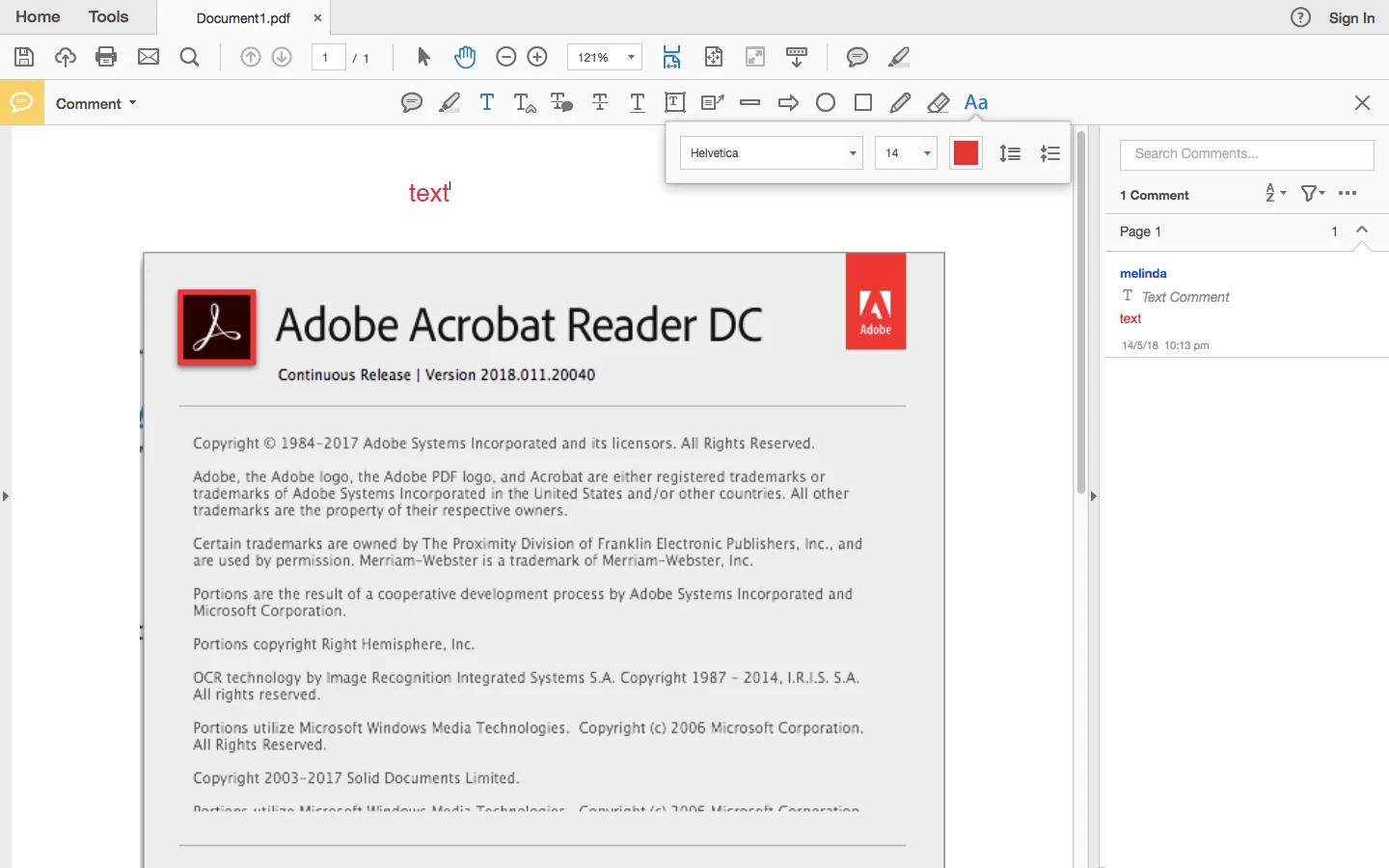
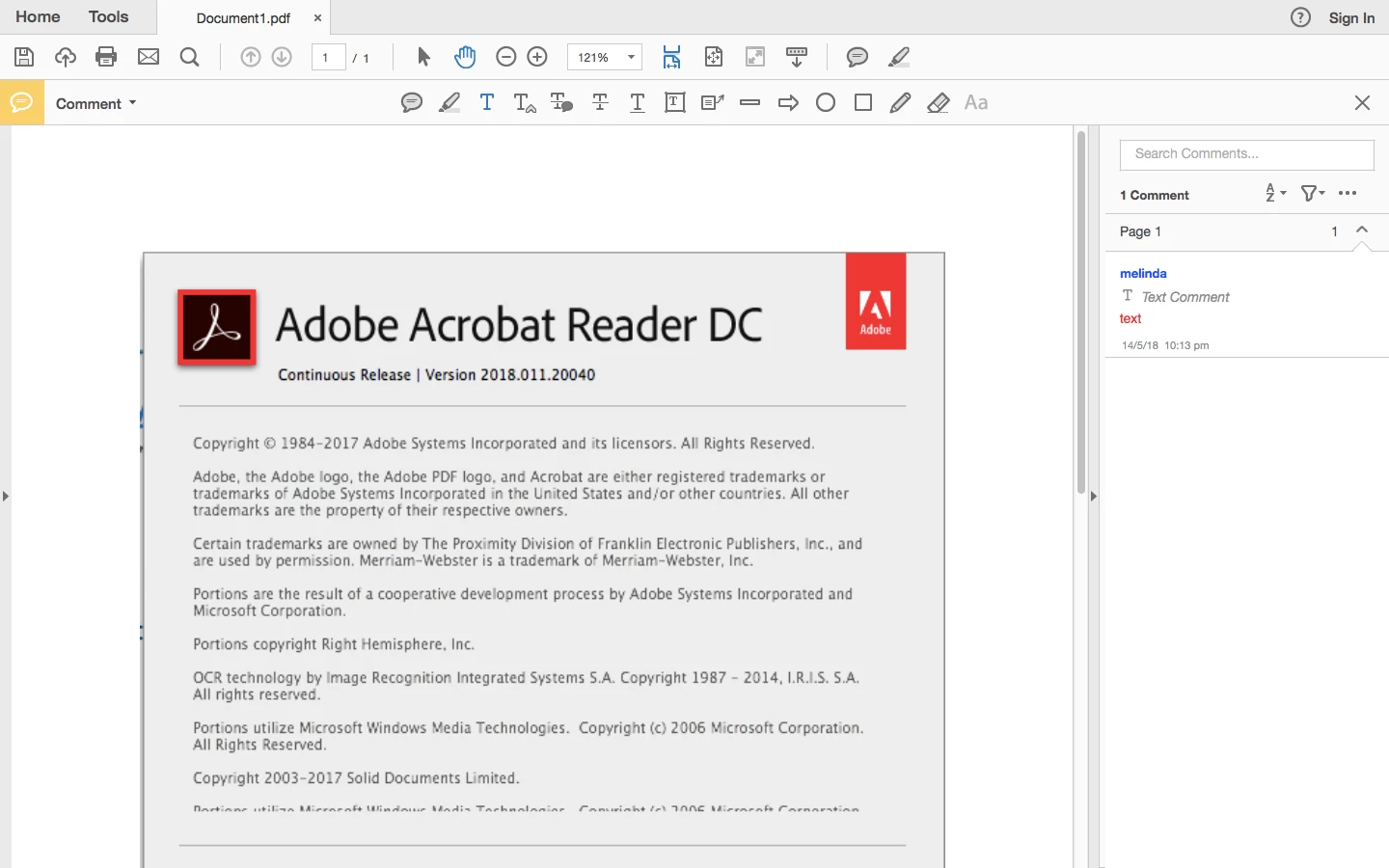
Until recently, I have had no issues adding text comment to pdf's and seeing the text. However, now I post text as below and it is visible at all times (including side comment bar) but when I click away, the text is no longer visible. I have uninstalled the application and installed to restore all default settings and it won't work. I have included the software that I have. I am running this on a Macbook Air High Sierra OS. Please help
    This topic has been closed for replies.
    Correct answer Meenakshi Negi

    Hi Melindac,

    Sorry for the delay in response.

    We have tried to replicate the issue at our end in the same environment. It works fine.

    Please try once uninstalling the application using the Adobe Reader and Acrobat Cleaner Tool on your Mac.

    Run the cleaner tool Download Adobe Reader and Acrobat Cleaner Tool - Adobe Labs and reboot the machine.

    Then re-install the application from here Adobe - Adobe Acrobat Reader DC Distribution

    Check if that resolves the issue.

    Let us know how it goes.

    Regards,

    Meenakshi

    4 replies

    Participant
    September 12, 2023

    Simple solution is to open the pdf in Chrome, go to print or save as pdf and override the original pdf then open that file in adobe acrobat. 

    Participant
    February 27, 2020

    I used the uninstaller tool and it still does not work. 


    I have managed to fix the text box. however if you just "add text" it still disappears and no "properties" option is available for me to select and change the opacity. 

    This is incredibly infuriating for such a simple task. 

    cbh-gregg
    Participant
    April 9, 2020

    Did you ever find a solution? I am pulling my hair out!

    Participant
    April 28, 2020

    This isn't solved for PC users at all. It should not be marked as solved.

    Participant
    June 18, 2018

    Thanks so much. Only worked when uninstalling with the cleaner tool.

    Cheers!

    Meenakshi Negi
    Community Manager
    Meenakshi NegiCommunity ManagerCorrect answer
    Community Manager
    May 18, 2018

    Hi Melindac,

    Sorry for the delay in response.

    We have tried to replicate the issue at our end in the same environment. It works fine.

    Please try once uninstalling the application using the Adobe Reader and Acrobat Cleaner Tool on your Mac.

    Run the cleaner tool Download Adobe Reader and Acrobat Cleaner Tool - Adobe Labs and reboot the machine.

    Then re-install the application from here Adobe - Adobe Acrobat Reader DC Distribution

    Check if that resolves the issue.

    Let us know how it goes.

    Regards,

    Meenakshi