


Participant
August 19, 2025
Answered

Adobe Acrobat Menu bar showing on other monitor when in Full Screen mode

  • August 19, 2025
  • 1 reply
  • 187 views

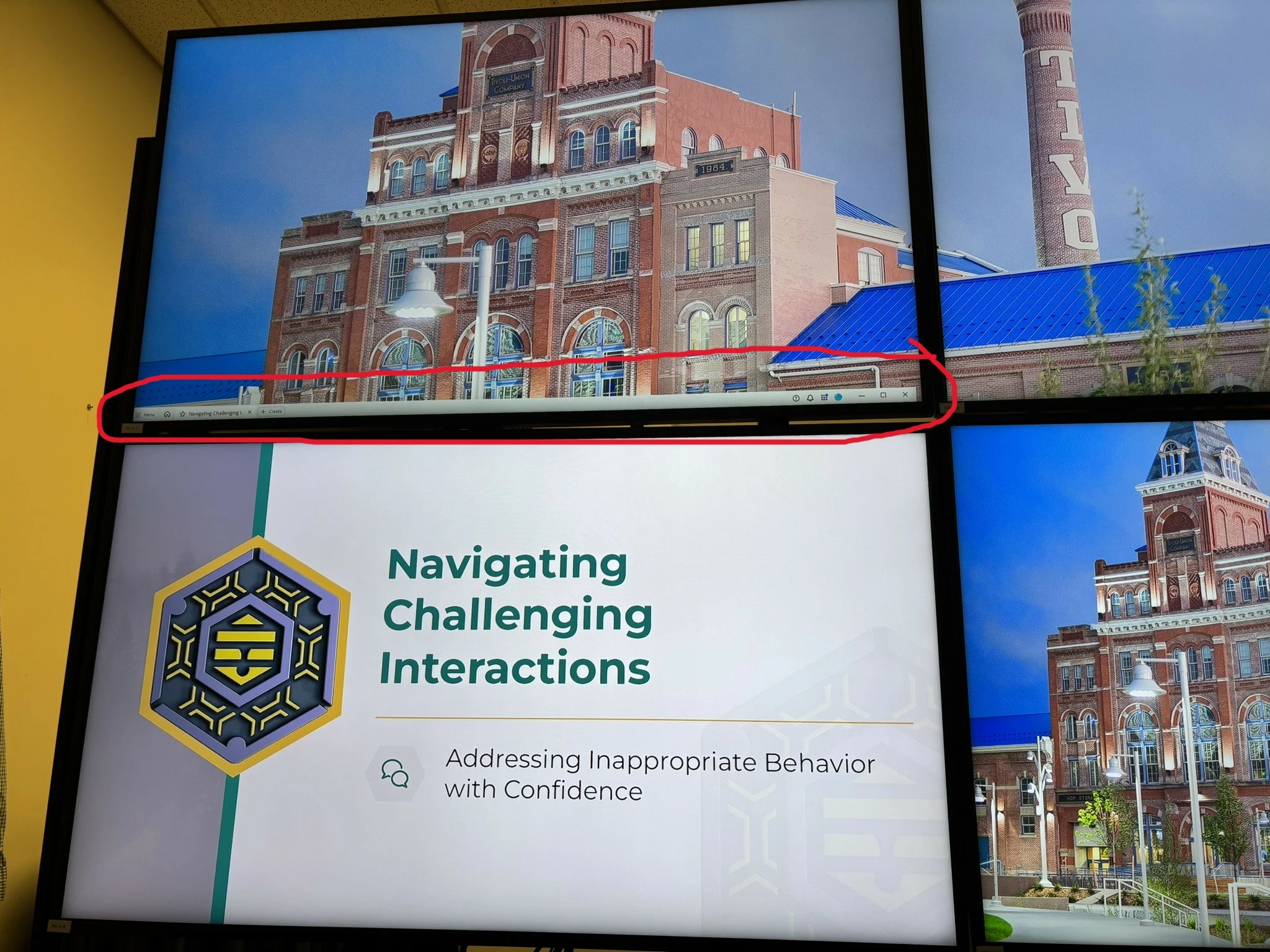
When I full screen a PDF, the menu bar 'overflows' and shows on my other monitor. How can I prevent this?

I run an event space and use these monitors to display multiple sources inside said event space and this menu bar layers on top of content and interferes with displaying content.

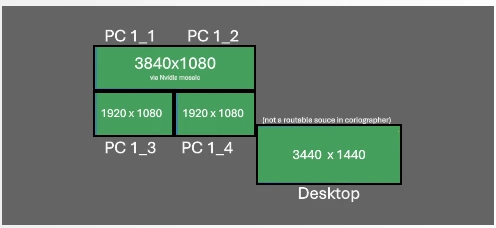
This picture show my monitor topology to provide some further understanding and conceptualization. I display widescreen graphics in my event space and the menu bar with overlay on top of those graphics.
Correct answer Tariq Dar

Hi @Thatcher4


Thanks for reaching out. Sorry for the troubled experience. 
"I" don't have this setup to test this behavior. I currently have an extended 4 K monitor with a Mac, and I am unable to reproduce it. 


Please ensure your copy of Adobe Acrobat is updated. To check for any pending updates, launch Acrobat > Help > Check For Updates.


If you are still experiencing the issue, help us with the following details:

  1. Acrobat version installed:   https://adobe.ly/3PQQ7nE
  2. OS name and version.
  3. Screen recording showing the problem. 

Once this information is available, we can dive deeper into potential solutions or escalate the issue accordingly.


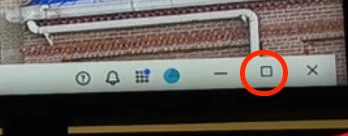
Also, from the screenshot provided, it appears that Acrobat is set at a size that could cause it to overlap with another screen. Could you reduce the size of Acrobat or set full screen, and then try viewing the file in full-screen mode?


Let us know how it works.

 
Best regards,
Tariq | Adobe Community Team | Meet Acrobat Studio

1 reply

Tariq DarCorrect answer
Legend
August 20, 2025

Hi @Thatcher4


Thanks for reaching out. Sorry for the troubled experience. 
"I" don't have this setup to test this behavior. I currently have an extended 4 K monitor with a Mac, and I am unable to reproduce it. 


Please ensure your copy of Adobe Acrobat is updated. To check for any pending updates, launch Acrobat > Help > Check For Updates.


If you are still experiencing the issue, help us with the following details:

  1. Acrobat version installed:   https://adobe.ly/3PQQ7nE
  2. OS name and version.
  3. Screen recording showing the problem. 

Once this information is available, we can dive deeper into potential solutions or escalate the issue accordingly.


Also, from the screenshot provided, it appears that Acrobat is set at a size that could cause it to overlap with another screen. Could you reduce the size of Acrobat or set full screen, and then try viewing the file in full-screen mode?


Let us know how it works.

 
Best regards,
Tariq | Adobe Community Team | Meet Acrobat Studio