
Participant
February 28, 2025
Answered

Adobe Acrobat not opening

  • February 28, 2025
  • 1 reply
  • 3901 views

Hello, 


I've been sent here from tech support. 


Last wednesday I noticed my Adobe Acrobat Reader Free Version was not opening PDFs. I've uninstallled and reinstalled several times. I've done a repair. I've chaged it to administrator mode and nothing. In admin mode it comes up with the 'do you want this application to make changes...'. Both yes and no does nothing. 


You click a PDF and nothing. It appears in Task Manager as Adobe Acrobat (2) and if you keep clicking new ones show up. Eventually a pop up appears saying there is a running error and a click here option with further fix options. None of these work. I found my business partner has had the same issue this week. 


Any advice on how to fix this would be greatly apprecited. 


Thanks 
Correct answer AnandSri

Hi Jane, 


From the other week PDFs would not open. After finding out my business partner has the same issue, I came home and tried launching Adobe Acrobat Reader and noticed this didn't work either. 


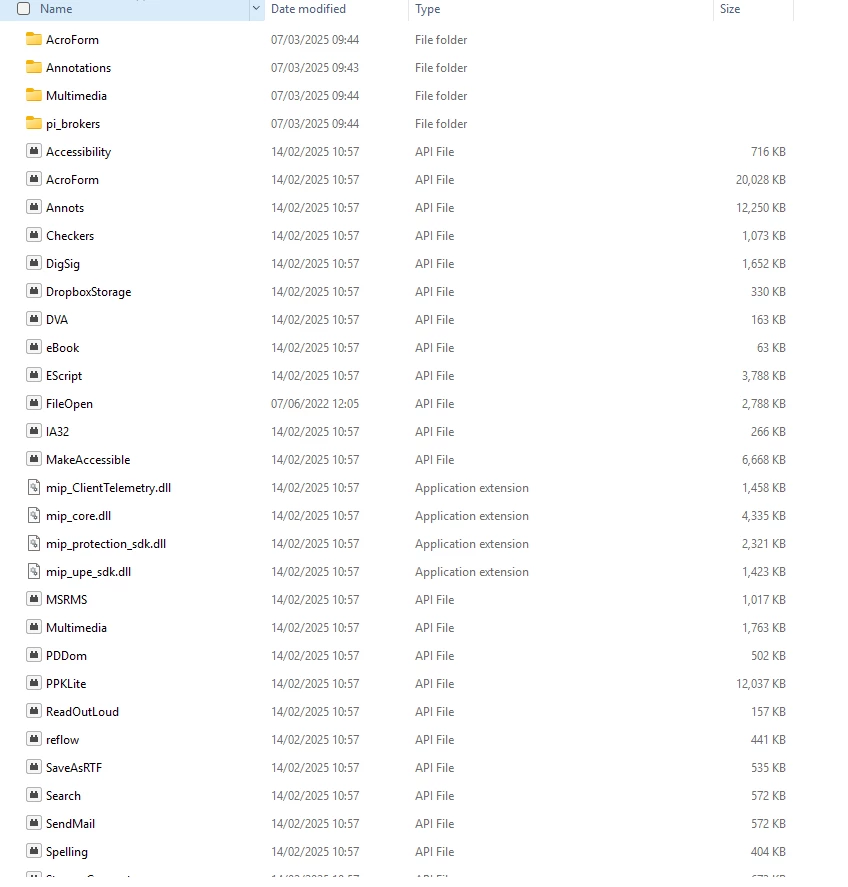
Tried all of these and nothing. The only one I don't get is solution 4 with the plugins. I see files as application extension but not sure if I should delete these? Thank you for your continued help by the way. 


I am wondering whether it is related to the brand of laptop. We both have HP. I have a seperate Windows laptop and it works fine on there. 


Hi Sebastian!


I hope you are doing well, and apologize for the delayed response and the trouble.


If you have tried all the suggestions provided by our Product Expert and the help articles, such as:

and the issue still persists, please follow these steps:

  1. Use the Acrobat Cleaner Tool to uninstall the app.
  2. Restart your computer.
  3. Install all pending mandatory and optional operating system updates.
  4. Reboot your device.
  5. Reinstall Acrobat Reader.

If the issue continues, please collect the logs from the affected machine and share them with us for further investigation.


Thanks,

Anand Sri.

1 reply

jane-e
Community Expert
Community Expert
March 1, 2025
quote

Last wednesday I noticed my Adobe Acrobat Reader Free Version was not opening PDFs.

By @sebastian_0370


Can you open a PDF by launching the free Adobe Acrobat Reader, then choosing File > Open?


I've moved your post from Acrobat to the Acrobat Reader forum.


Jane


Participant
March 2, 2025

Hi Jane, 


No. The application does not open. Whether I open the application itself or a PDF, nothing happens. Sometime laterIethen get a something went wrong box 'a running instance of Acrobat has caused an error'. Learn more or ok. Learn more leads https://helpx.adobe.com/acrobat/kb/failed-to-connect-to-dde-server.html. I've tried these solutions and nothing has worked. 

jane-e
Community Expert
Community Expert
March 2, 2025


Last wednesday I noticed my Adobe Acrobat Reader Free Version was not opening PDFs.

By sebastian_0370


The application does not open.

By @sebastian_0370


It looks like something changed at your end? Last week Reader wouldn't open PDFs and this week it won't launch at all.


I found this Help page for Acrobat, and most of it should work for the free Reader. Skip option #2 because Reader does not include the Distiller. Let us know if any of these steps work.

https://helpx.adobe.com/acrobat/kb/unable-to-launch-acrobat-on-windows.html


Also, be sure you are using this link to install Reader: https://get.adobe.com/reader/


Jane