Participant
July 23, 2024
Answered

Adobe Acrobat prints letters with small white holes in them resulting in blurry text...?

  • July 23, 2024
  • 1 reply
  • 635 views

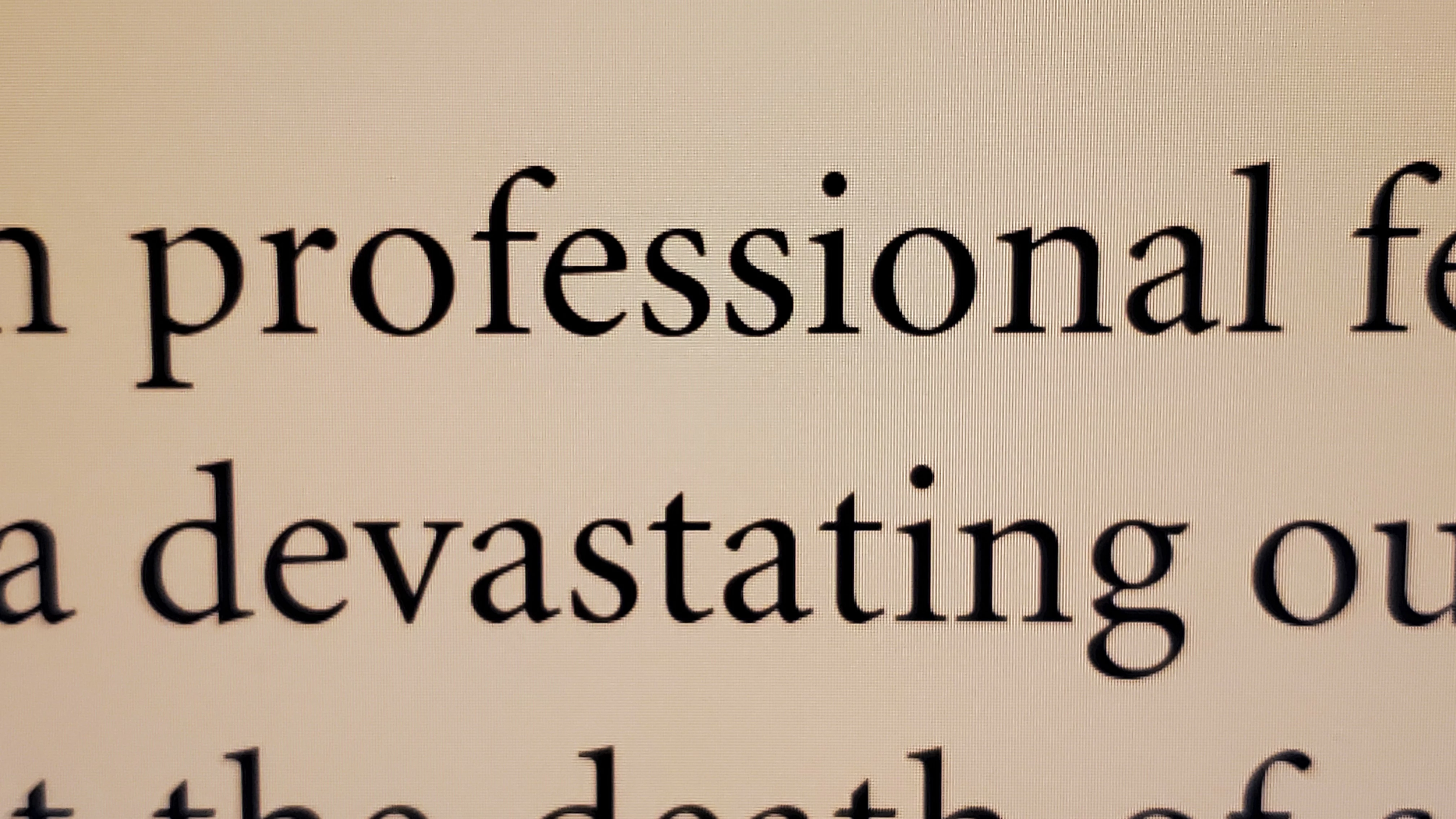
I tried to print a PDF. A photo of the screen of some of the text (sharp, black text):
 

However, the printed paper has holes in the black letters, which aren't that black anyways:
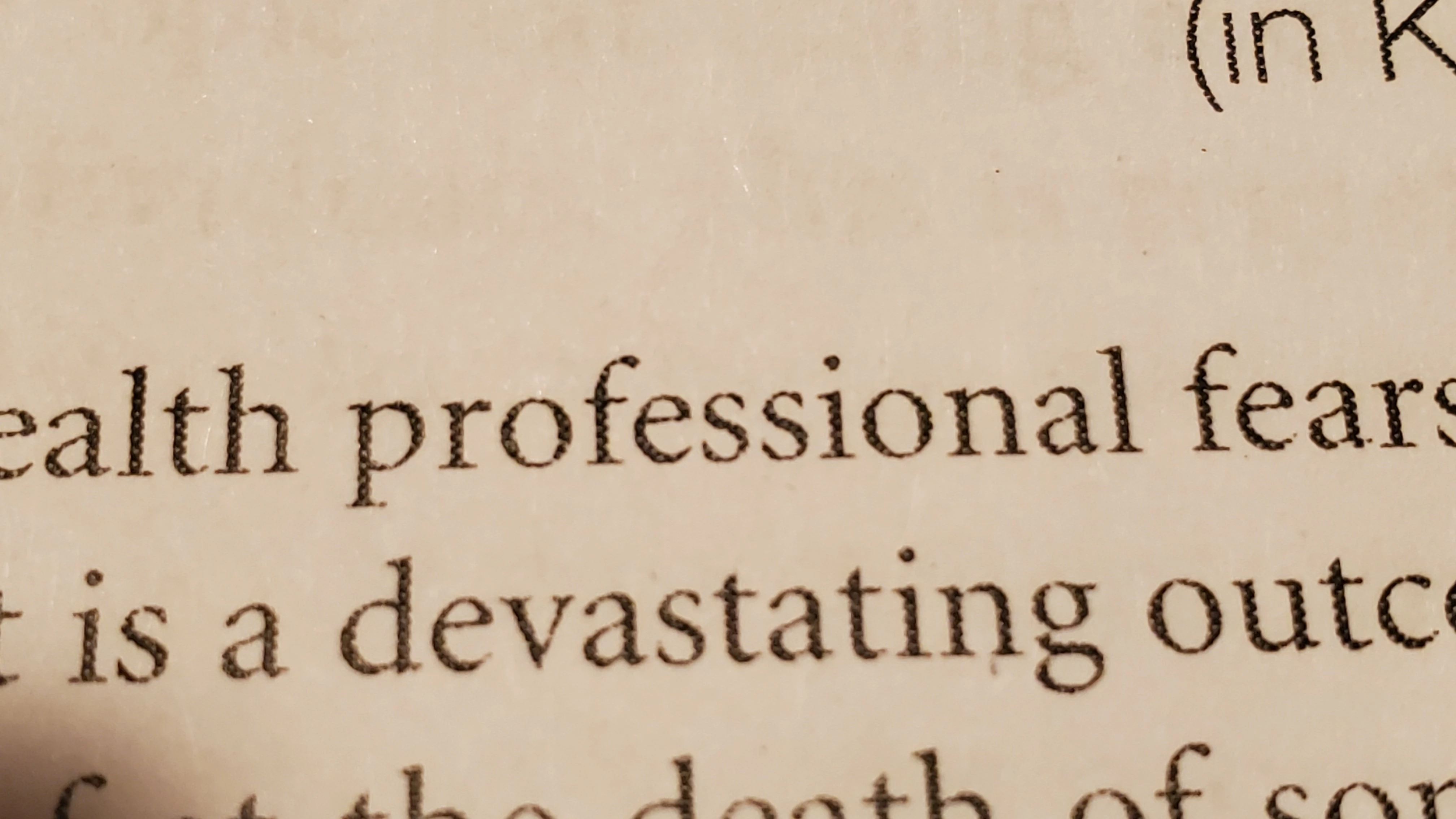


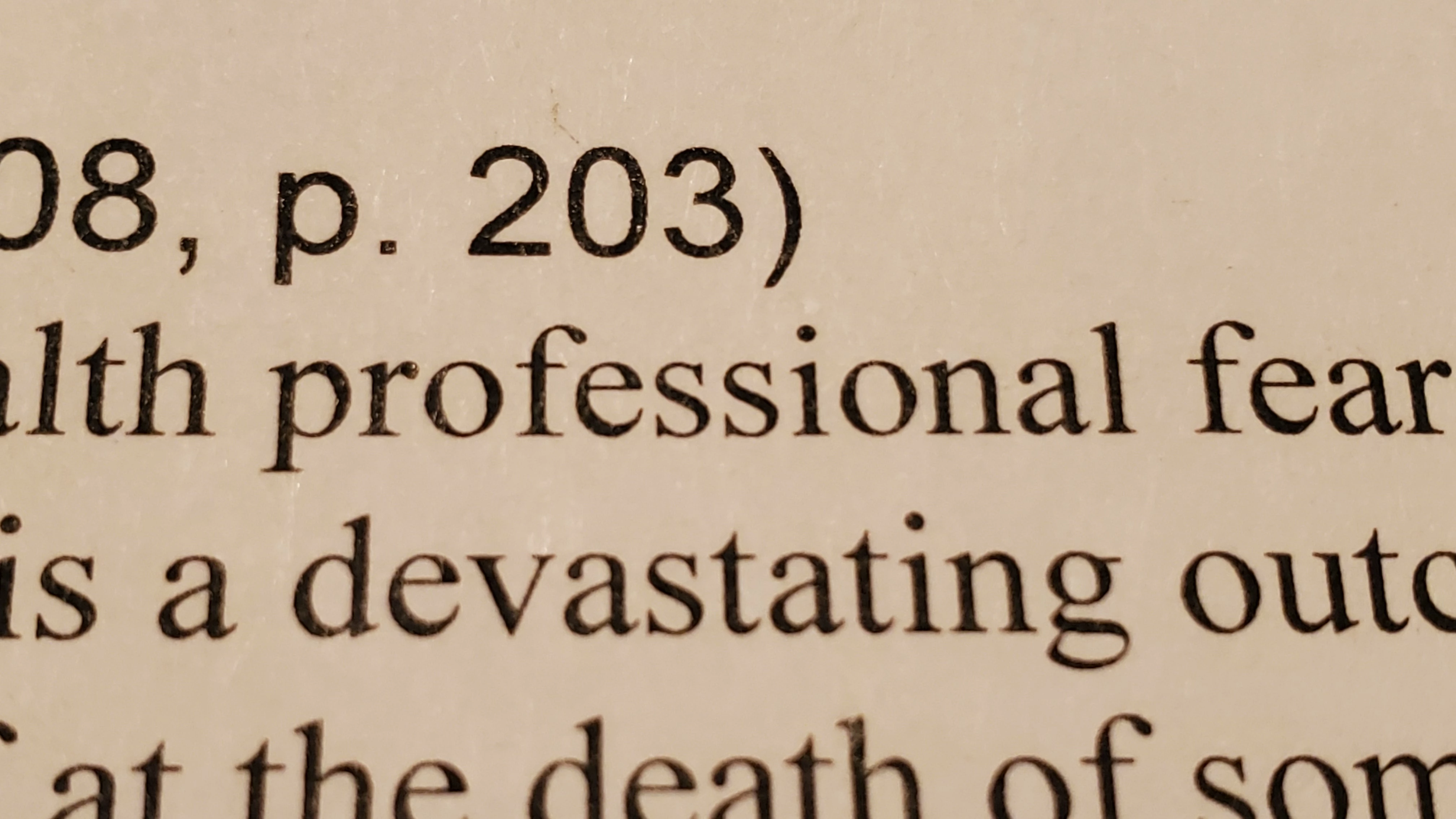
This looks blurry and grayish and is harder to read. Is this the printer's fault? I don't think so because when I copied the text to MS Word and printed that, I got much crisper black text:
 

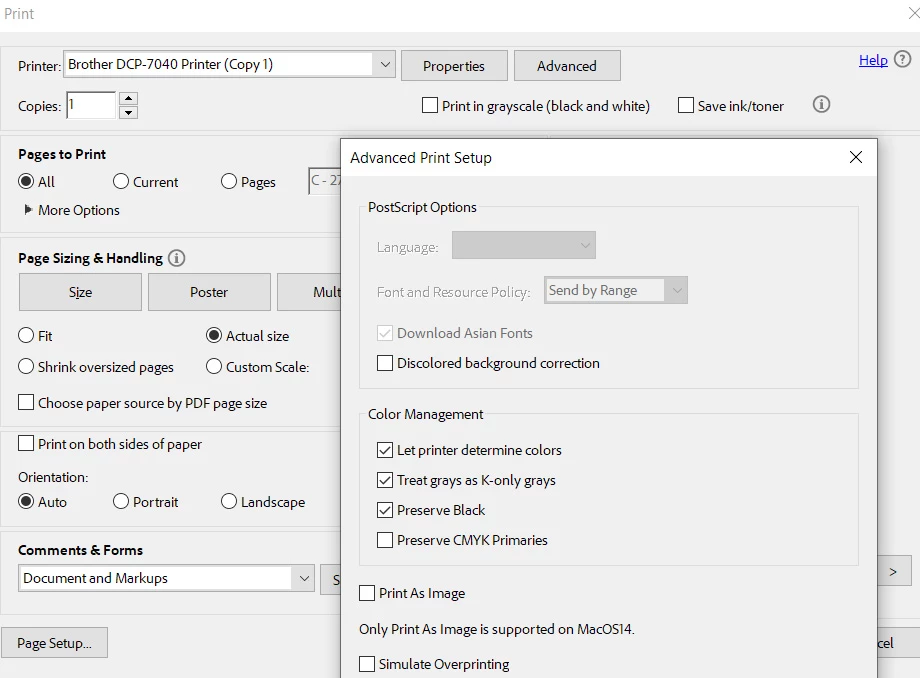
I tried printing in grayscale and trying different checkboxes in the Color Management (in advanced print setup) but it always prints blurry, grayish, holey text.
This topic has been closed for replies.
Correct answer andyq12

So this is not a PDF issue. It's just that some settings by default were different for Acrobat. 


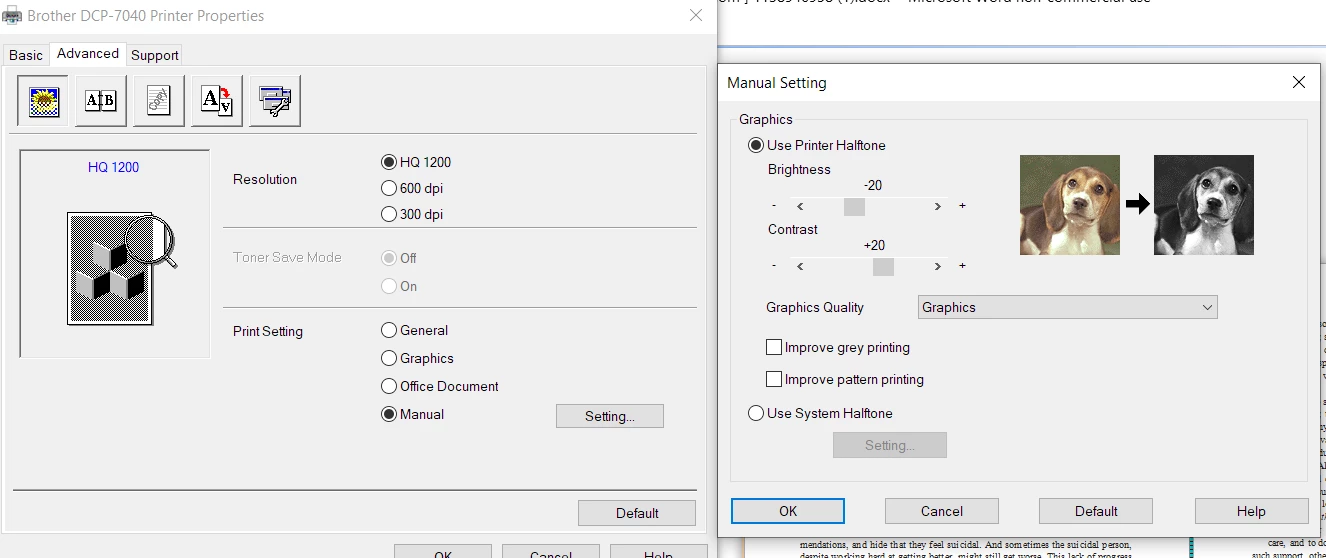
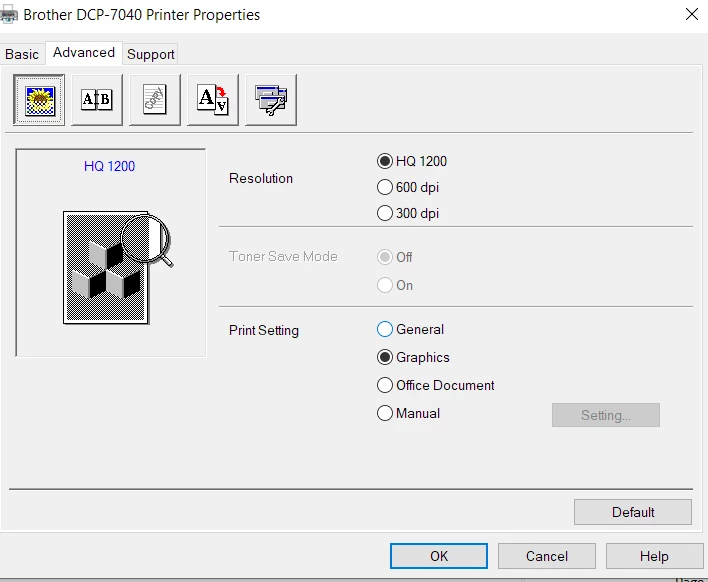
For my Brother DCP-7040 printer, when printing I went to  Printer Properties - Advanced tab and changed the print setting to Graphics (Resolution HQ 1200). Yes, Graphics prints text better than General (default) or Office Document.


A slightly better quality is achieved via the Manual setting, with the Brightness set to -20 and Contrast to +20. Be sure to select Graphics (not Photo) from the Graphics quality dropdown.


This is specific to my printer, but similar settings may be available for other printers to play around with to solve blurry or pixelated text.

1 reply

andyq12Author
Participant
August 9, 2024

I wanted to bump this in case anyone else has any solutions to this...

Meenakshi_Negi
Legend
August 12, 2024

Hi andyq12,


Thank you for reaching out.


Please let us know if this happens with every PDF you try to print. Also, do check if you can print fine with other applications.

Try the troubleshooting steps suggested here: https://adobe.ly/3WZLgVu. Ensure that the printer driver is updated.

If the printer is wireless connected, try connecting it via cable and check if that helps.


If the issue still occurs, share the Acrobat and OS version.

Share the make and model of the printer.


Let us know how it goes.


Thanks,

Meenakshi


andyq12AuthorCorrect answer
Participant
October 12, 2024

So this is not a PDF issue. It's just that some settings by default were different for Acrobat. 


For my Brother DCP-7040 printer, when printing I went to  Printer Properties - Advanced tab and changed the print setting to Graphics (Resolution HQ 1200). Yes, Graphics prints text better than General (default) or Office Document.


A slightly better quality is achieved via the Manual setting, with the Brightness set to -20 and Contrast to +20. Be sure to select Graphics (not Photo) from the Graphics quality dropdown.


This is specific to my printer, but similar settings may be available for other printers to play around with to solve blurry or pixelated text.