
January 25, 2017
Question

Adobe Acrobat Pro XI - Split Screen Resolution Issue

  • January 25, 2017
  • 3 replies
  • 697 views

Hi friends,

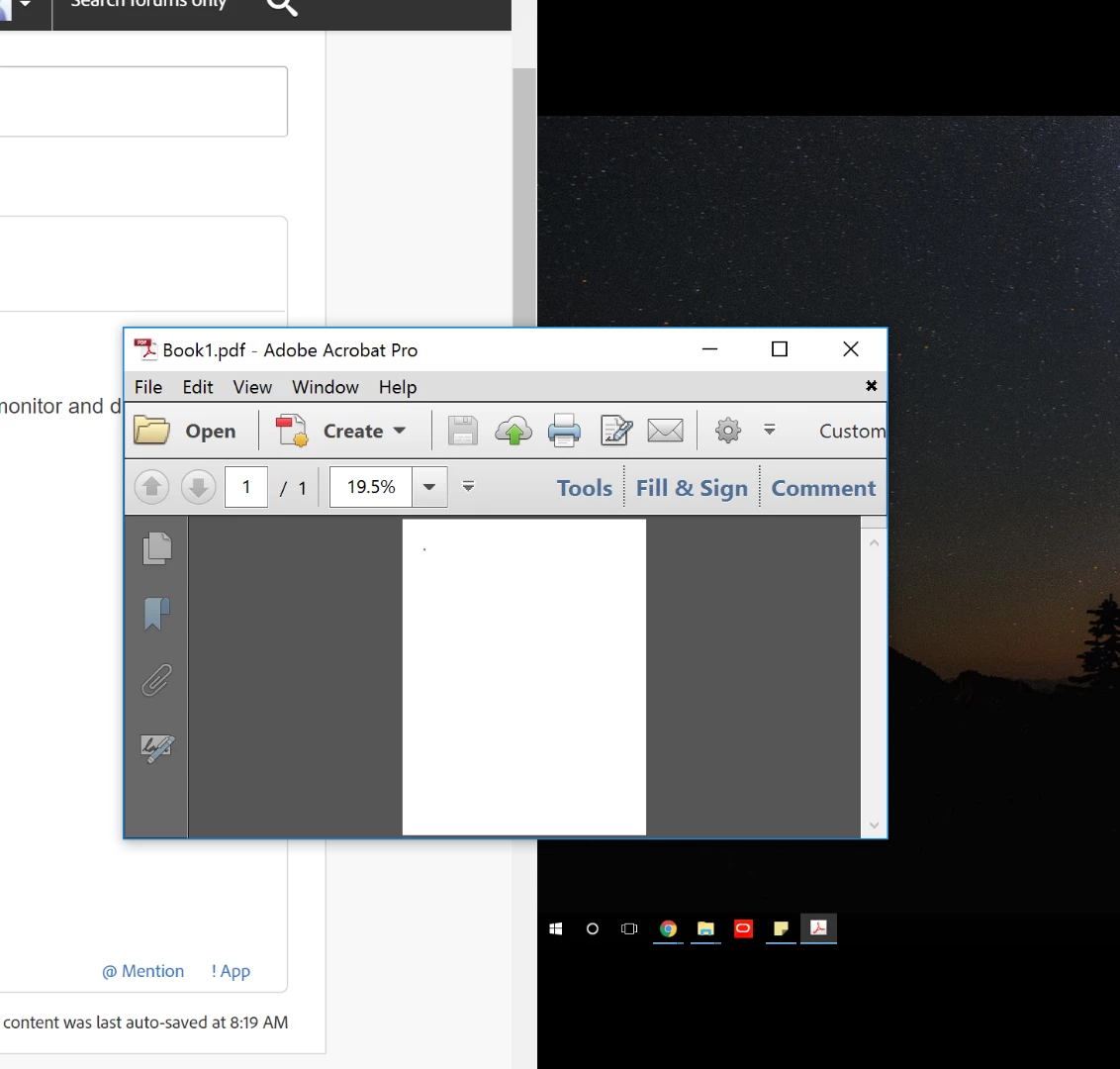
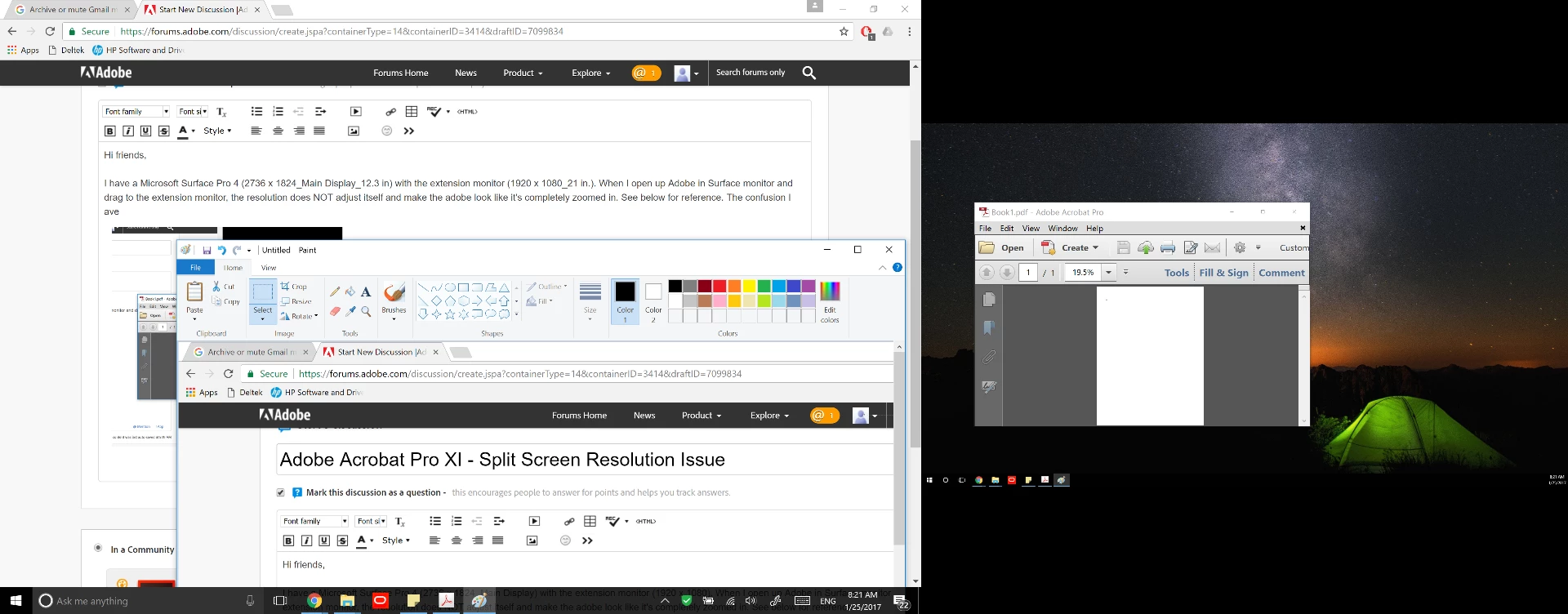
I have a Microsoft Surface Pro 4 (2736 x 1824 Max_Main Display_12.3 in) with the extension monitor (1920 x 1080 Max_21 in approximately). When I open up Adobe in Surface monitor and drag to the extension monitor, the resolution does NOT adjust itself, and it causes the Adobe look like it's completely zoomed in. See below for reference.
The confusion that I have is that for any other applications (chrome, microsoft office, or etc.), these programs adjusts itself into the Extension Monitor's display. See below for comparison. The bottom most picture will describe the difference in resolution clearly.
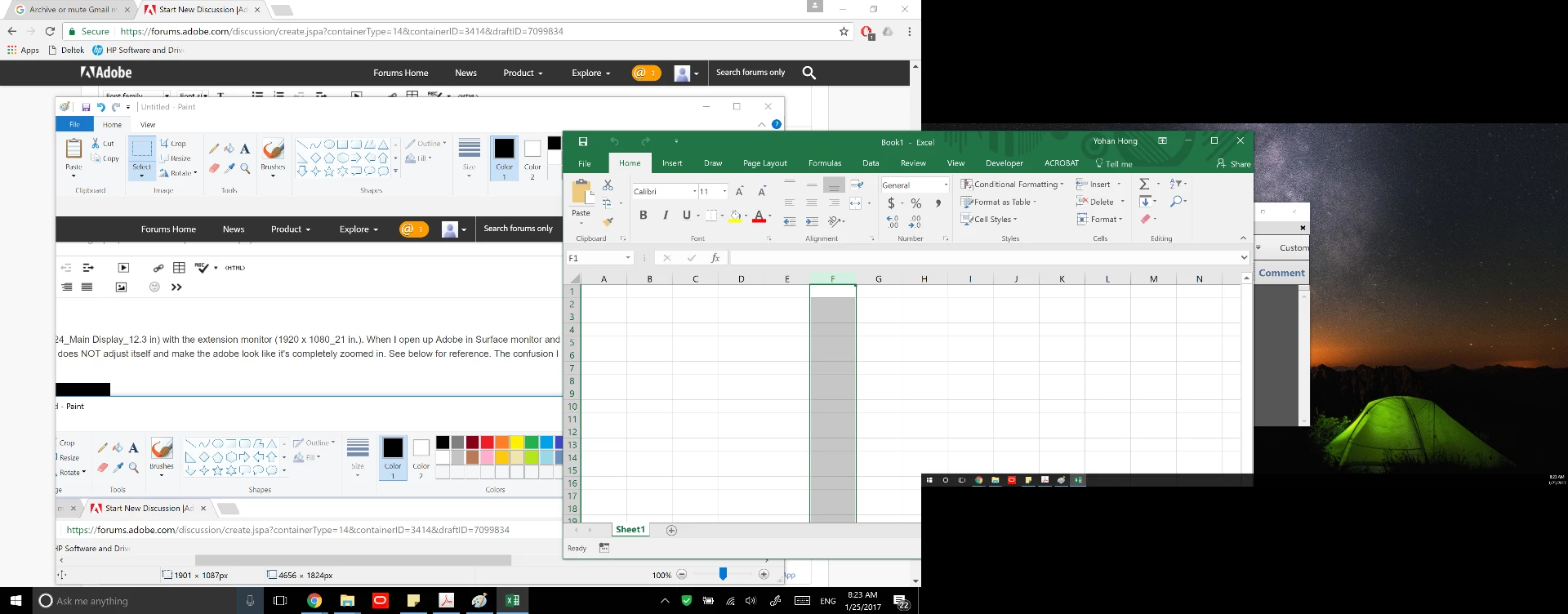
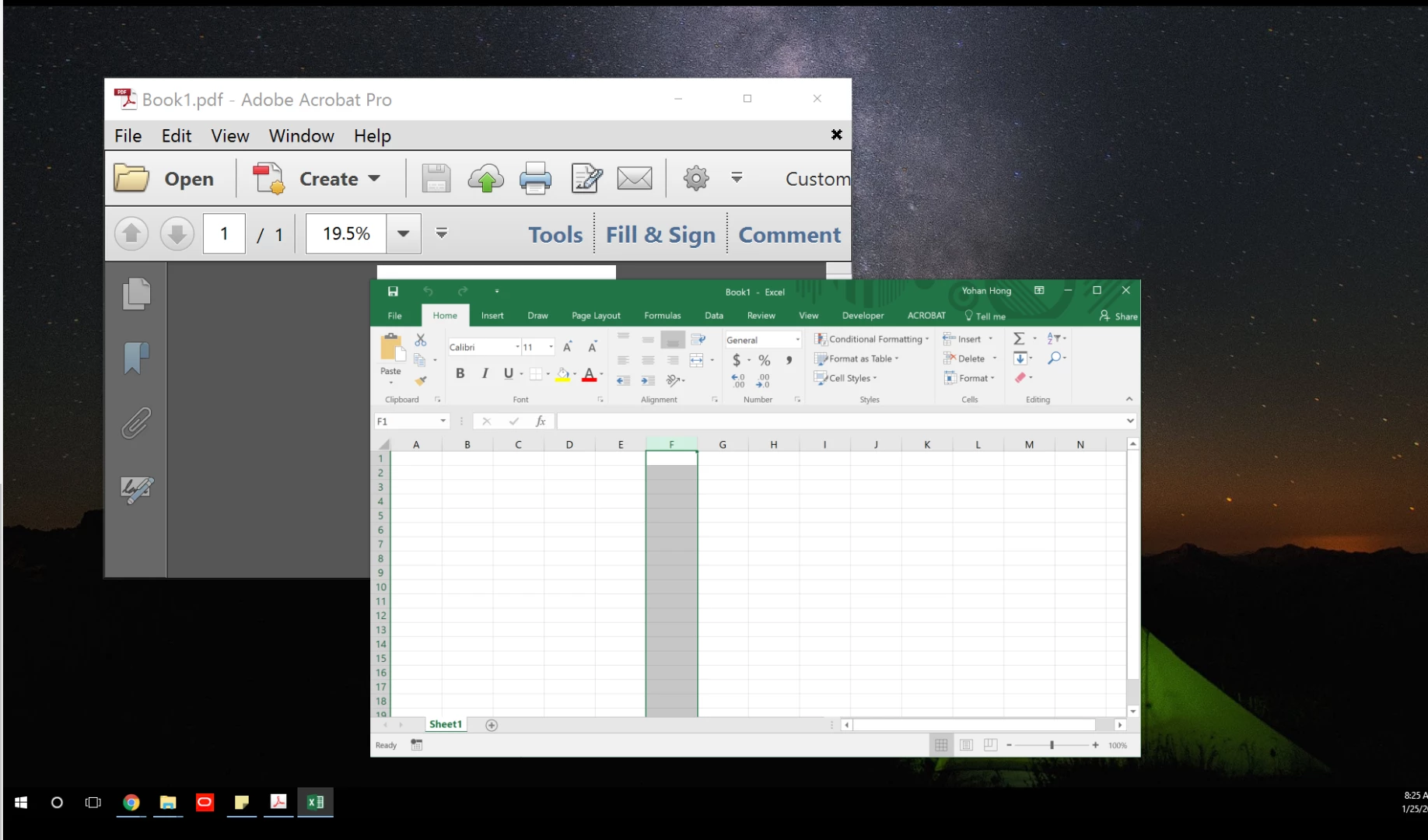
Is there a reason why Adobe Pro Application Resolution doesn't adjust itself in between monitors? I don't have an option to match two resolutions. What is the suggested fix for this problem?

Please advise

    3 replies

    Participant
    July 22, 2025

    This looks like problem in Surface video hardware (Intel HD Video), I have the same issue with Surface 3. In the meantime, Acrobat XI pro works perfect on HP Elitebook 2540p extended display, which is "ancient Windows 7 PC". In my case Surface 3 probably "doesn't like" Acrobat XI pro 32-bit version, although it is working normal on standard 64=-bit PCs. Acrobat Reader 64 bit (newest one, currently downloadable from Adobe), works OK on Surface 3 and Windows 11 running on it.

    Legend
    January 25, 2017

    The current version is DC. I don't know if this will fix it, I only point out XI is almost 5 years old, forever in system terms.

    Legend
    January 25, 2017

    Dynamic adjustment needs special programming you're only likely to find in Microsoft's products and a few others. Does it fix itself if you quit and restart Acrobat? If not, I note you're using an up-to-date Excel and Chrome, but an ancient Acrobat. Maybe (perhaps) it is fixed in the current Acrobat Pro.

    January 25, 2017

    When I quit and restart Acrobat in the extended monitor (having it set on "display only on Screen 2), it still shows in the incorrect resolution.

    Additionally, it's the dynamic adjustment that needs to happen, which probably isn't incorporated with this ancient Adobe Acrobat XI, correct?

    Lastly, this current Adobe Acrobat XI is provided by the company, so I'm not sure if I really have a choice. What is the most up-to-date Adobe Acrobat Pro?