
Adobe Acrobat Reader crash while connecting to digicert for OSCP
Hi,
since the last Adobe Reader update "23.006.20380" we've got some strange issue with the Reader on two Win11Pro Clients.
After starting the Adobe Reader (not even opening a pdf, just the program) following message will appear after 1-2 minutes:
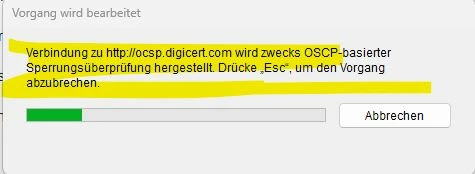
"Connecting to http://oscp.digicert .com for a OSCP suspension check"
Then you can close this window, wait or cancel this process and the program will freeze and crash.
I have already tried:
- repair / reinstall
- installing an older version "23.006.20320" - same failure
- disable protected mode at startup
- disable "automatic adobe Approved Trust List (AATL) updates" and "automatic adobe Approved Trust Lists (EUTL) updates" in the Trust Manager
Has anyone seen this error before?
Right now these client have to use another PDF-Reader.
 AdChoices