
Participant
November 10, 2018
Answered

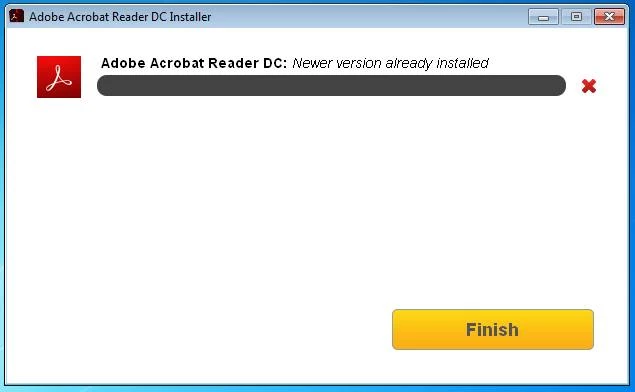
Adobe Acrobat Reader DC: Newer version already installed

  • November 10, 2018
  • 3 replies
  • 12958 views

Hello community

I have just reinstalled Windows 7 and I'm trying to install programs too, but the Acrobat Reader is impossible to install... It almost finishes the installation, creates a desktop icon and when installation reaches 99% it aborts with the message:

"Adobe Acrobat Reader DC: Newer version already installed" (and eliminates the desktop icon)

There is ANY previous Acrobat Reader installed... I reinstalled again a new fresh and clean Windows and tried to install first Acrobat Reader, but still I get NEWER VERSION ALREADY INSTALLED.

I've download and executed the ACROBAT CLEANER (just in case) but it says that there is any version installed.

I've download again Adobe Acrobat Reader from "OTHER VERSIONS" area and choosed manually Windows7/English and choosed the unique available version

"Reader DC 2019 .008.20171 English for Windows"

but it still aborts at 99% with the same message "Adobe Acrobat Reader DC: Newer version already installed"

What can be the problem? Does anybody have the same problem today 2018-NOV-10 with the current download available? I had Acrobat Reader installed yesterday but reinstalled windows from zero (cleaned up the disk) and after installation tried to get again Acrobat Reader and does not work anymore (fresh download from adobe.com, not a backup copy).

Thanks for any help
This topic has been closed for replies.
Correct answer AkanchhaS8194121

Hey KanitoBonito, 

We apologize for the delay in response to your query.

If you are still experiencing the same problem, then we request you to please refer to the official help document here: Error 1722 while installing/updating Acrobat DC/Acrobat Reader DC on Windows  and follow the troubleshooting steps suggested.

Let us know if it still doesn't work. Or if you have managed to find the solution to this problem, then you may please help us with your findings.

Regards,

Akanchha

3 replies

Participant
April 3, 2022

I'm having this same issue on a brand new Lenovo ideapad i5 laptop running windows 11 that I picked up from Costco. I've tried Firefox and Edge... neither work. I get the same error about "a newer version of Acrobat is already installed." That's not possible on a brand new machine.

AkanchhaS8194121
AkanchhaS8194121Correct answer
Legend
January 3, 2019

Hey KanitoBonito, 

We apologize for the delay in response to your query.

If you are still experiencing the same problem, then we request you to please refer to the official help document here: Error 1722 while installing/updating Acrobat DC/Acrobat Reader DC on Windows  and follow the troubleshooting steps suggested.

Let us know if it still doesn't work. Or if you have managed to find the solution to this problem, then you may please help us with your findings.

Regards,

Akanchha

Participant
December 13, 2019

Since there are obviously a lot of people having this difficulty, and we aren't having the problem with other software, maybe Adobe should just fix their own program. Kind of sad when a big software company expects end users to jump through hoops to use their product, it's not a good way to increase customer base. 

kglad
Community Expert
Community Expert
November 10, 2018
