
Participant
January 17, 2019
Question

Adobe Acrobat Reader DC - PDF display

  • January 17, 2019
  • 1 reply
  • 828 views

Hi,

since a view days I´ve got troubles with my Adobe Acrobat Reader DC.

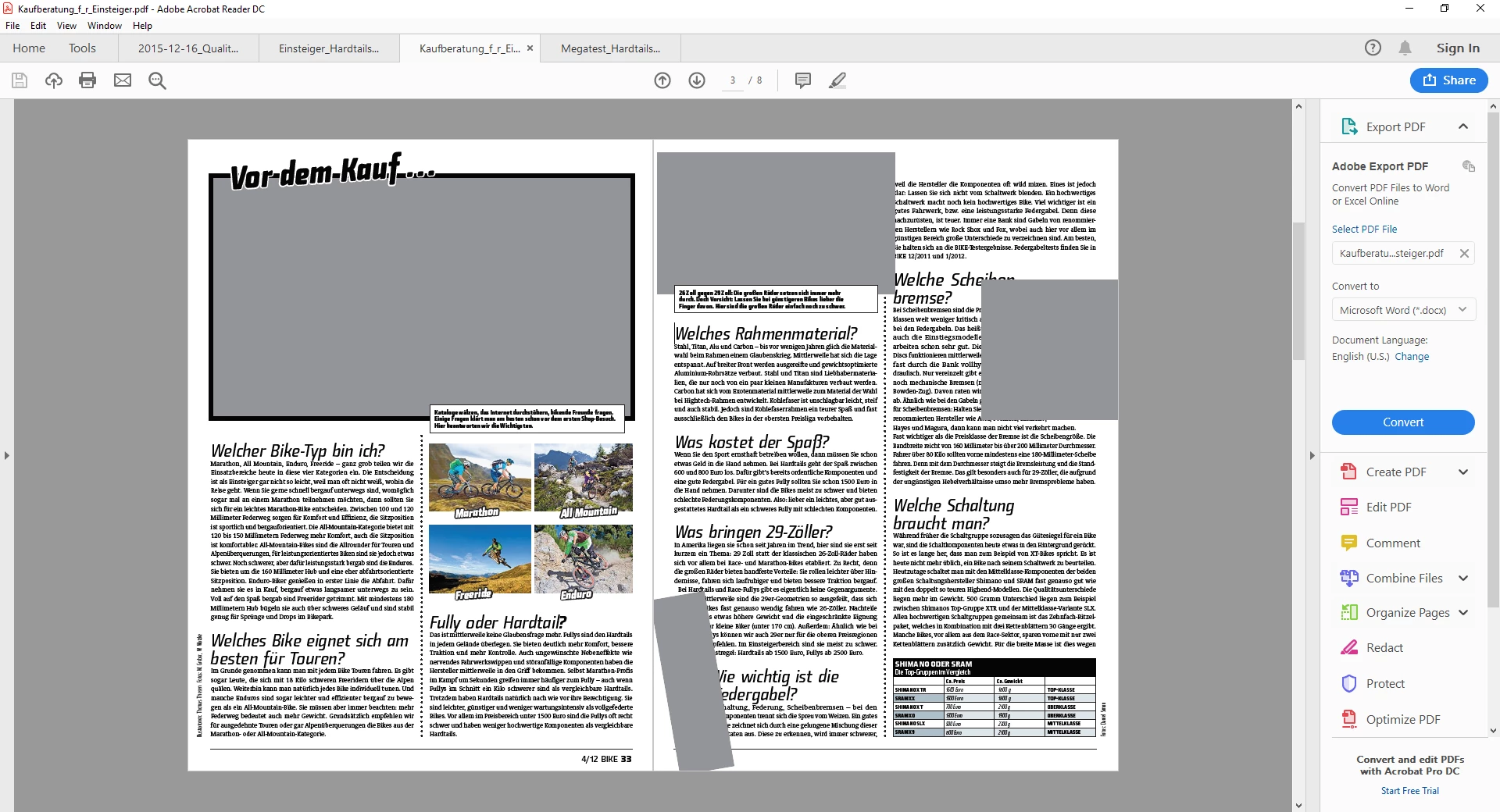
PDF´s are not displayed in the right way (see screenshot). Re-Install (of my admin) didn´t bring any improvement!

It seems, that something was changed in the settings for the display of specific elements within the document. I could not find what and how/where to change these settings.

THX a lot in advance for any hint and cheers from Innsbruck
    This topic has been closed for replies.

    1 reply

    Adorobat
    Participating Frequently
    January 17, 2019

    Hi toamau,

    As per the issue description mentioned above, you are facing issue with pdf when viewing it in reader, is that correct?

    Try toggling the options given under edit>preferences>display and check if that helps. Refer this forum thread for the same: Reader DC Free - PDF scrolling problem

    Reader DC Free - PDF scrolling problem

    Does this happen with specific pdf file? Have you tried with another pdf file?

    Also, let us know dot version of reader and the operating system installed on the machine? You may refer to the steps given in this link on how to check the version in reader : Identify the product and its version for Acrobat and Reader DC

    Let us know if you need any help.

    Shivam

    toamauAuthor
    Participant
    January 25, 2019

    Hi Shivam,

    THX for your replay! Unfortunately I could not save this issue. PDF viewing in the reader does not work. I tried with several, other pdfs (scans, saved word docs as pdf, ect.).

    operating system: Windows 10 Enterprise

    Adobe Acrobat Reader DC version:

    Thanks for your help and BR

    Günter