

Question
Adobe Acrobat Reader DC - printing comments in the right margin
How do I print an edited PDF with comments in the right hand side margin? At the moment the only option is to print them off in a big list at the end, which is useless when you need to match up the comment with the notation within the text.
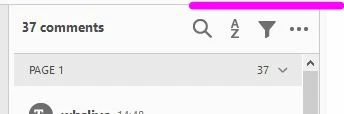
I have followed this thread: How can I print comments in the right margin with Ver X? Specifically: 'On the Comments panel, select the Options menu (circled) and choose Create Comment Summary.' Unfortunately, I don't have a Comments Option menu or the option to Create Comment Summary. This is all I can see (see screenshot, purple bit):
Many thanks
 AdChoices