
Participant
May 11, 2021
Answered

Adobe Acrobat Reader DC search/find functionality (Crtr F) does not work anymore [LOCKED]

  • May 11, 2021
  • 1 reply
  • 3275 views


[This thread is locked. Please start a new thread if you have a similar issue.]


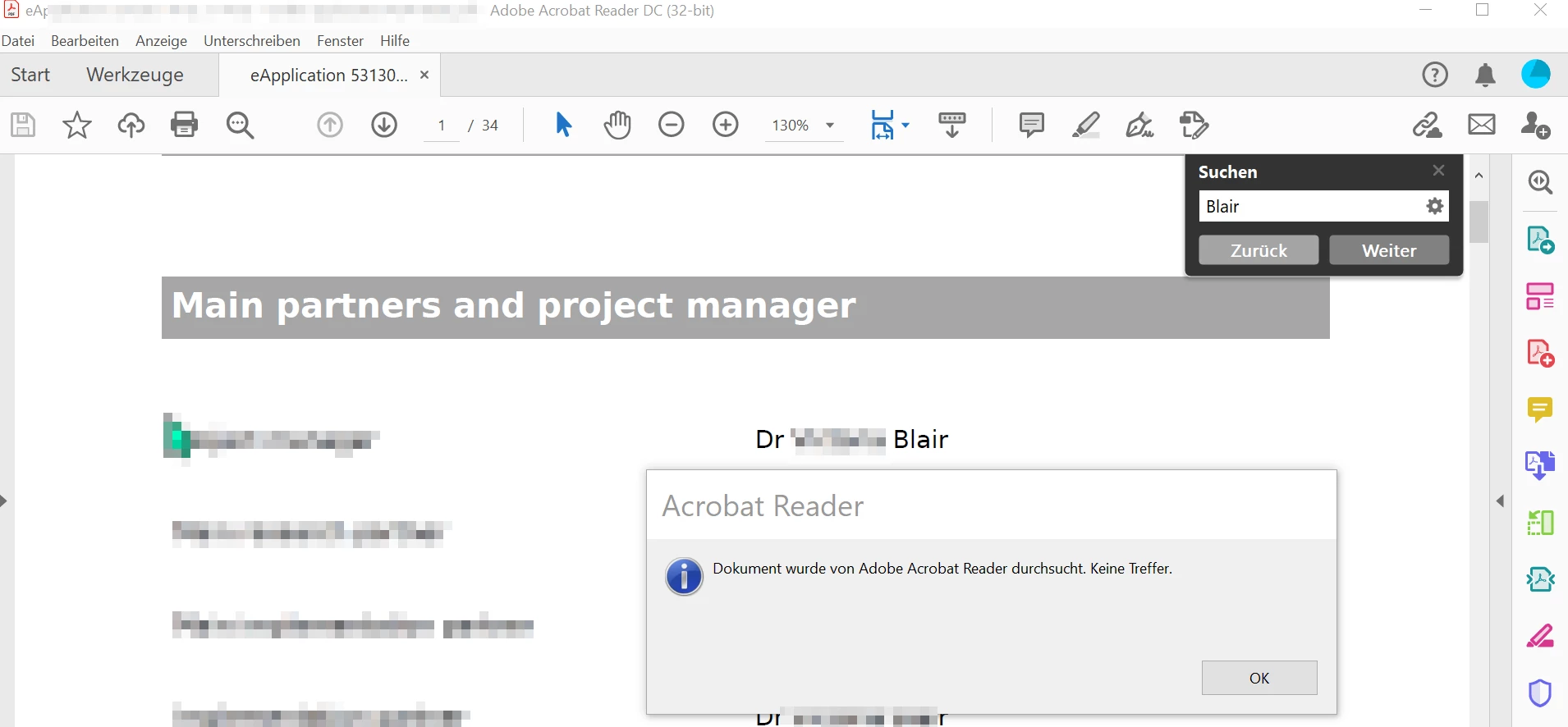
Since some days Adobe does not find any word in the docoment. Even if I copy(Ctr F + Crt F) a word in the search windows. I receive allways the message. Document searched, no hits.

What I can do?


Betriebssystemhersteller: Microsoft Corporation
Betriebssystemname: Microsoft Windows 10
Betriebssystemversion: 10.0.19041
BIOS-Version: LENOVO - 1190
Gebietsschema: Deutsch (Schweiz)


Installierte Acrobat-Version: C:\Program Files (x86)\Adobe\Acrobat Reader DC\Reader\AcroRd32.exe
Version: 21.1.20155.433178
Erstellungsdatum: 2021/04/27

This topic has been closed for replies.
Correct answer Hansueli5C41

I'm sorry, I was trying to think of any possible reason.


  • Does it find other words in this document?
  • Was OCR used to convert this from an image to text?


~ Jane


Meanwhile I found a work around. I installed Pdf XChange Editor from Tracker Software.With this software I have no problem. Therefor I believe that it is not a problem of my documents.

1 reply

Bernd Alheit
Community Expert
Community Expert
May 11, 2021

What can you see when you copy text from the PDF file and paste it in Notepad?

Participant
May 11, 2021

Is a notepad a special computer or an app for you? I can definitely copy the text from the pdf document into Word, for example, and search it there using the corresponding function. I can also find the words there. But I normally expect a reader to spare me this way.

jane-e
Community Expert
Community Expert
May 11, 2021

Hi @Hansueli5C41 

Check the Gear in the upper right. Uncheck Whole Words Only and Case Sensitive if they are checked. Let us know if that fixes it.


Notepad is included with Windows and is a simple text editor.


"Adobe Acrobat Reader DC search/find functionality (Crtr F) does not work anymore"

I'll move this from Acrobat to Acrobat Reader for you.


~ Jane