
Participant
May 20, 2021
Question

Adobe Acrobat Reader, doesn't print text 3D, problem printer. Adobe Acrobat Pro DC works correctly.

  • May 20, 2021
  • 1 reply
  • 818 views

Hello,


Adobe Acrobat Reader, doesn't print text 3D of the next image. But in preliminry view works correctly :


The text in normal view :
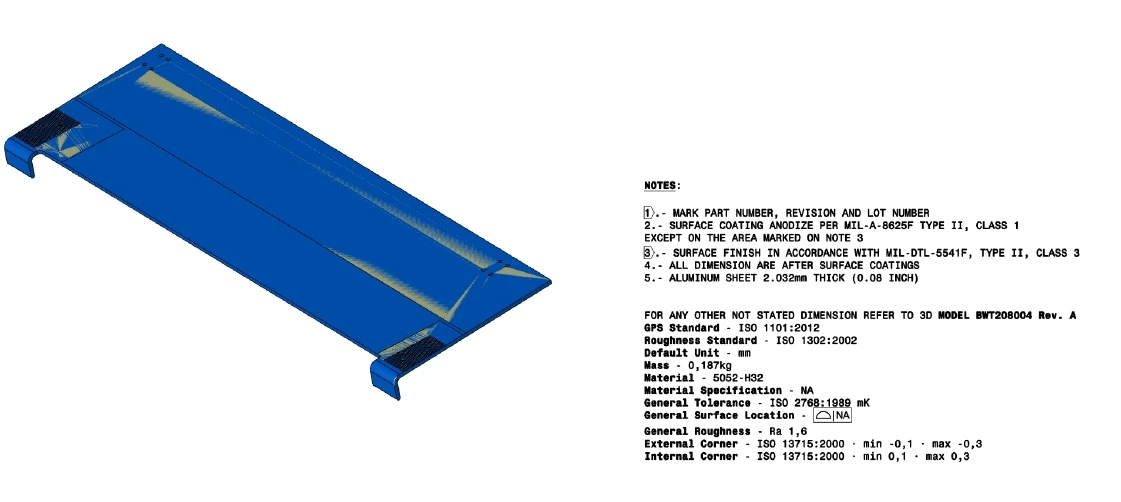
But when printing the text does not appear (the nest image). 
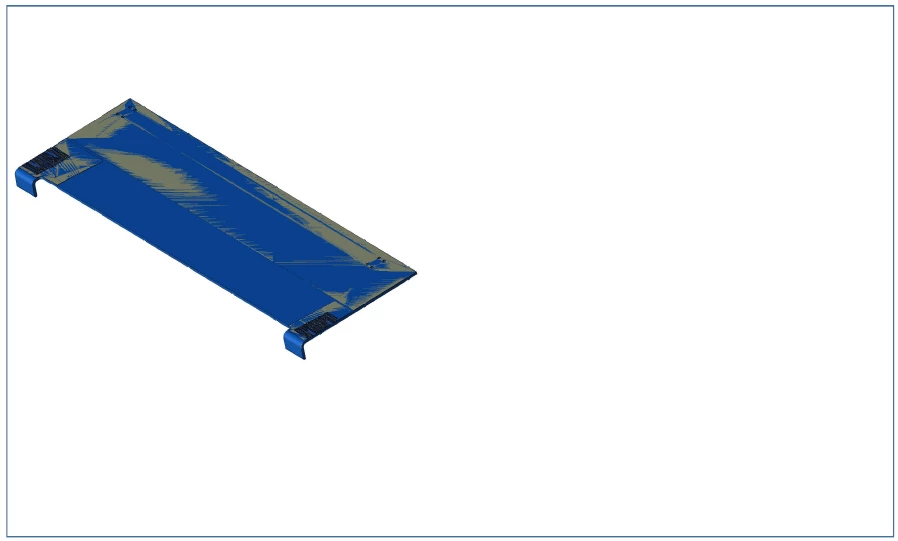
And with Adobe Acrobat Pro, the text does print.

I have tried different printers and the same problem always happens.


Thank you very much for the help. Greetings.


This topic has been closed for replies.

1 reply

Amal.
Legend
June 24, 2021

Hi there


Hope you are doing well and sorry for the delay in response. I hope you would be able to fix it by now.


If the issue still exists, would you mind sharing the version of the Adobe Acrobat Reader DC you are using? To check the version go to Help > About Acrobat and make sure you have the latest version 21.05.20048 installed. Go to Help > Check for Updates and reboot the computer once.


As mentioned, you are able to view the text in the normal view, please try to print the PDF as image and see if that works for you. Open the PDF > Print > Advanced > Print as Image.


Also in the print window of Adobe Acrobat Reader DC under comments and forms, select document and markups and see if that helps.


Hope it will help


Regards

Amal

Participant
April 14, 2022

I'm currently at version 22.001.20085.0 and I'm still missing text and other information when I print the model. 

Amal.
Legend
April 15, 2022

Hi Sean


Hope you are doing well and sorry to hear that.


Please try the steps suggested in my previous reply and see if that works. Also, update the application to the recent version 22.1.20117 (Win), 22.1.20112 (Mac) go to Help > Check for updates and reboot the computer once and check.


Regards

Amal