
Jan 31, 2018 7:23 PM UTC
Answered

adobe acrobat reader don't show recent files

Hi

When I'am using adobe acrobat reader, and opening pdf-documents from my computer, it doesn't show my recent open files:
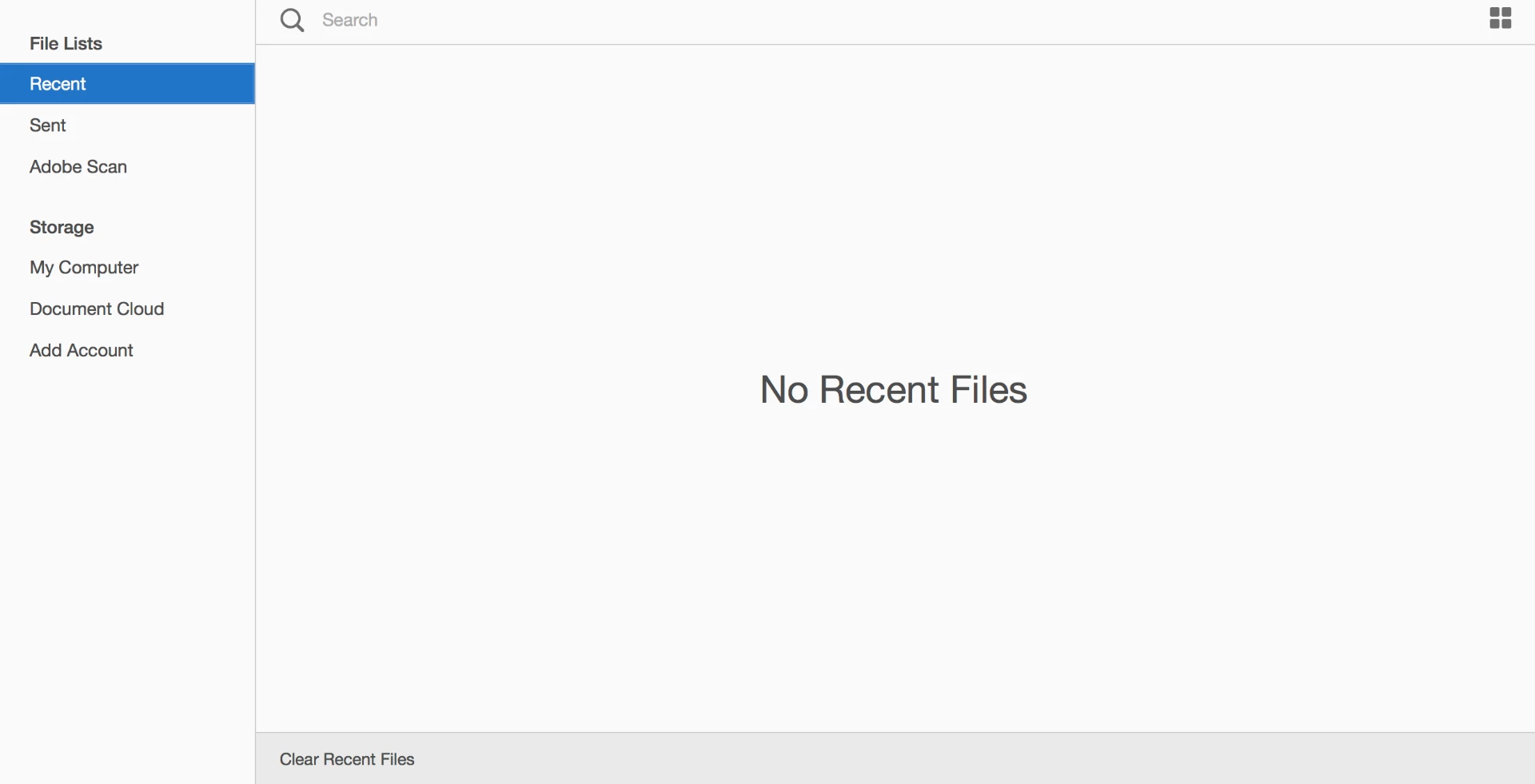
Can you please help me - do I need some settings I don't know about. The only place I can find something about the opening window, is under settings:

    Adorobat
    AdorobatCorrect answer
    Participating Frequently
    Jan 31, 2018 10:23 PM UTC

    Hi Daniels,

    Could you please try opening this link in a web browser and see if recent files are visible: https://cloud.acrobat.com/recent

    Also, check if documents in recently used list is not set to 0 under Edit > Preferences > Documents > Open settings.

    Keep us posted with the results.

    Shivam

    41 replies

    woodsrider
    Participant
    May 1, 2024 12:55 AM UTC

    Same here....all of a sudden, I am having the issue of recent files not showing up in Acrobat Pro. Very annoying. Most of my files are accessed from Dropbox. I hope we have a solution soon...

    Translate
    Participant
    Feb 4, 2019 9:51 AM UTC

    Hi!

    Yes I also have the same issue - it's strange. My other adobe apps remembers, but my acrobat doesn't? I have checked all settings and seem to be correct.

    When I click the web link as suggested above - my files do not show either.

    Thanks for any help.

    Translate
    mdfOffman
    Participant
    Apr 11, 2024 3:43 AM UTC

    I now have this problem too. I don't use AdobeCloud so this only relates to local files.  Thelist hssn't been updated for several weeks

    Translate
    Participant
    Apr 16, 2024 11:29 PM UTC

    Same problem. Just suddenly stopped showing recent local files. . . Would like to know a fix.

    Translate
    koreyc9052018
    Participant
    Jan 25, 2019 2:59 AM UTC

    I'm wondering if anyone can tell me why this problem only happens with files I have in iCloud. I can see in the recent documents anything I opened that was local (i.e. desktop or documents etc) but not something that was in my iCloud even though it's really local like dropbox would be holding a local copy.

    Thanks

    Translate
    rickhino
    Inspiring
    Jun 18, 2020 3:07 PM UTC

    You won't have the same problem with Adobe cloud.  This trick is as old as Microsoft.

    Translate
    Adorobat
    AdorobatCorrect answer
    Participating Frequently
    Jan 31, 2018 10:23 PM UTC

    Hi Daniels,

    Could you please try opening this link in a web browser and see if recent files are visible: https://cloud.acrobat.com/recent

    Also, check if documents in recently used list is not set to 0 under Edit > Preferences > Documents > Open settings.

    Keep us posted with the results.

    Shivam

    Translate
    Feb 1, 2018 11:04 AM UTC

    Hi Shivam

    I check the 'Open settings' and the recently used are set to 100.

    When I used the link, I could se my recently used files - but they were all from my Document Cloud. I don't have all my pdf-files in the Cloud - some of them are local on my machine, and I can't see them in the list.

    /Daniel

    Translate
    Feb 1, 2018 11:10 AM UTC

    Hi Shivam

    I can see them now

    Translate