

camila_s
Participant
November 20, 2018
Question

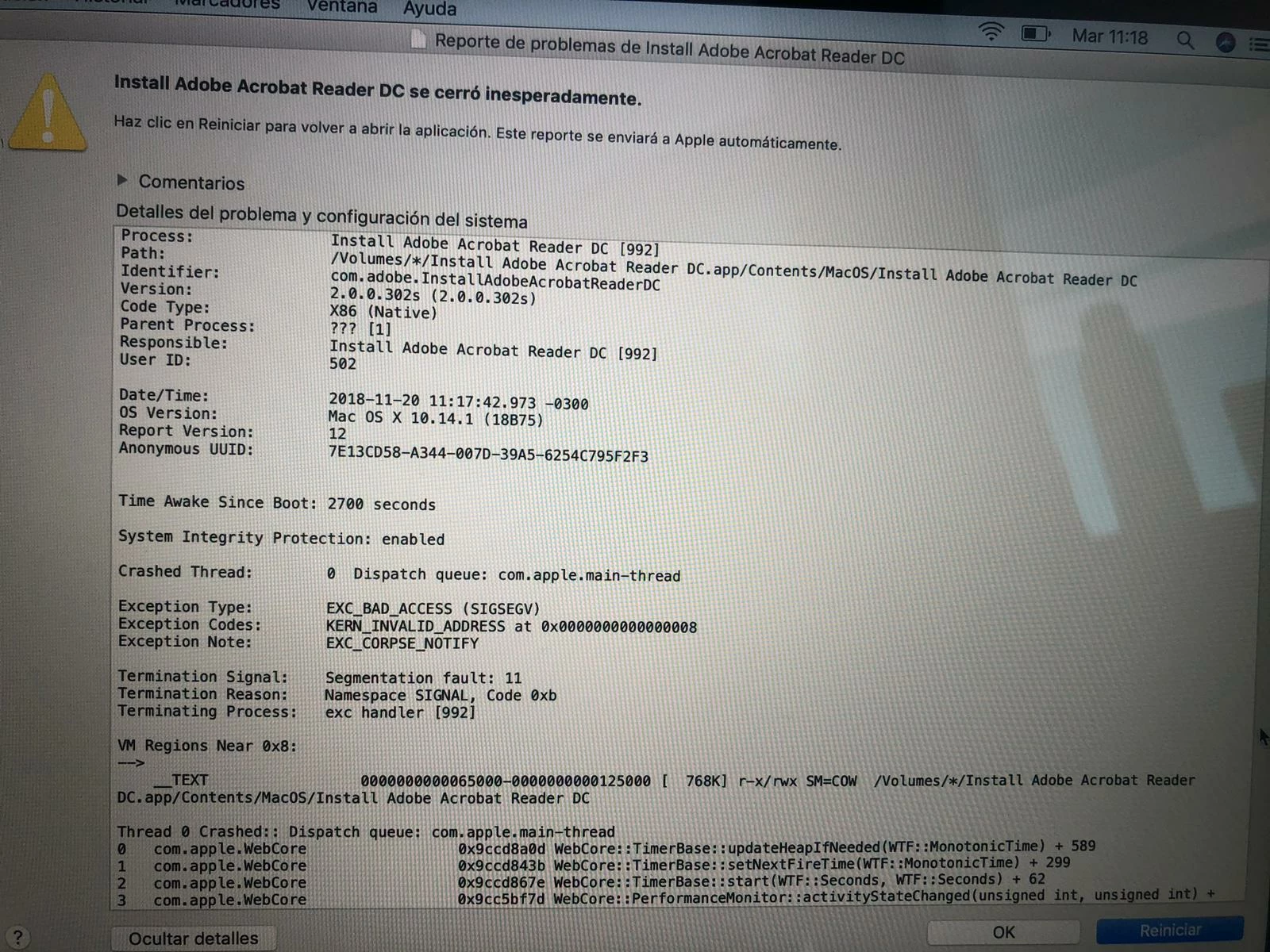
Adobe acrobat reader no funciona con mac Mojave

mi adobe acrobat reader no funciona con Mac Mojave, lo abro y me sale un texto. que puedo hacer?

    This topic is closed to new replies. Start a new post to keep the conversation going.

    1 reply

    AnandSri
    Legend
    November 29, 2018

    Hi Camila.s,

    We're sorry for the trouble you had with Adobe Reader, please reboot the machine once and launch Adobe Reader and check for any pending updates from help menu of Adobe Reader>check for updates. Reboot the machine again after updating Adobe Reader.

    If you still get an error message, please use Acrobat cleaner tool to remove Adobe Reader Download Adobe Reader and Acrobat Cleaner Tool - Adobe Labs

    Reboot the machine and download Adobe Reader from ftp://ftp.adobe.com/pub/adobe/reader/mac/AcrobatDC/1900820080/

    Run the setup and complete the installation process.

    If you still experience any issue, please create a test user profile with full admin rights and install Adobe Reader from the above URL and check.

    Let us know how it goes and share your observation.

    Thanks,

    Anand Sri.

    Translate