
Adobe Acrobat Reader won't print or open print properties (Windows 11)
Hi,
I’m testing my new Asus Vivobook with Windows 11.
Everything works fine except printing PDF documents (printing from Word works fine).
When I have a pdf document open in Acrobat reader, I click the print icon.
The dialog box opens (screenshot in annex).
ISSUE 1)
I can’t open the properties window (clicking it does nothing). The same goes for the page setup window.
On the screen shot I highlighted these two buttons : properties (in Dutch eigenschappen) and page settings (in Dutch pagina instellingen). However, I can open the advanced window.
ISSUE 2)
When I perform the print command, nothing appears in the print queue, and nothing gets printed.
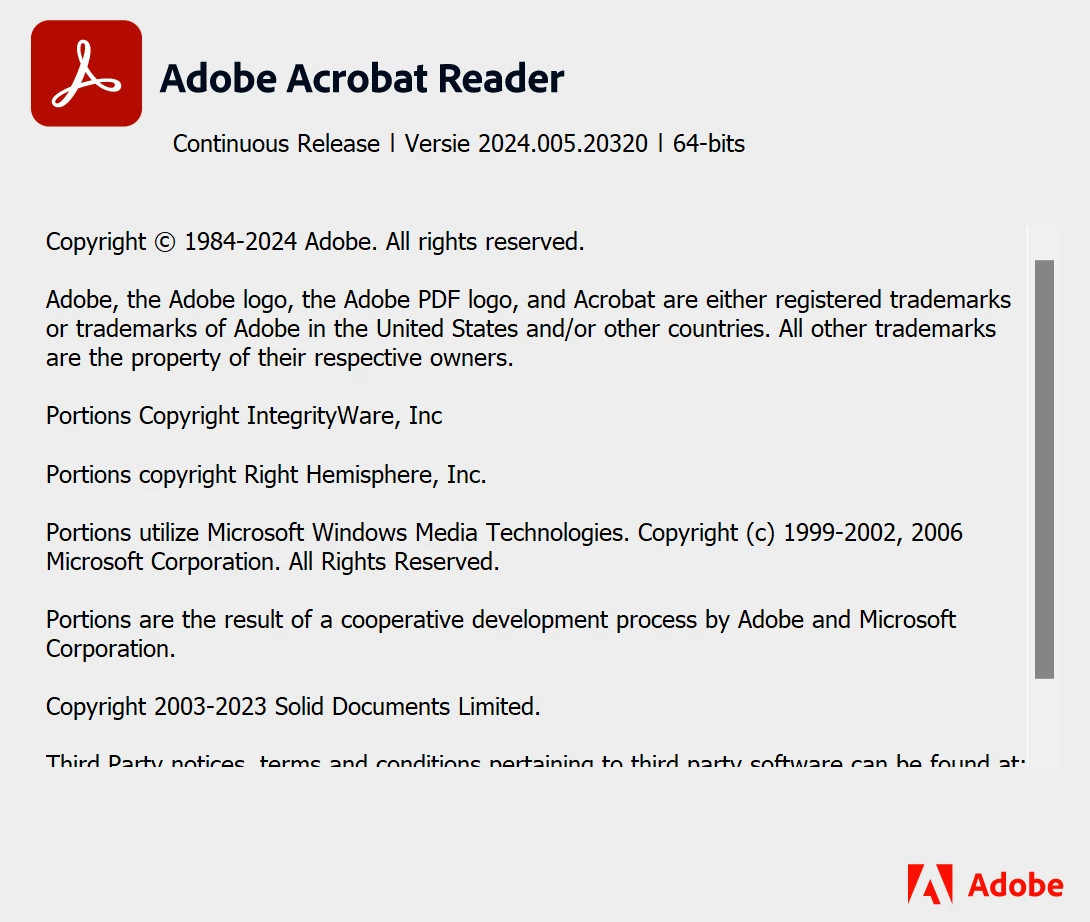
In screenshot 2 the version of adobe acrobat reader.
I have windows 11 home version 23H2.
What to do to solve this?
Thanks for your advice!
Marleen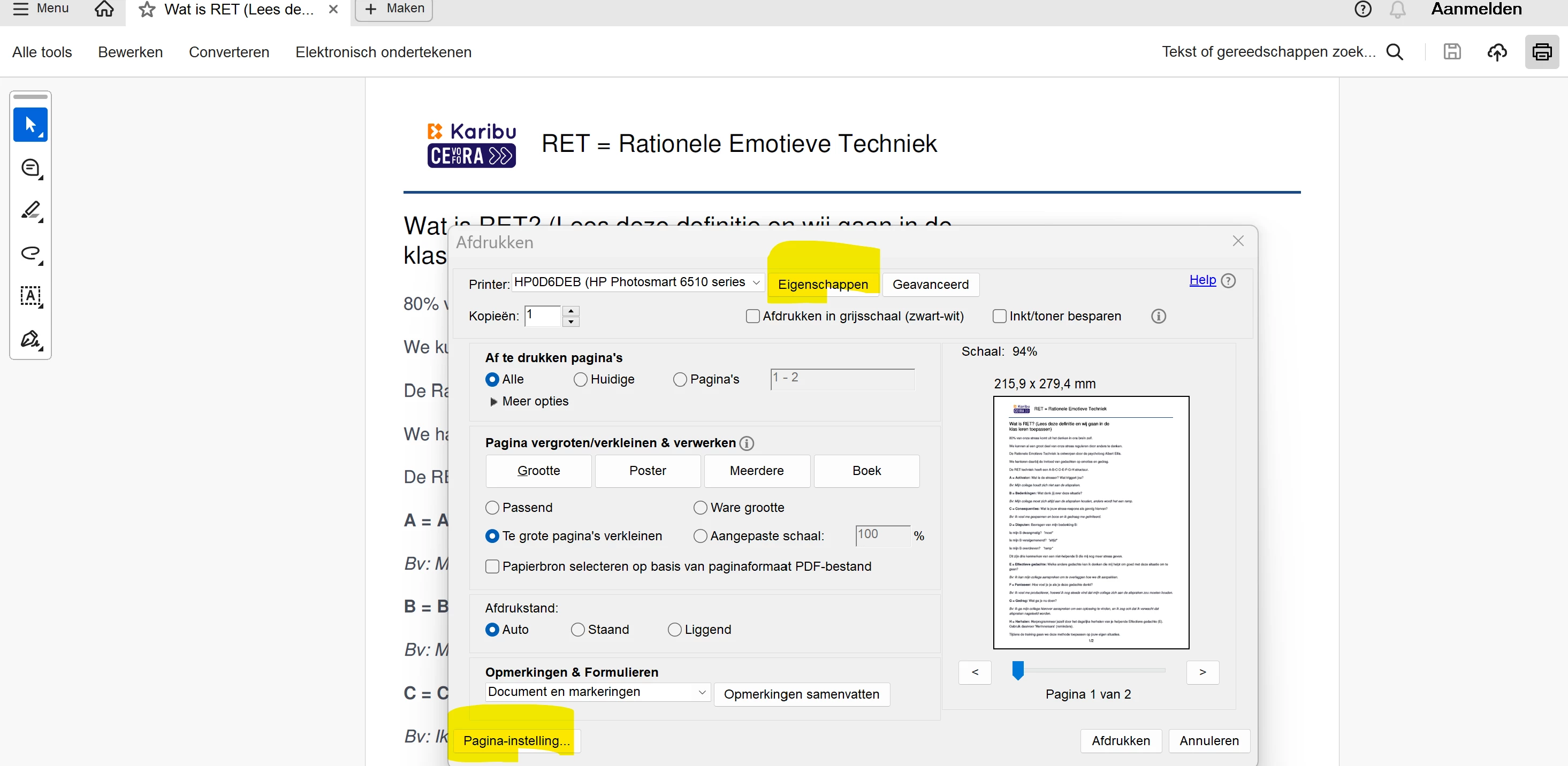


 AdChoices