
July 20, 2020
Question

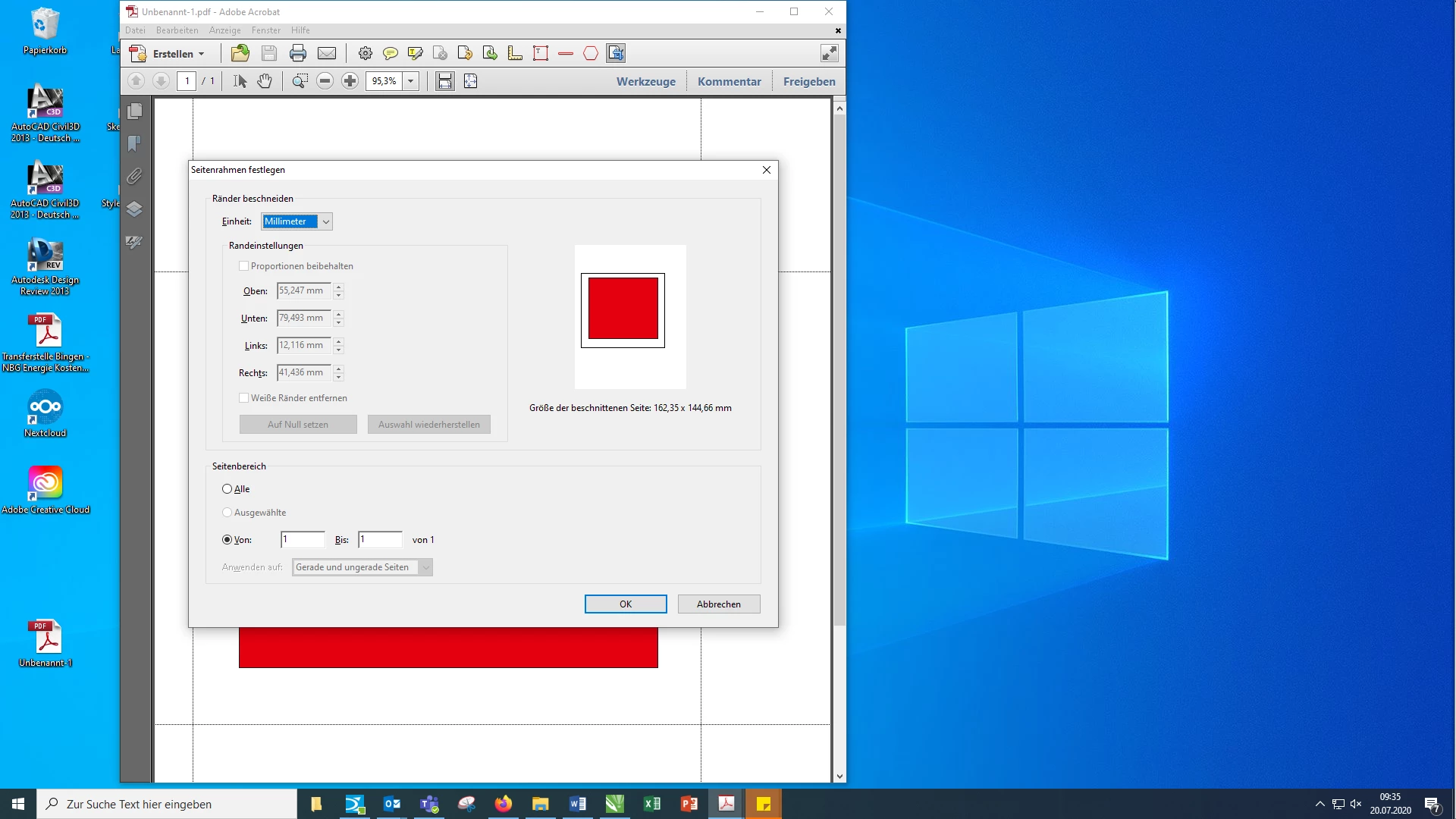
Adobe Acrobat X "crop" is in grey

  • July 20, 2020
  • 3 replies
  • 720 views

Good day,

I have a question about Adobe Acrobat X: With the tool "crop" I can open a frame to crop a PDF. If I open the frame and then press enter, the "Set page frame" window opens. However, the "Trim edges" area is grayed out ... I cannot enter anything there. I have a new PC and have reinstalled Adobe Acrobat X there. On my old PC I was able to cut PDFs and also enter millimeter information. Now that is no longer possible. I tried the PDF with which I cannot set anything with Adobe Acrobat on my colleague's computer and there was no "trimming edges" grayed out.

What could that be?
This topic has been closed for replies.

3 replies

Participating Frequently
July 20, 2020

You can use the crop PDF feature on your old computer but not on the new one, that's probably because your Adobe Acrobat X isn't best compatible with your new computer. Just upgrade to the newest version and try it again.

try67
Community Expert
Community Expert
July 20, 2020

Also, be aware that Acrobat X is old, unsupported and not compatible with Windows 10.


And you posted your question in the Reader forum, instead of the Acrobat one...

July 20, 2020

Ok, worked it out. Just needed the Update from 10.0 to 10.1.16!