
Participant
April 13, 2017
Answered

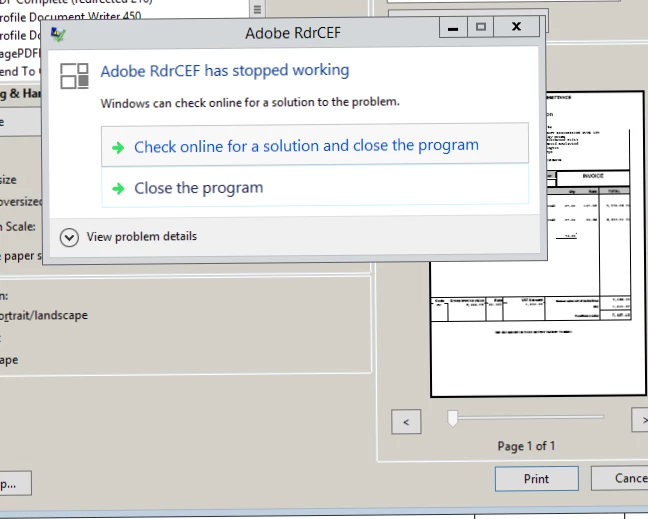
Adobe RdrCEF has stopped working - Server

  • April 13, 2017
  • 12 replies
  • 30220 views

I am working on a clients server and the users RDP onto the server. When they open a PDF file, adobe acrobatic reader DC comes with an message which is now not letting them print or save, this happening the majority of the users. The server recently had a virus and I dont want to do anything major to it just in case the server goes down again. 

What would be the best solution to get rid of this?
This topic has been closed for replies.
Correct answer Meenakshi_Negi

Hi lesliek17660528,

Could you please try once to restart your server. Check if that resolves the issue.

Also, try Repairing Adobe Acrobat Reader DC. Go to Help menu > Repair installation.

Let us know if the issue still persists.

Regards,

Meenakshi

12 replies

klxz79
Participant
April 14, 2017

Can confirm the same issue.  Server 2008 R2 Terminal server.  Users can't save PDFs and ADobe RDrCEF is continually crashing.  I see that Adobe Reader DC was updated yesterday.  I will try installing Adobe Reader XI instead.

Meenakshi_Negi
Meenakshi_NegiCorrect answer
Legend
April 13, 2017

Hi lesliek17660528,

Could you please try once to restart your server. Check if that resolves the issue.

Also, try Repairing Adobe Acrobat Reader DC. Go to Help menu > Repair installation.

Let us know if the issue still persists.

Regards,

Meenakshi

April 13, 2017

Same with us.  We have the latest version.  I did repair installation last night and then uninstalled reinstalled.  Still having problem.

Poorvi Singhal
Community Manager
Community Manager
April 14, 2017

Hi,

Kindly restart your machine after repairing installation.

Let us know how it goes.

Regards,

Poorvi
