Adobe Reader DC - App won't let me Combine Files (even tho I paid for Standard DC)
I paid for standard Adobe Reader DC which comes with combining PDFs, as seen here
The above link was shared to me when I first flagged the issue December 02, 2018 (this was about optimize, which I thought I had paid for. I had not! Silly me. But as you can see, I paid for the organize and combine options.)
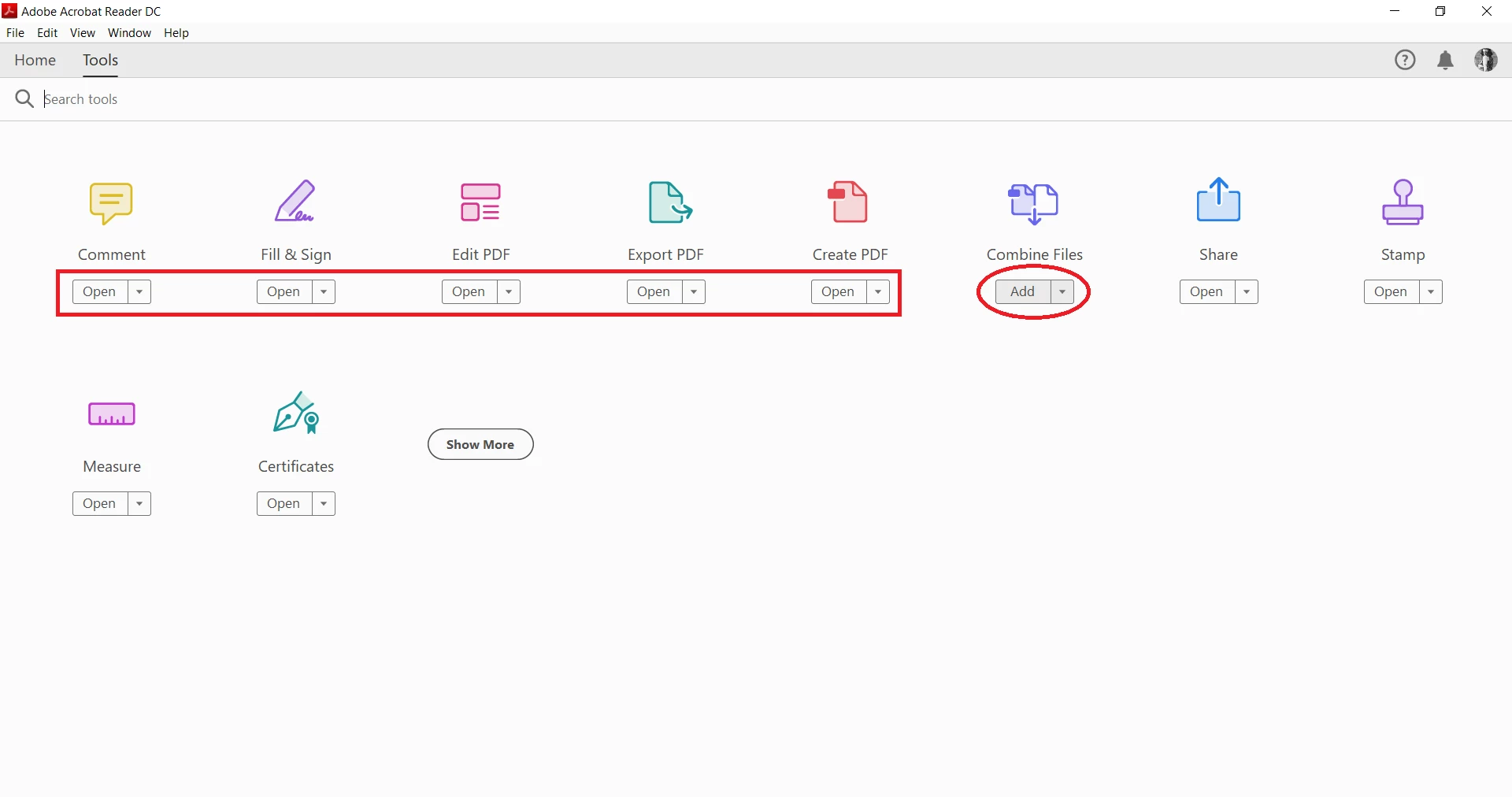
When I am on my App, it says "ADD" instead of "OPEN" underneath Combine (see image 2) and I have to go a round-about way to the web-browser to access the Combination Tool.
The browser version has proven unreliable and frustrating. Sometimes it randomly opens one of the files I am trying to combine, and then erases the progress I have made; it doesn't organize things based on file name so I must constantly re-order the files, which would be small bananas but adds to the frustration when compounded on the other issues; sometimes it just bareface gives me a tinted grey screen and refuses to go any further, freezing in a state of limbo.
And sometimes I need to combine files in locations with limited or no wifi available.
I have tried some solutions.
- I closed and opened the program again.
- I restarted my computer more than once.
- I went to control panel and did the "Repair" option first.
- I uninstalled and re-installed.
- I installed some drivers.
- I ran a virus scan.
- I cleaned up some extra files.
As for the uninstalling and re-installing:
When I opened it, it had the standard free stuff (including "ADD" underneath Combine) and when I logged in, none of my privileges shifted beyond what the Free version had shown.
I tried asking the help desk and they said "try uninstalling" which I did, and their next suggestion was to try here.
So, in conclusion:
- I paid for a subscription
- The subscription I paid for includes combine files
- The app won't let me combine files
- The browser version is problematic, and I'd like the App to do it
Please help.
Is the app not working?
Why won't the Combine change from ADD to OPEN?
Is the browser literally the only way?
image 1:
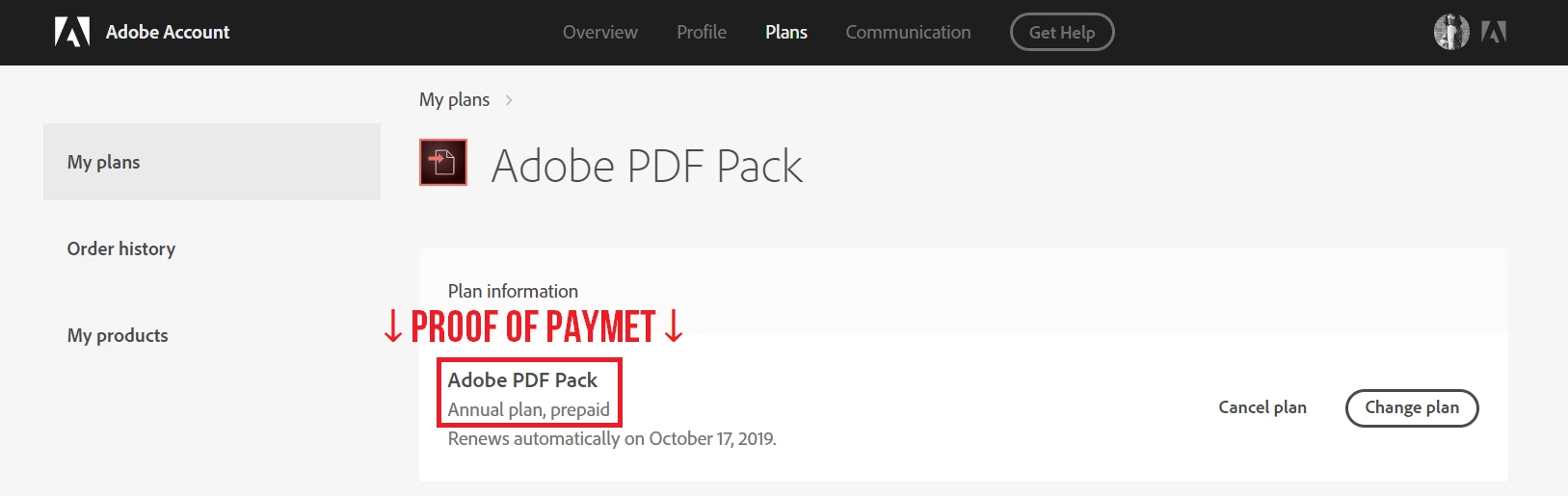
image 2:
 AdChoices