
Participating Frequently
April 11, 2017
Answered

Adobe Reader DC can´t remember preferences

  • April 11, 2017
  • 4 replies
  • 7071 views

Hi,

i have a issue with adobe reader DC with preferences, when I run Reader, i sign up, and when i want to send PDF via Outlook, there is a question, what email i want to use. So i set up outlook and its okay. When i send the email with attachment and close Outlook window, program still remember settings for default client and when i hit "Send" button again, it works fine. Its for every option in preferences for example when i check "Restore last view settings when reopening documents".

The problem is, when i close Reader DC and when i start it again.

Every change in preferences is on default value, so i have to sign up again, when i want to send email, there is question about default email client again, and the option "Restore last view settings when reopening documents" is unchecked and thats the problem. I have to do it everytime again.

I think the problem is in folder %appdata%, where the preferences for Reader are saved, because there are two files:

AutoFillDefaults

defaultHeuristics

The first one has 0kb, and second one has 1kb. So in my opinion, reader cant write to this files. When i was findining solution, there was many advices, where is written, that i can try relocate the "preferences" folder to another, close and open reader again and the folder have to be recreated. But folder wont show up.

Another solution what i found was "Run Reader DC as administrator, set the preferences, save it and close it, it should be okay now"  but again, this dont work either.

I tried to reinstall, update wndows, nothing works.

Its interesting that Reader XI have the same problem on this computer.

FYI: Windows have lastest updates and version of Reader is 17.009.200444.

Can you help me? IDK what i can do now.
This topic has been closed for replies.
Correct answer arvindy

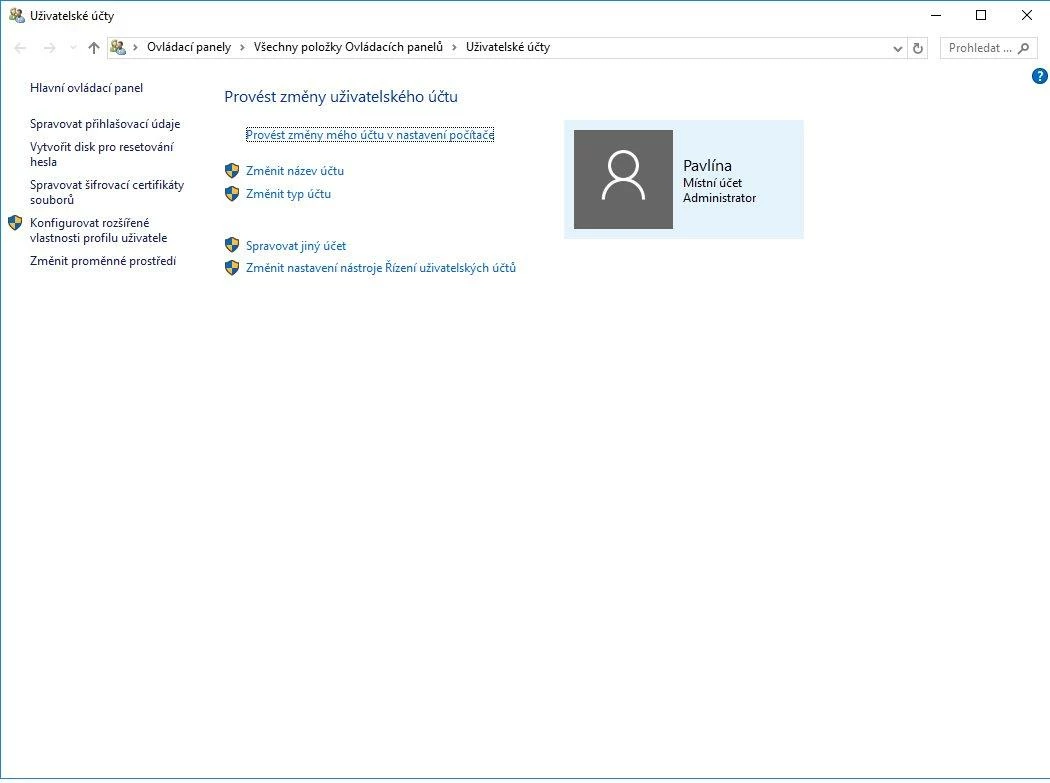
Sorry, my mistake, as administrator, i can run the program, but when i want to send mail, the adobe reader gets stuck.

In Picture im sending administrator acc, there is local user, no AD and domain.


Hi Robgryg,

You are running Adobe Reader DC in administrator mode and if you are not able to send emails, kindly follow the steps-

  -Close Outlook if already running.

  -Run Outlook in administrator mode (search for Outlook in window search and the right click on Outlook and select "Run as administrator").

  -Now run Adobe Reader DC in administrator mode and try to send any PDF as attachment.

Kindly let us know if it helps.

Regards,

Arvind

4 replies

Legend
April 20, 2017

If the value is stored with other preferences, it seems likely that if the registry is locked and the preferences can't be saved, then that value can't be saved. You'd have to try it, I don't see this issue here. But be sure you are confident with regedit, and have a full backup.

Legend
April 18, 2017

I think the preferences are in a logical place (under HKCU\Software\Adobe\...). Regedit can fix permissions.

RobgrygAuthor
Participating Frequently
April 20, 2017

And the problem with (not) maximized Windows can be sloved in regedit? Or for this is another solution somewhere else?

Or should i create a new topic?

Sunil_Soni
Adobe Employee
Adobe Employee
April 12, 2017

Hello Robgryg,

Are you running application in compatibility mode ? If Yes,  Please refer "How to Run an App in Compatibility Mode" section in How to Set Compatibility Mode for Apps in Windows 10 and uncheck the "Run this application in compatibility mode for".

Please let us know if it helps.

-Thanks

Acrobat Team

RobgrygAuthor
Participating Frequently
April 12, 2017

Yes, the program is run in Compatibility mode, but i cant uncheck it (first image)

And when i use compatibility troubleshooting, there is no window, where i can uncheck the option of compatibility mode. Im sorry for czech language but Windows are the same. I can set compatibility for Windows 8 but the program freezes, when i want to send email and if i go to properties for adobe reader, there is still checked compatibility for Windows 7, not Windows 8 even, when i set it in "Run programs made for previous versions of Windows".

Sunil_Soni
Adobe Employee
Adobe Employee
April 12, 2017

Please talk to your administrator and get it disabled, it should solve your issue.

Kindly keep us updated with the progress.

-Thanks

Acrobat Team

Meenakshi Negi
Community Manager
Community Manager
April 11, 2017

Hi Robgryg,

Could you please confirm if you are experiencing this issue on a personal system or on a system at work.

Is this issue started after updating the application?

What is the Windows version installed on your system?

Regards,

Meenakshi

RobgrygAuthor
Participating Frequently
April 12, 2017

The issue is on systém at work, but PC isnt in domain.

In my opinion, the issue started when the computer was updated to Windows 10, but my client doesent know when exactly the problem started.

Windows version is 1607 (Build 14393.1066).